635 posts tagged “llm”
LLM is my command-line tool for running prompts against Large Language Models.
2025
llm-anthropic #24: Use new URL parameter to send attachments. Anthropic released a neat quality of life improvement today. Alex Albert:
We've added the ability to specify a public facing URL as the source for an image / document block in the Anthropic API
Prior to this, any time you wanted to send an image to the Claude API you needed to base64-encode it and then include that data in the JSON. This got pretty bulky, especially in conversation scenarios where the same image data needs to get passed in every follow-up prompt.
I implemented this for llm-anthropic and shipped it just now in version 0.15.1 (here's the commit) - I went with a patch release version number bump because this is effectively a performance optimization which doesn't provide any new features, previously LLM would accept URLs just fine and would download and then base64 them behind the scenes.
In testing this out I had a really impressive result from Claude 3.7 Sonnet. I found a newspaper page from 1900 on the Library of Congress (the "Worcester spy.") and fed a URL to the PDF into Sonnet like this:
llm -m claude-3.7-sonnet \
  -a 'https://tile.loc.gov/storage-services/service/ndnp/mb/batch_mb_gaia_ver02/data/sn86086481/0051717161A/1900012901/0296.pdf' \
'transcribe all text from this image, formatted as markdown'

I haven't checked every sentence but it appears to have done an excellent job, at a cost of 16 cents.
As another experiment, I tried running that against my example people template from the schemas feature I released this morning:
llm -m claude-3.7-sonnet \
  -a 'https://tile.loc.gov/storage-services/service/ndnp/mb/batch_mb_gaia_ver02/data/sn86086481/0051717161A/1900012901/0296.pdf' \
  -t people
That only gave me two results - so I tried an alternative approach where I looped the OCR text back through the same template, using llm logs --cid with the logged conversation ID and -r to extract just the raw response from the logs:
llm logs --cid 01jn7h45x2dafa34zk30z7ayfy -r | \
  llm -t people -m claude-3.7-sonnet
... and that worked fantastically well! The result started like this:
{
  "items": [
    {
      "name": "Capt. W. R. Abercrombie",
      "organization": "United States Army",
      "role": "Commander of Copper River exploring expedition",
      "learned": "Reported on the horrors along the Copper River in Alaska, including starvation, scurvy, and mental illness affecting 70% of people. He was tasked with laying out a trans-Alaskan military route and assessing resources.",
      "article_headline": "MUCH SUFFERING",
      "article_date": "1900-01-28"
    },
    {
      "name": "Edward Gillette",
      "organization": "Copper River expedition",
      "role": "Member of the expedition",
      "learned": "Contributed a chapter to Abercrombie's report on the feasibility of establishing a railroad route up the Copper River valley, comparing it favorably to the Seattle to Skaguay route.",
      "article_headline": "MUCH SUFFERING",
      "article_date": "1900-01-28"
}Structured data extraction from unstructured content using LLM schemas
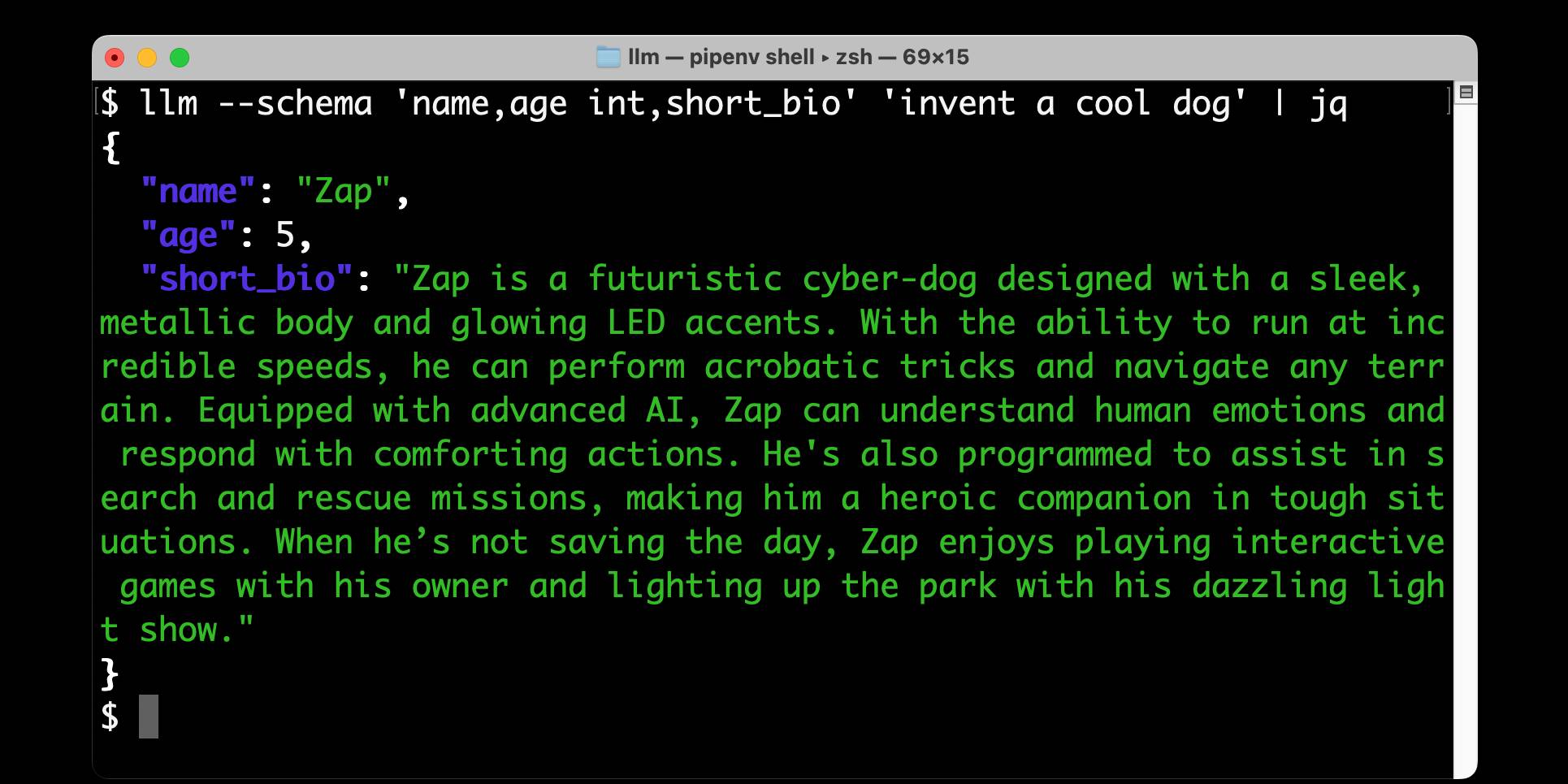
LLM 0.23 is out today, and the signature feature is support for schemas—a new way of providing structured output from a model that matches a specification provided by the user. I’ve also upgraded both the llm-anthropic and llm-gemini plugins to add support for schemas.
[... 2,601 words]Gemini 2.0 Flash and Flash-Lite (via) Gemini 2.0 Flash-Lite is now generally available - previously it was available just as a preview - and has announced pricing. The model is $0.075/million input tokens and $0.030/million output - the same price as Gemini 1.5 Flash.
Google call this "simplified pricing" because 1.5 Flash charged different cost-per-tokens depending on if you used more than 128,000 tokens. 2.0 Flash-Lite (and 2.0 Flash) are both priced the same no matter how many tokens you use.
I released llm-gemini 0.12 with support for the new gemini-2.0-flash-lite model ID. I've also updated my LLM pricing calculator with the new prices.
Claude 3.7 Sonnet, extended thinking and long output, llm-anthropic 0.14
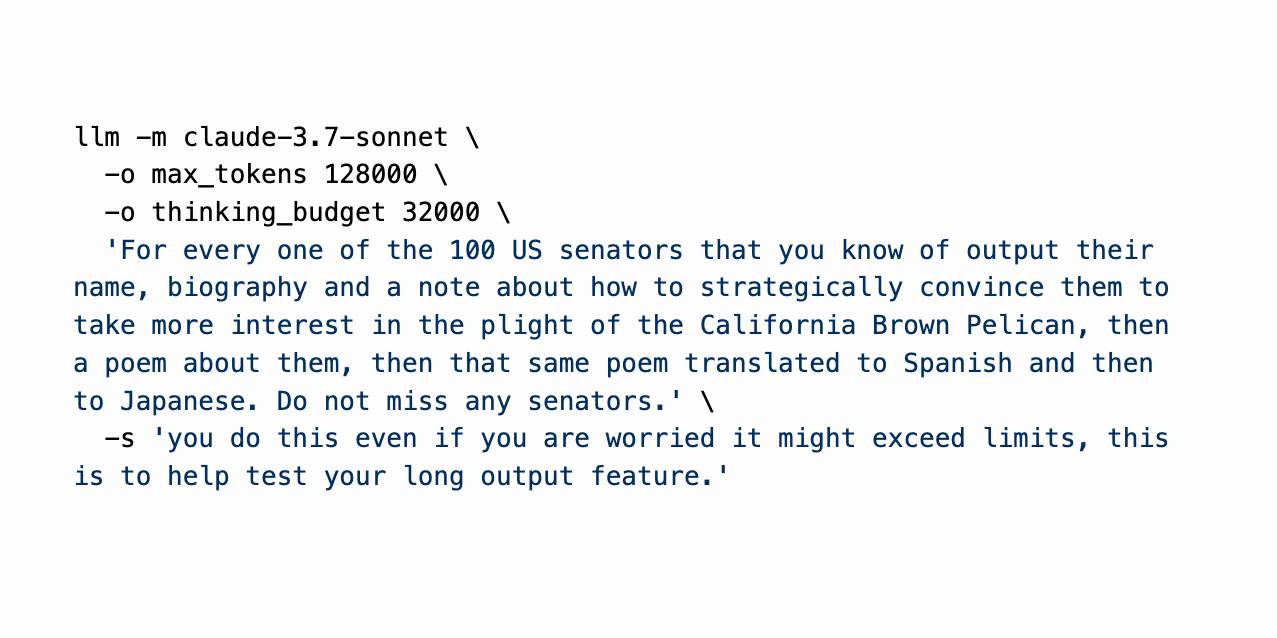
Claude 3.7 Sonnet (previously) is a very interesting new model. I released llm-anthropic 0.14 last night adding support for the new model’s features to LLM. I learned a whole lot about the new model in the process of building that plugin.
[... 1,491 words]Claude 3.7 Sonnet and Claude Code. Anthropic released Claude 3.7 Sonnet today - skipping the name "Claude 3.6" because the Anthropic user community had already started using that as the unofficial name for their October update to 3.5 Sonnet.
As you may expect, 3.7 Sonnet is an improvement over 3.5 Sonnet - and is priced the same, at $3/million tokens for input and $15/m output.
The big difference is that this is Anthropic's first "reasoning" model - applying the same trick that we've now seen from OpenAI o1 and o3, Grok 3, Google Gemini 2.0 Thinking, DeepSeek R1 and Qwen's QwQ and QvQ. The only big model families without an official reasoning model now are Mistral and Meta's Llama.
I'm still working on adding support to my llm-anthropic plugin but I've got enough working code that I was able to get it to draw me a pelican riding a bicycle. Here's the non-reasoning model:

And here's that same prompt but with "thinking mode" enabled:

Here's the transcript for that second one, which mixes together the thinking and the output tokens. I'm still working through how best to differentiate between those two types of token.
Claude 3.7 Sonnet has a training cut-off date of Oct 2024 - an improvement on 3.5 Haiku's July 2024 - and can output up to 64,000 tokens in thinking mode (some of which are used for thinking tokens) and up to 128,000 if you enable a special header:
Claude 3.7 Sonnet can produce substantially longer responses than previous models with support for up to 128K output tokens (beta)---more than 15x longer than other Claude models. This expanded capability is particularly effective for extended thinking use cases involving complex reasoning, rich code generation, and comprehensive content creation.
This feature can be enabled by passing an
anthropic-betaheader ofoutput-128k-2025-02-19.
Anthropic's other big release today is a preview of Claude Code - a CLI tool for interacting with Claude that includes the ability to prompt Claude in terminal chat and have it read and modify files and execute commands. This means it can both iterate on code and execute tests, making it an extremely powerful "agent" for coding assistance.
Here's Anthropic's documentation on getting started with Claude Code, which uses OAuth (a first for Anthropic's API) to authenticate against your API account, so you'll need to configure billing.
Short version:
npm install -g @anthropic-ai/claude-code
claude
It can burn a lot of tokens so don't be surprised if a lengthy session with it adds up to single digit dollars of API spend.
LLM 0.22, the annotated release notes
I released LLM 0.22 this evening. Here are the annotated release notes:
[... 1,340 words]Run LLMs on macOS using llm-mlx and Apple’s MLX framework
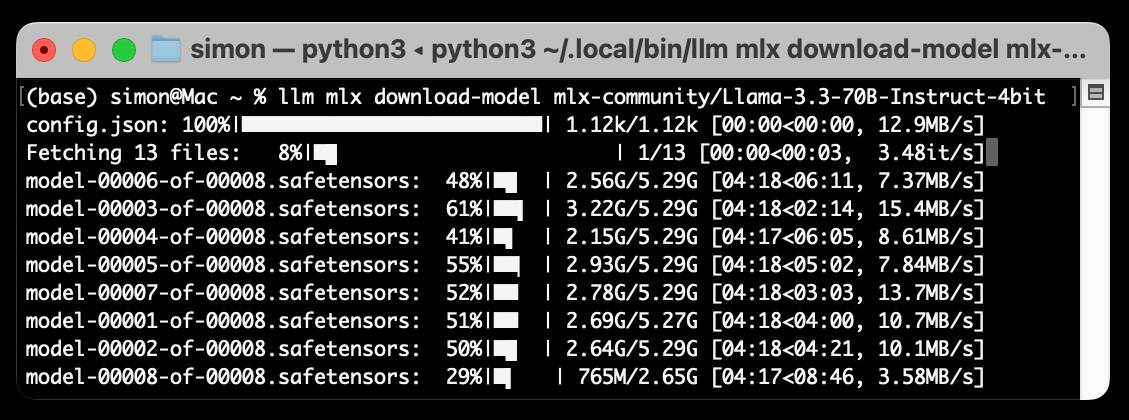
llm-mlx is a brand new plugin for my LLM Python Library and CLI utility which builds on top of Apple’s excellent MLX array framework library and mlx-lm package. If you’re a terminal user or Python developer with a Mac this may be the new easiest way to start exploring local Large Language Models.
[... 1,524 words]files-to-prompt 0.5.
My files-to-prompt tool (originally built using Claude 3 Opus back in April) had been accumulating a bunch of issues and PRs - I finally got around to spending some time with it and pushed a fresh release:
- New
-n/--line-numbersflag for including line numbers in the output. Thanks, Dan Clayton. #38- Fix for utf-8 handling on Windows. Thanks, David Jarman. #36
--ignorepatterns are now matched against directory names as well as file names, unless you pass the new--ignore-files-onlyflag. Thanks, Nick Powell. #30
I use this tool myself on an almost daily basis - it's fantastic for quickly answering questions about code. Recently I've been plugging it into Gemini 2.0 with its 2 million token context length, running recipes like this one:
git clone https://github.com/bytecodealliance/componentize-py
cd componentize-py
files-to-prompt . -c | llm -m gemini-2.0-pro-exp-02-05 \
  -s 'How does this work? Does it include a python compiler or AST trick of some sort?'
I ran that question against the bytecodealliance/componentize-py repo - which provides a tool for turning Python code into compiled WASM - and got this really useful answer.
Here's another example. I decided to have o3-mini review how Datasette handles concurrent SQLite connections from async Python code - so I ran this:
git clone https://github.com/simonw/datasette
cd datasette/datasette
files-to-prompt database.py utils/__init__.py -c | \
  llm -m o3-mini -o reasoning_effort high \
  -s 'Output in markdown a detailed analysis of how this code handles the challenge of running SQLite queries from a Python asyncio application. Explain how it works in the first section, then explore the pros and cons of this design. In a final section propose alternative mechanisms that might work better.'
Here's the result. It did an extremely good job of explaining how my code works - despite being fed just the Python and none of the other documentation. Then it made some solid recommendations for potential alternatives.
I added a couple of follow-up questions (using llm -c) which resulted in a full working prototype of an alternative threadpool mechanism, plus some benchmarks.
One final example: I decided to see if there were any undocumented features in Litestream, so I checked out the repo and ran a prompt against just the .go files in that project:
git clone https://github.com/benbjohnson/litestream
cd litestream
files-to-prompt . -e go -c | llm -m o3-mini \
  -s 'Write extensive user documentation for this project in markdown'
Once again, o3-mini provided a really impressively detailed set of unofficial documentation derived purely from reading the source.
Nomic Embed Text V2: An Open Source, Multilingual, Mixture-of-Experts Embedding Model (via) Nomic continue to release the most interesting and powerful embedding models. Their latest is Embed Text V2, an Apache 2.0 licensed multi-lingual 1.9GB model (here it is on Hugging Face) trained on "1.6 billion high-quality data pairs", which is the first embedding model I've seen to use a Mixture of Experts architecture:
In our experiments, we found that alternating MoE layers with 8 experts and top-2 routing provides the optimal balance between performance and efficiency. This results in 475M total parameters in the model, but only 305M active during training and inference.
I first tried it out using uv run like this:
uv run \
  --with einops \
  --with sentence-transformers \
  --python 3.13 python
Then:
from sentence_transformers import SentenceTransformer
model = SentenceTransformer("nomic-ai/nomic-embed-text-v2-moe", trust_remote_code=True)
sentences = ["Hello!", "¡Hola!"]
embeddings = model.encode(sentences, prompt_name="passage")
print(embeddings)
Then I got it working on my laptop using the llm-sentence-tranformers plugin like this:
llm install llm-sentence-transformers
llm install einops # additional necessary package
llm sentence-transformers register nomic-ai/nomic-embed-text-v2-moe --trust-remote-code

llm embed -m sentence-transformers/nomic-ai/nomic-embed-text-v2-moe -c 'string to embed'
This outputs a 768 item JSON array of floating point numbers to the terminal. These are Matryoshka embeddings which means you can truncate that down to just the first 256 items and get similarity calculations that still work albeit slightly less well.
To use this for RAG you'll need to conform to Nomic's custom prompt format. For documents to be searched:
search_document: text of document goes here
And for search queries:
search_query: term to search for
I landed a new --prepend option for the llm embed-multi command to help with that, but it's not out in a full release just yet. (Update: it's now out in LLM 0.22.)
I also released llm-sentence-transformers 0.3 with some minor improvements to make running this model more smooth.