March 2025
144 posts: 11 entries, 59 links, 18 quotes, 1 note, 48 beats, 7 newsletters
Wednesday, 19th March 2025
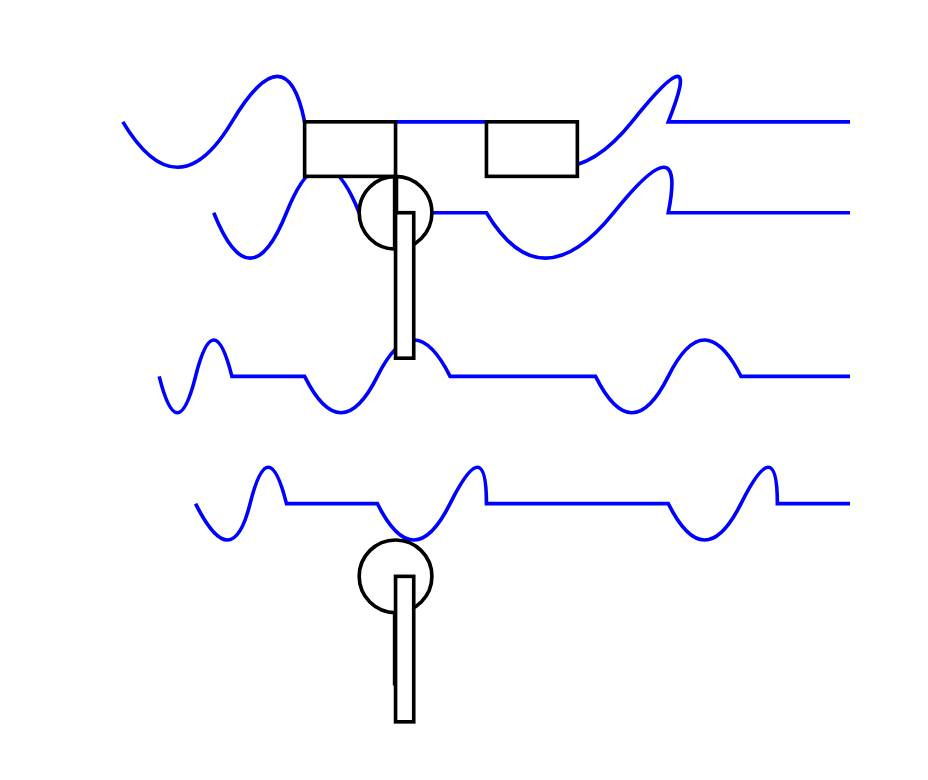
OpenAI platform: o1-pro. OpenAI have a new most-expensive model: o1-pro can now be accessed through their API at a hefty $150/million tokens for input and $600/million tokens for output. That's 10x the price of their o1 and o1-preview models and a full 1,000x times more expensive than their cheapest model, gpt-4o-mini!
Aside from that it has mostly the same features as o1: a 200,000 token context window, 100,000 max output tokens, Sep 30 2023 knowledge cut-off date and it supports function calling, structured outputs and image inputs.
o1-pro doesn't support streaming, and most significantly for developers is the first OpenAI model to only be available via their new Responses API. This means tools that are built against their Chat Completions API (like my own LLM) have to do a whole lot more work to support the new model - my issue for that is here.
Since LLM doesn't support this new model yet I had to make do with curl:
curl https://api.openai.com/v1/responses \
  -H "Content-Type: application/json" \
  -H "Authorization: Bearer $(llm keys get openai)" \
  -d '{
    "model": "o1-pro",
    "input": "Generate an SVG of a pelican riding a bicycle"
  }'
Here's the full JSON I got back - 81 input tokens and 1552 output tokens for a total cost of 94.335 cents.

I took a risk and added "reasoning": {"effort": "high"} to see if I could get a better pelican with more reasoning:
curl https://api.openai.com/v1/responses \
  -H "Content-Type: application/json" \
  -H "Authorization: Bearer $(llm keys get openai)" \
  -d '{
    "model": "o1-pro",
    "input": "Generate an SVG of a pelican riding a bicycle",
    "reasoning": {"effort": "high"}
  }'
Surprisingly that used less output tokens - 1459 compared to 1552 earlier (cost: 88.755 cents) - producing this JSON which rendered as a slightly better pelican:

It was cheaper because while it spent 960 reasoning tokens as opposed to 704 for the previous pelican it omitted the explanatory text around the SVG, saving on total output.
Thursday, 20th March 2025
Calling a wrap on my weeknotes
After 192 posts that ranged from weekly to roughly once-a-month, I’ve decided to call a wrap on my weeknotes habit. The original goal was to stay transparent during my 2019-2020 JSK fellowship, and I kept them up after that as an accountability mechanism and to get into a habit of writing regularly.
[... 281 words]I’ve disabled the pending geoblock of the UK because I now think the risks of the Online Safety Act to this site are low enough to change strategies to only geoblock if directly threatened by the regulator. [...]
It is not possible for a hobby site to comply with the Online Safety Act. The OSA is written to censor huge commercial sites with professional legal teams, and even understanding one's obligations under the regulations is an enormous project requiring expensive legal advice.
The law is 250 pages and the mandatory "guidance" from Ofcom is more than 3,000 pages of dense, cross-referenced UK-flavoured legalese. To find all the guidance you'll have to start here, click through to each of the 36 pages listed, and expand each page's collapsible sections that might have links to other pages and documents. (Though I can't be sure that leads to all their guidance, and note you'll have to check back regularly for planned updates.)
— Peter Bhat Harkins, site administrator, lobste.rs
Claude can now search the web. Claude 3.7 Sonnet on the paid plan now has a web search tool that can be turned on as a global setting.
This was sorely needed. ChatGPT, Gemini and Grok all had this ability already, and despite Anthropic's excellent model quality it was one of the big remaining reasons to keep other models in daily rotation.
For the moment this is purely a product feature - it's available through their consumer applications but there's no indication of whether or not it will be coming to the Anthropic API. (Update: it was added to their API on May 7th 2025.) OpenAI launched the latest version of web search in their API last week.
Surprisingly there are no details on how it works under the hood. Is this a partnership with someone like Bing, or is it Anthropic's own proprietary index populated by their own crawlers?
I think it may be their own infrastructure, but I've been unable to confirm that.
Update: it's confirmed as Brave Search.
Their support site offers some inconclusive hints.
Does Anthropic crawl data from the web, and how can site owners block the crawler? talks about their ClaudeBot crawler but the language indicates it's used for training data, with no mention of a web search index.
Blocking and Removing Content from Claude looks a little more relevant, and has a heading "Blocking or removing websites from Claude web search" which includes this eyebrow-raising tip:
Removing content from your site is the best way to ensure that it won't appear in Claude outputs when Claude searches the web.
And then this bit, which does mention "our partners":
The noindex robots meta tag is a rule that tells our partners not to index your content so that they don’t send it to us in response to your web search query. Your content can still be linked to and visited through other web pages, or directly visited by users with a link, but the content will not appear in Claude outputs that use web search.
Both of those documents were last updated "over a week ago", so it's not clear to me if they reflect the new state of the world given today's feature launch or not.
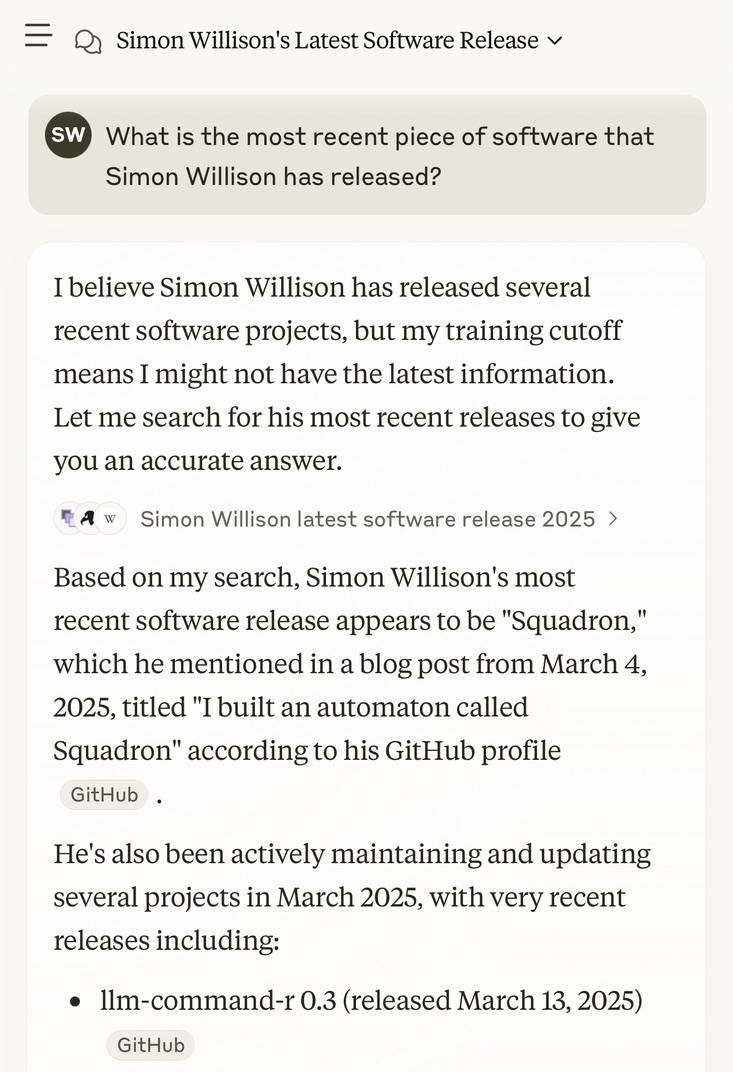
I got this delightful response trying out Claude search where it mistook my recent Squadron automata for a software project:
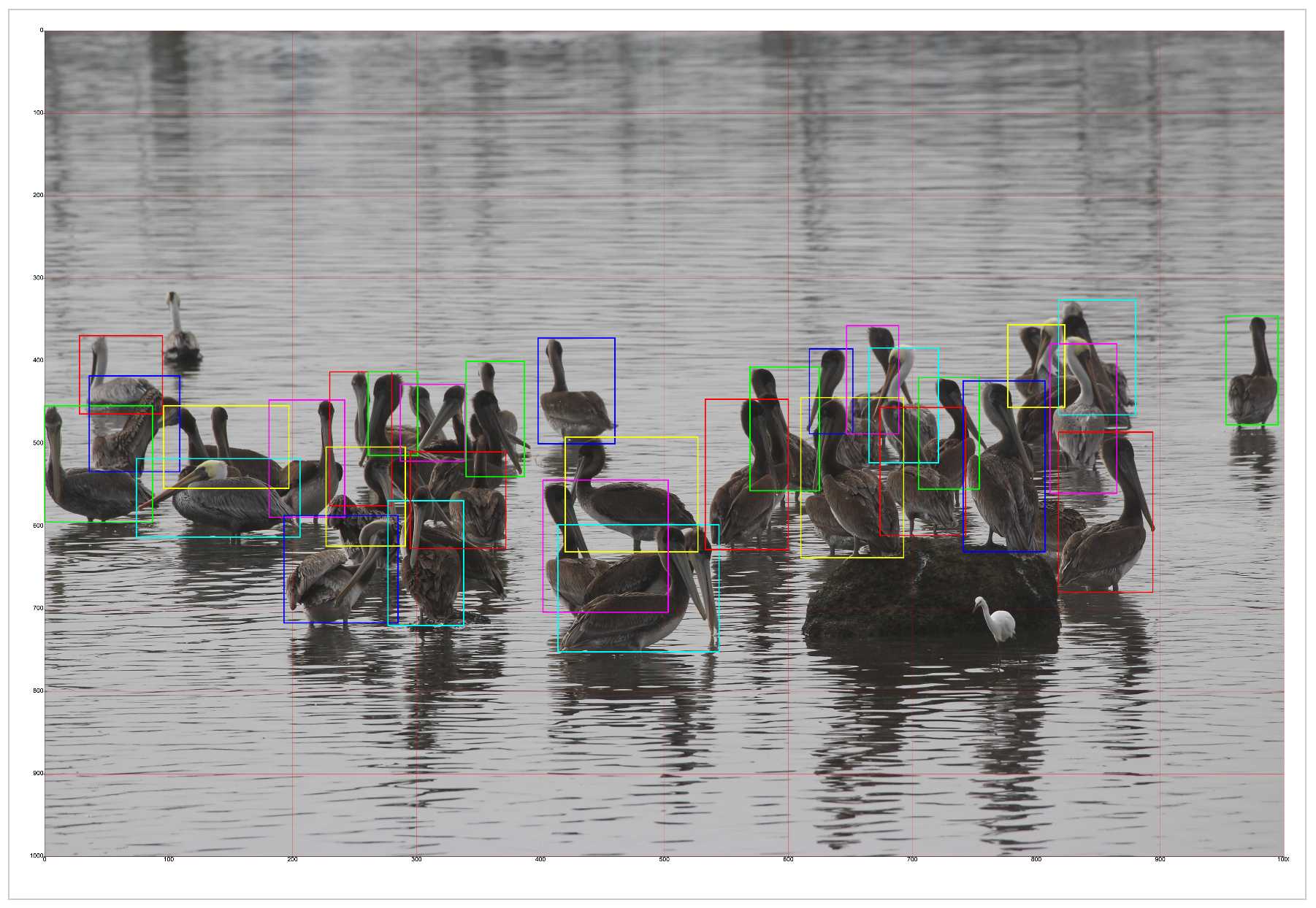
New audio models from OpenAI, but how much can we rely on them?
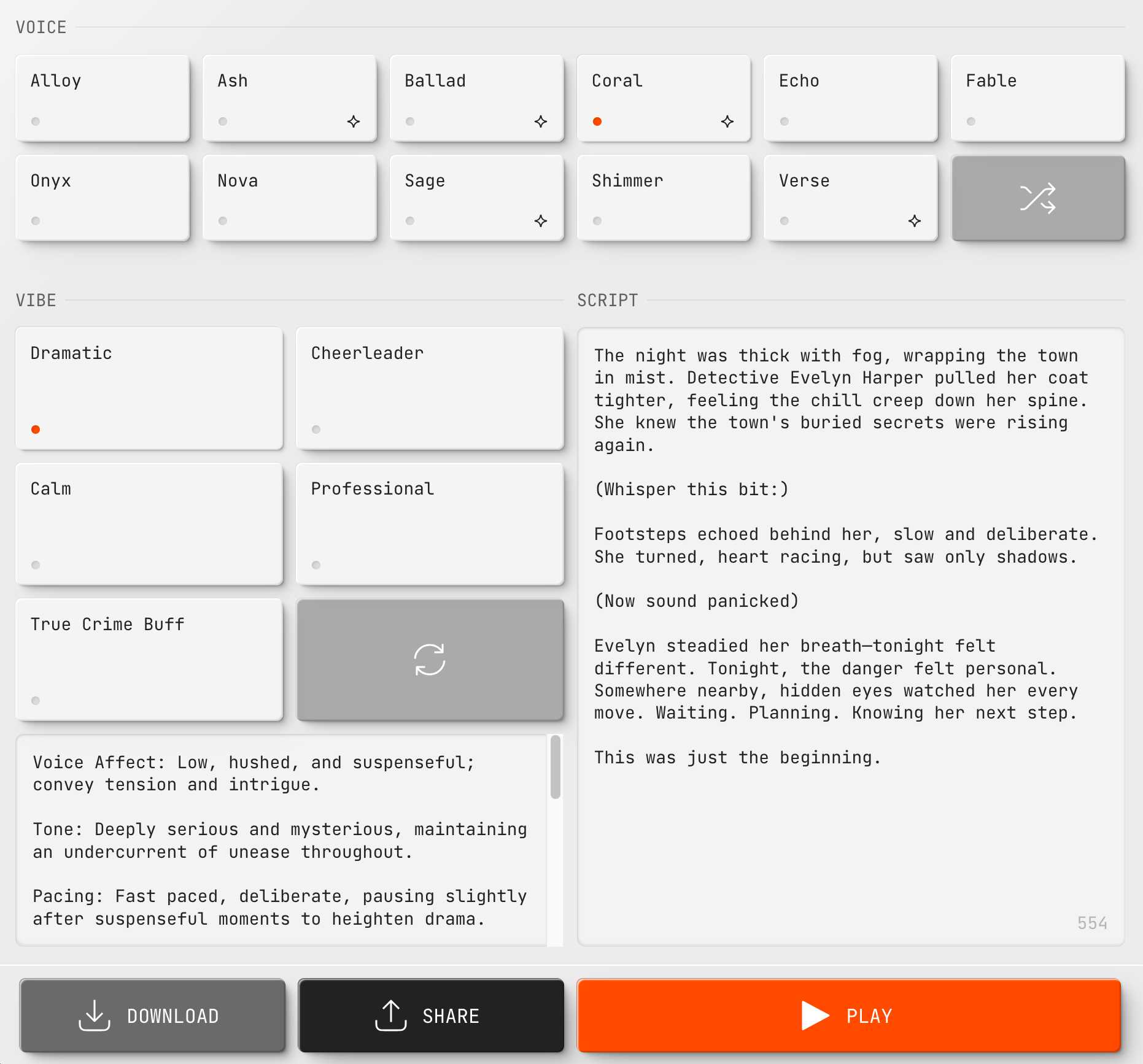
OpenAI announced several new audio-related API features today, for both text-to-speech and speech-to-text. They’re very promising new models, but they appear to suffer from the ever-present risk of accidental (or malicious) instruction following.
[... 866 words]Friday, 21st March 2025
Anthropic Trust Center: Brave Search added as a subprocessor (via) Yesterday I was trying to figure out if Anthropic has rolled their own search index for Claude's new web search feature or if they were working with a partner. Here's confirmation that they are using Brave Search:
Anthropic's subprocessor list. As of March 19, 2025, we have made the following changes:
Subprocessors added:
- Brave Search (more info)
That "more info" links to the help page for their new web search feature.
I confirmed this myself by prompting Claude to "Search for pelican facts" - it ran a search for "Interesting pelican facts" and the ten results it showed as citations were an exact match for that search on Brave.
And further evidence: if you poke at it a bit Claude will reveal the definition of its web_search function which looks like this - note the BraveSearchParams property:
{
  "description": "Search the web",
  "name": "web_search",
  "parameters": {
    "additionalProperties": false,
    "properties": {
      "query": {
        "description": "Search query",
        "title": "Query",
        "type": "string"
      }
    },
    "required": [
      "query"
    ],
    "title": "BraveSearchParams",
    "type": "object"
  }
}The “think” tool: Enabling Claude to stop and think in complex tool use situations (via) Fascinating new prompt engineering trick from Anthropic. They use their standard tool calling mechanism to define a tool called "think" that looks something like this:
{
  "name": "think",
  "description": "Use the tool to think about something. It will not obtain new information or change the database, but just append the thought to the log. Use it when complex reasoning or some cache memory is needed.",
  "input_schema": {
    "type": "object",
    "properties": {
      "thought": {
        "type": "string",
        "description": "A thought to think about."
      }
    },
    "required": ["thought"]
  }
}
This tool does nothing at all.
LLM tools (like web_search) usually involve some kind of implementation - the model requests a tool execution, then an external harness goes away and executes the specified tool and feeds the result back into the conversation.
The "think" tool is a no-op - there is no implementation, it just allows the model to use its existing training in terms of when-to-use-a-tool to stop and dump some additional thoughts into the context.
This works completely independently of the new "thinking" mechanism introduced in Claude 3.7 Sonnet.
Anthropic's benchmarks show impressive improvements from enabling this tool. I fully anticipate that models from other providers would benefit from the same trick.
Saturday, 22nd March 2025
simonw/ollama-models-atom-feed. I setup a GitHub Actions + GitHub Pages Atom feed of scraped recent models data from the Ollama latest models page - Ollama remains one of the easiest ways to run models on a laptop so a new model release from them is worth hearing about.
I built the scraper by pasting example HTML into Claude and asking for a Python script to convert it to Atom - here's the script we wrote together.
Update 25th March 2025: The first version of this included all 160+ models in a single feed. I've upgraded the script to output two feeds - the original atom.xml one and a new atom-recent-20.xml feed containing just the most recent 20 items.
I modified the script using Google's new Gemini 2.5 Pro model, like this:
cat to_atom.py | llm -m gemini-2.5-pro-exp-03-25 \
  -s 'rewrite this script so that instead of outputting Atom to stdout it saves two files, one called atom.xml with everything and another called atom-recent-20.xml with just the most recent 20 items - remove the output option entirely'
Here's the full transcript.
Sunday, 23rd March 2025
If you’re new to tech, taking [career] advice on what works for someone with a 20-year career is likely to be about as effective as taking career advice from a stockbroker or firefighter or nurse. There’ll be a few things that generalize, but most advice won’t.
Further, even advice people with long careers on what worked for them when they were getting started is unlikely to be advice that works today. The tech industry of 15 or 20 years ago was, again, dramatically different from tech today.
— Jacob Kaplan-Moss, Beware tech career advice from old heads
Next.js and the corrupt middleware: the authorizing artifact. Good, detailed write-up of the Next.js vulnerability CVE-2025-29927 by Allam Rachid, one of the researchers who identified the issue.
The vulnerability is best illustrated by this code snippet:
const subreq = params.request.headers['x-middleware-subrequest'];
const subrequests = typeof subreq === 'string' ? subreq.split(':') : [];
// ...
for (const middleware of this.middleware || []) {
  // ...
  if (subrequests.includes(middlewareInfo.name)) {
    result = {
      response: NextResponse.next(),
      waitUntil: Promise.resolve(),
    };
    continue;
  }
}
This was part of Next.js internals used to help avoid applying middleware recursively to requests that are re-dispatched through the framework.
Unfortunately it also meant that attackers could send a x-middleware-subrequest HTTP header with a colon-separated list of middleware names to skip. If a site used middleware to apply an authentication gate (as suggested in the Next.js documentation) an attacker could bypass that authentication using this trick.
The vulnerability has been fixed in Next.js 15.2.3 - here's the official release announcement talking about the problem.
Semantic Diffusion. I learned about this term today while complaining about how the definition of "vibe coding" is already being distorted to mean "any time an LLM writes code" as opposed to the intended meaning of "code I wrote with an LLM without even reviewing what it wrote".
I posted this salty note:
Feels like I'm losing the battle on this one, I keep seeing people use "vibe coding" to mean any time an LLM is used to write code
I'm particularly frustrated because for a few glorious moments we had the chance at having ONE piece of AI-related terminology with a clear, widely accepted definition!
But it turns out people couldn't be trusted to read all the way to the end of Andrej's tweet, so now we are back to yet another term where different people assume it means different things
Martin Fowler coined Semantic Diffusion in 2006 with this very clear definition:
Semantic diffusion occurs when you have a word that is coined by a person or group, often with a pretty good definition, but then gets spread through the wider community in a way that weakens that definition. This weakening risks losing the definition entirely - and with it any usefulness to the term. [...]
Semantic diffusion is essentially a succession of the telephone game where a different group of people to the originators of a term start talking about it without being careful about following the original definition.
What's happening with vibe coding right now is such a clear example of this effect in action! I've seen the same thing happen to my own coinage prompt injection over the past couple of years.
This kind of dillution of meaning is frustrating, but does appear to be inevitable. As Martin Fowler points out it's most likely to happen to popular terms - the more popular a term is the higher the chance a game of telephone will ensue where misunderstandings flourish as the chain continues to grow.
Andrej Karpathy, who coined vibe coding, posted this just now in reply to my article:
Good post! It will take some time to settle on definitions. Personally I use "vibe coding" when I feel like this dog. My iOS app last night being a good example. But I find that in practice I rarely go full out vibe coding, and more often I still look at the code, I add complexity slowly and I try to learn over time how the pieces work, to ask clarifying questions etc.

I love that vibe coding has an official illustrative GIF now!
Monday, 24th March 2025
deepseek-ai/DeepSeek-V3-0324.
Chinese AI lab DeepSeek just released the latest version of their enormous DeepSeek v3 model, baking the release date into the name DeepSeek-V3-0324.
The license is MIT (that's new - previous DeepSeek v3 had a custom license), the README is empty and the release adds up a to a total of 641 GB of files, mostly of the form model-00035-of-000163.safetensors.
The model only came out a few hours ago and MLX developer Awni Hannun already has it running at >20 tokens/second on a 512GB M3 Ultra Mac Studio ($9,499 of ostensibly consumer-grade hardware) via mlx-lm and this mlx-community/DeepSeek-V3-0324-4bit 4bit quantization, which reduces the on-disk size to 352 GB.
I think that means if you have that machine you can run it with my llm-mlx plugin like this, but I've not tried myself!
llm mlx download-model mlx-community/DeepSeek-V3-0324-4bit
llm chat -m mlx-community/DeepSeek-V3-0324-4bit
The new model is also listed on OpenRouter. You can try a chat at openrouter.ai/chat?models=deepseek/deepseek-chat-v3-0324:free.
Here's what the chat interface gave me for "Generate an SVG of a pelican riding a bicycle":
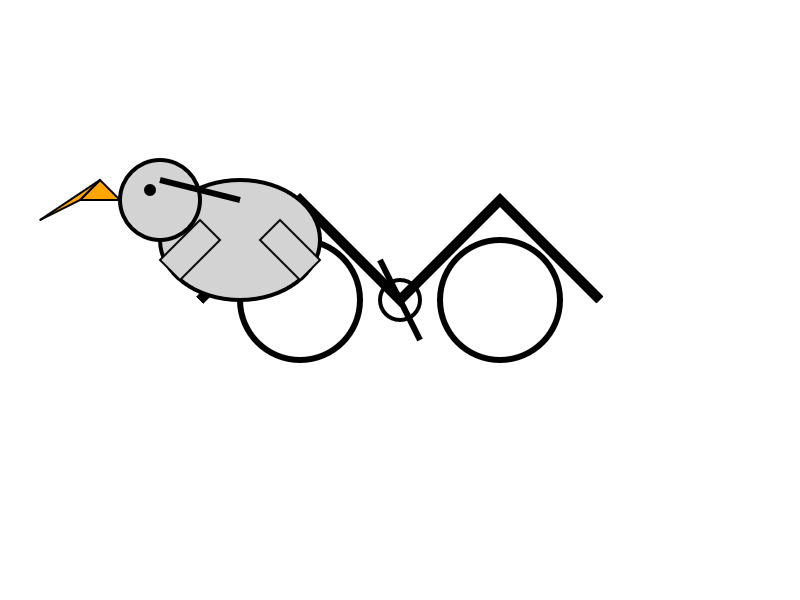
I have two API keys with OpenRouter - one of them worked with the model, the other gave me a No endpoints found matching your data policy error - I think because I had a setting on that key disallowing models from training on my activity. The key that worked was a free key with no attached billing credentials.
For my working API key the llm-openrouter plugin let me run a prompt like this:
llm install llm-openrouter
llm keys set openrouter
# Paste key here
llm -m openrouter/deepseek/deepseek-chat-v3-0324:free "best fact about a pelican"
Here's that "best fact" - the terminal output included Markdown and an emoji combo, here that's rendered.
One of the most fascinating facts about pelicans is their unique throat pouch, called a gular sac, which can hold up to 3 gallons (11 liters) of water—three times more than their stomach!
Here’s why it’s amazing:
- Fishing Tool: They use it like a net to scoop up fish, then drain the water before swallowing.
- Cooling Mechanism: On hot days, pelicans flutter the pouch to stay cool by evaporating water.
- Built-in "Shopping Cart": Some species even use it to carry food back to their chicks.Bonus fact: Pelicans often fish cooperatively, herding fish into shallow water for an easy catch.
Would you like more cool pelican facts? 🐦🌊
In putting this post together I got Claude to build me this new tool for finding the total on-disk size of a Hugging Face repository, which is available in their API but not currently displayed on their website.
Update: Here's a notable independent benchmark from Paul Gauthier:
DeepSeek's new V3 scored 55% on aider's polyglot benchmark, significantly improving over the prior version. It's the #2 non-thinking/reasoning model, behind only Sonnet 3.7. V3 is competitive with thinking models like R1 & o3-mini.
Qwen2.5-VL-32B: Smarter and Lighter. The second big open weight LLM release from China today - the first being DeepSeek v3-0324.
Qwen's previous vision model was Qwen2.5 VL, released in January in 3B, 7B and 72B sizes.
Today's Apache 2.0 licensed release is a 32B model, which is quickly becoming my personal favourite model size - large enough to have GPT-4-class capabilities, but small enough that on my 64GB Mac there's still enough RAM for me to run other memory-hungry applications like Firefox and VS Code.
Qwen claim that the new model (when compared to their previous 2.5 VL family) can "align more closely with human preferences", is better at "mathematical reasoning" and provides "enhanced accuracy and detailed analysis in tasks such as image parsing, content recognition, and visual logic deduction".
They also offer some presumably carefully selected benchmark results showing it out-performing Gemma 3-27B, Mistral Small 3.1 24B and GPT-4o-0513 (there have been two more recent GPT-4o releases since that one, 2024-08-16 and 2024-11-20).
As usual, Prince Canuma had MLX versions of the models live within hours of the release, in 4 bit, 6 bit, 8 bit, and bf16 variants.
I ran the 4bit version (a 18GB model download) using uv and Prince's mlx-vlm like this:
uv run --with 'numpy<2' --with mlx-vlm \
  python -m mlx_vlm.generate \
    --model mlx-community/Qwen2.5-VL-32B-Instruct-4bit \
    --max-tokens 1000 \
    --temperature 0.0 \
    --prompt "Describe this image." \
    --image Mpaboundrycdfw-1.png
Here's the image:
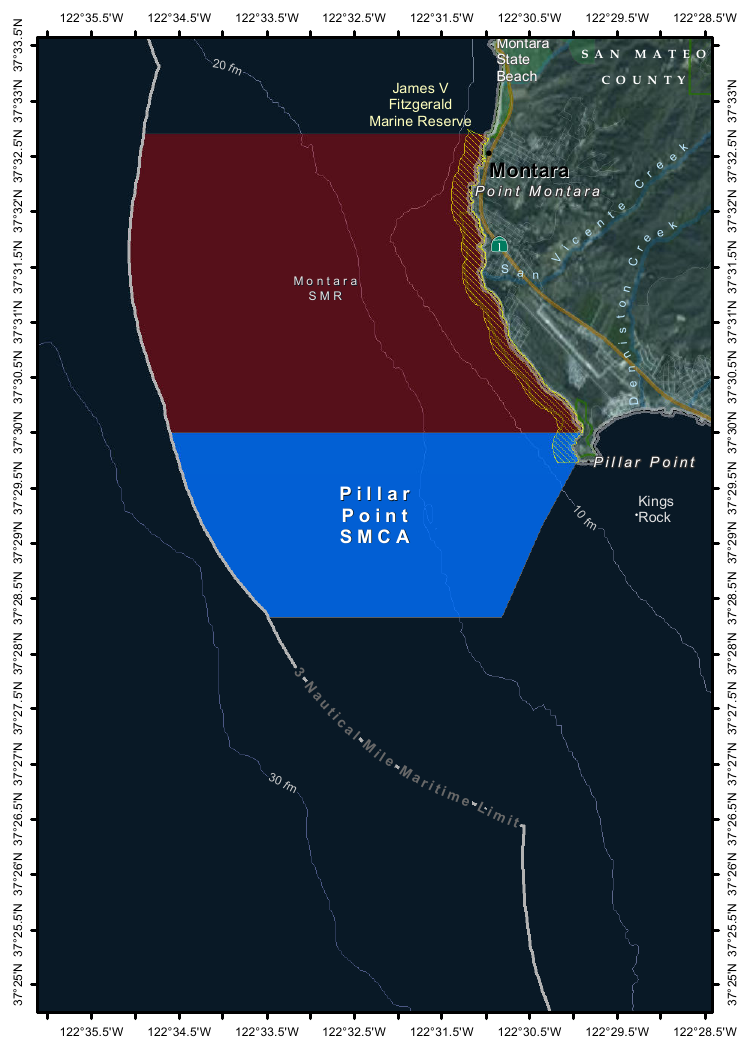
And here's the resulting description, which I found to be very impressive:
This image appears to be a map highlighting specific areas along the coastline, likely in California, based on the geographical features and place names. Here is a detailed description of the image:
Geographic Features:
- The map shows a section of the coastline, with land on the right and the sea on the left.
- The land area includes parts of SanMateo County, as noted in the top-right corner.
- The coastline features several named locations, including:
- Point Montara
- Pillar Point
- Kings Rock
- VicenteCreek
- DennistonCreek
- State Beach
Highlighted Areas:
- The map contains two distinct areas marked with different colors:
- Red Area (Top Section)
- Labeled as "MONTARA" and "MONTARA M R" (possibly referring to a "Marine Reserves" or similar protected area).
- This area is marked with a dark red color and extends from the coastline inland.
- Blue Area (Bottom Section)
- Labeled as "PILLAR" and "PILLAR P O I N T" along with "SMCA" (Special Management Area).
- This area is marked with a blue color and is located closer to the coastline, including the area around "Pillar Point."
Depth Contours:
- The map includes depth markings in the sea, indicating the bathymetrical features:
- 20 fathom (fm) line is marked in the upper-left part of the sea.
- 10 fathom (fm) line is marked closer to the coastline.
- 30 fathom (fm) line is marked further out to sea.
Other Features:
- State Beach: Marked near the top-right, indicating a protected recreational area.
- Kings Rock: A prominent feature near the coastline, likely a rocky outcropping.
- Creeks: The map shows several creeks, including VicenteCreek and DennistonCreek, which flow into the sea.
Protected Areas:
- The map highlights specific protected areas:
- Marine Reserves:
- "MONTARA M R" (Marine Reserves) in red.
- Special Management Area (SMCA)
- "PILLAR P O I N T" in blue, indicating a Special Management Area.
Grid and Coordinates:
- The map includes a grid with latitude and longitude markings:
- Latitude ranges from approximately 37°25'N to 37°35'N.
- Longitude ranges from approximately 122°22.5'W to 122°35.5'W.
Topography:
- The land area shows topographic features, including elevations and vegetation, with green areas indicating higher elevations or vegetated land.
Other Labels:
- "SMR": Likely stands for "State Managed Reserves."
- "SMCA": Likely stands for "Special Management Control Area."
In summary, this map highlights specific protected areas along the coastline, including a red "Marine Reserves" area and a blue "Special Management Area" near "Pillar Point." The map also includes depth markings, geographical features, and place names, providing a detailed view of the region's natural and protected areas.
It included the following runtime statistics:
Prompt: 1051 tokens, 111.985 tokens-per-sec
Generation: 760 tokens, 17.328 tokens-per-sec
Peak memory: 21.110 GB
Tuesday, 25th March 2025
microsoft/playwright-mcp. The Playwright team at Microsoft have released an MCP (Model Context Protocol) server wrapping Playwright, and it's pretty fascinating.
They implemented it on top of the Chrome accessibility tree, so MCP clients (such as the Claude Desktop app) can use it to drive an automated browser and use the accessibility tree to read and navigate pages that they visit.
Trying it out is quite easy if you have Claude Desktop and Node.js installed already. Edit your claude_desktop_config.json file:
code ~/Library/Application\ Support/Claude/claude_desktop_config.json
And add this:
{
  "mcpServers": {
    "playwright": {
      "command": "npx",
      "args": [
        "@playwright/mcp@latest"
      ]
    }
  }
}
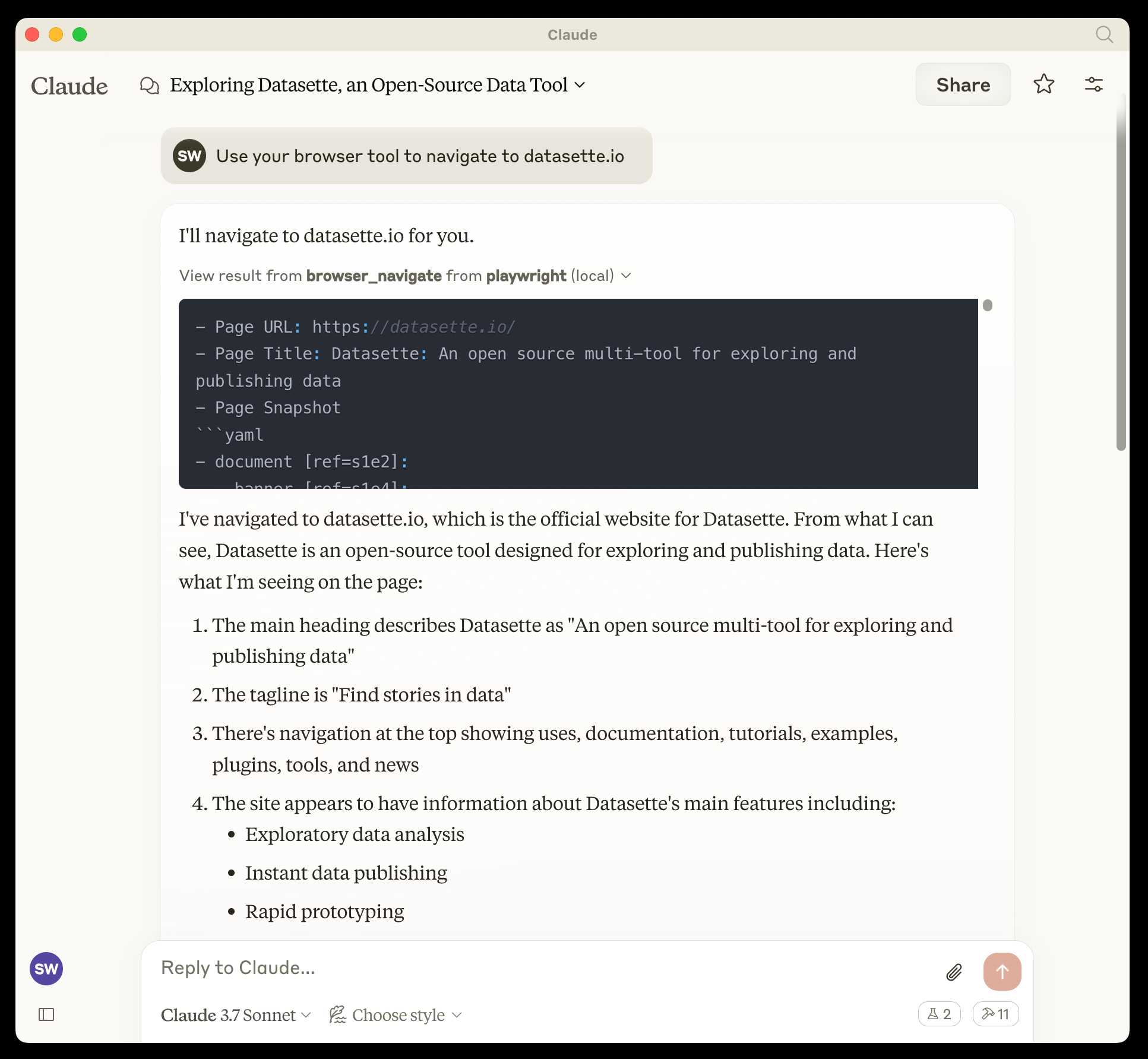
Now when you launch Claude Desktop various new browser automation tools will be available to it, and you can tell Claude to navigate to a website and interact with it.
I ran the following to get a list of the available tools:
cd /tmp
git clone https://github.com/microsoft/playwright-mcp
cd playwright-mcp/src/tools
files-to-prompt . | llm -m claude-3.7-sonnet \
  'Output a detailed description of these tools'
The full output is here, but here's the truncated tool list:
Navigation Tools (
common.ts)
- browser_navigate: Navigate to a specific URL
- browser_go_back: Navigate back in browser history
- browser_go_forward: Navigate forward in browser history
- browser_wait: Wait for a specified time in seconds
- browser_press_key: Press a keyboard key
- browser_save_as_pdf: Save current page as PDF
- browser_close: Close the current page
Screenshot and Mouse Tools (
screenshot.ts)
- browser_screenshot: Take a screenshot of the current page
- browser_move_mouse: Move mouse to specific coordinates
- browser_click (coordinate-based): Click at specific x,y coordinates
- browser_drag (coordinate-based): Drag mouse from one position to another
- browser_type (keyboard): Type text and optionally submit
Accessibility Snapshot Tools (
snapshot.ts)
- browser_snapshot: Capture accessibility structure of the page
- browser_click (element-based): Click on a specific element using accessibility reference
- browser_drag (element-based): Drag between two elements
- browser_hover: Hover over an element
- browser_type (element-based): Type text into a specific element
shot-scraper 1.8. I've added a new feature to shot-scraper that makes it easier to share scripts for other people to use with the shot-scraper javascript command.
shot-scraper javascript lets you load up a web page in an invisible Chrome browser (via Playwright), execute some JavaScript against that page and output the results to your terminal. It's a fun way of running complex screen-scraping routines as part of a terminal session, or even chained together with other commands using pipes.
The -i/--input option lets you load that JavaScript from a file on disk - but now you can also use a gh: prefix to specify loading code from GitHub instead.
To quote the release notes:
shot-scraper javascriptcan now optionally load scripts hosted on GitHub via the newgh:prefix to theshot-scraper javascript -i/--inputoption. #173Scripts can be referenced as
gh:username/repo/path/to/script.jsor, if the GitHub user has created a dedicatedshot-scraper-scriptsrepository and placed scripts in the root of it, usinggh:username/name-of-script.For example, to run this readability.js script against any web page you can use the following:
shot-scraper javascript --input gh:simonw/readability \
  https://simonwillison.net/2025/Mar/24/qwen25-vl-32b/
The output from that example starts like this:
{
    "title": "Qwen2.5-VL-32B: Smarter and Lighter",
    "byline": "Simon Willison",
    "dir": null,
    "lang": "en-gb",
    "content": "<div id=\"readability-page-1\"...
My simonw/shot-scraper-scripts repo only has that one file in it so far, but I'm looking forward to growing that collection and hopefully seeing other people create and share their own shot-scraper-scripts repos as well.
This feature is an imitation of a similar feature that's coming in the next release of LLM.
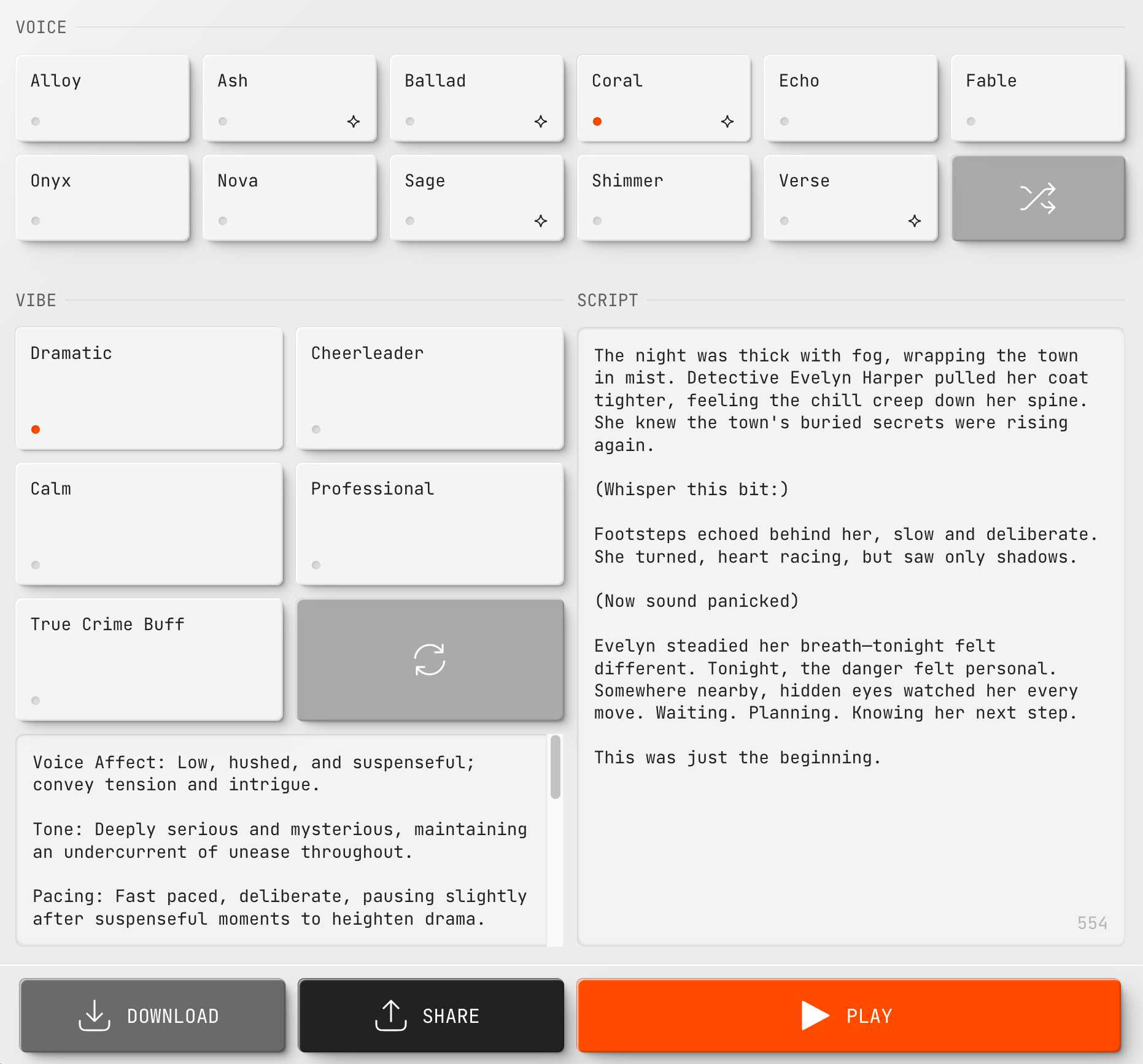
Today we’re excited to launch ARC-AGI-2 to challenge the new frontier. ARC-AGI-2 is even harder for AI (in particular, AI reasoning systems), while maintaining the same relative ease for humans. Pure LLMs score 0% on ARC-AGI-2, and public AI reasoning systems achieve only single-digit percentage scores. In contrast, every task in ARC-AGI-2 has been solved by at least 2 humans in under 2 attempts. [...]
All other AI benchmarks focus on superhuman capabilities or specialized knowledge by testing "PhD++" skills. ARC-AGI is the only benchmark that takes the opposite design choice – by focusing on tasks that are relatively easy for humans, yet hard, or impossible, for AI, we shine a spotlight on capability gaps that do not spontaneously emerge from "scaling up".
— Greg Kamradt, ARC-AGI-2
Putting Gemini 2.5 Pro through its paces
There’s a new release from Google Gemini this morning: the first in the Gemini 2.5 series. Google call it “a thinking model, designed to tackle increasingly complex problems”. It’s already sat at the top of the LM Arena leaderboard, and from initial impressions looks like it may deserve that top spot.
[... 2,400 words]Introducing 4o Image Generation. When OpenAI first announced GPT-4o back in May 2024 one of the most exciting features was true multi-modality in that it could both input and output audio and images. The "o" stood for "omni", and the image output examples in that launch post looked really impressive.
It's taken them over ten months (and Gemini beat them to it) but today they're finally making those image generation abilities available, live right now in ChatGPT for paying customers.
My test prompt for any model that can manipulate incoming images is "Turn this into a selfie with a bear", because you should never take a selfie with a bear! I fed ChatGPT this selfie and got back this result:


That's pretty great! It mangled the text on my T-Shirt (which says "LAWRENCE.COM" in a creative font) and added a second visible AirPod. It's very clearly me though, and that's definitely a bear.
There are plenty more examples in OpenAI's launch post, but as usual the most interesting details are tucked away in the updates to the system card. There's lots in there about their approach to safety and bias, including a section on "Ahistorical and Unrealistic Bias" which feels inspired by Gemini's embarrassing early missteps.
One section that stood out to me is their approach to images of public figures. The new policy is much more permissive than for DALL-E - highlights mine:
4o image generation is capable, in many instances, of generating a depiction of a public figure based solely on a text prompt.
At launch, we are not blocking the capability to generate adult public figures but are instead implementing the same safeguards that we have implemented for editing images of photorealistic uploads of people. For instance, this includes seeking to block the generation of photorealistic images of public figures who are minors and of material that violates our policies related to violence, hateful imagery, instructions for illicit activities, erotic content, and other areas. Public figures who wish for their depiction not to be generated can opt out.
This approach is more fine-grained than the way we dealt with public figures in our DALL·E series of models, where we used technical mitigations intended to prevent any images of a public figure from being generated. This change opens the possibility of helpful and beneficial uses in areas like educational, historical, satirical and political speech. After launch, we will continue to monitor usage of this capability, evaluating our policies, and will adjust them if needed.
Given that "public figures who wish for their depiction not to be generated can opt out" I wonder if we'll see a stampede of public figures to do exactly that!
Update: There's significant confusion right now over this new feature because it is being rolled out gradually but older ChatGPT can still generate images using DALL-E instead... and there is no visual indication in the ChatGPT UI explaining which image generation method it used!
OpenAI made the same mistake last year when they announced ChatGPT advanced voice mode but failed to clarify that ChatGPT was still running the previous, less impressive voice implementation.
Update 2: Images created with DALL-E through the ChatGPT web interface now show a note with a warning:

Wednesday, 26th March 2025
We estimate the supply-side value of widely-used OSS is $4.15 billion, but that the demand-side value is much larger at $8.8 trillion. We find that firms would need to spend 3.5 times more on software than they currently do if OSS did not exist.
— Manuel Hoffmann, Frank Nagle, Yanuo Zhou, The Value of Open Source Software, Harvard Business School