642 posts tagged “llm”
LLM is my command-line tool for running prompts against Large Language Models.
2025
GitHub issues is almost the best notebook in the world.
Free and unlimited, for both public and private notes.
Comprehensive Markdown support, including syntax highlighting for almost any language. Plus you can drag and drop images or videos directly onto a note.
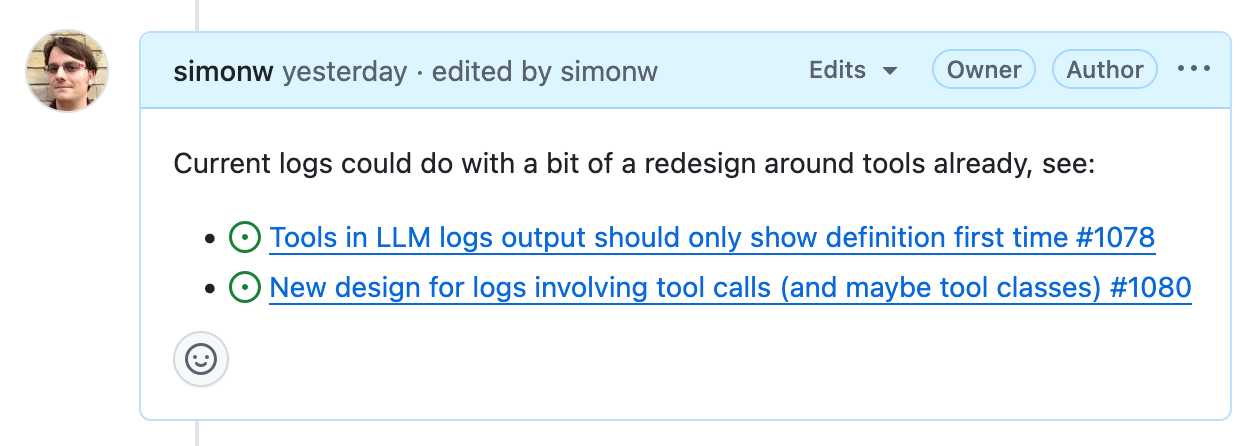
It has fantastic inter-linking abilities. You can paste in URLs to other issues (in any other repository on GitHub) in a markdown list like this:
- https://github.com/simonw/llm/issues/1078
- https://github.com/simonw/llm/issues/1080
Your issue will pull in the title of the other issue, plus that other issue will get back a link to yours - taking issue visibility rules into account.
It has excellent search, both within a repo, across all of your repos or even across the whole of GitHub if you've completely forgotten where you put something.
It has a comprehensive API, both for exporting notes and creating and editing new ones. Add GitHub Actions, triggered by issue events, and you can automate it to do almost anything.
The one missing feature? Synchronized offline support. I still mostly default to Apple Notes on my phone purely because it works with or without the internet and syncs up with my laptop later on.
A few extra notes inspired by the discussion of this post on Hacker News:
- I'm not worried about privacy here. A lot of companies pay GitHub a lot of money to keep the source code and related assets safe. I do not think GitHub are going to sacrifice that trust to "train a model" or whatever.
- There is always the risk of bug that might expose my notes, across any note platform. That's why I keep things like passwords out of my notes!
- Not paying and not self-hosting is a very important feature. I don't want to risk losing my notes to a configuration or billing error!
- The thing where notes can include checklists using
- [ ] itemsyntax is really useful. You can even do- [ ] #refto reference another issue and the checkbox will be automatically checked when that other issue is closed. - I've experimented with a bunch of ways of backing up my notes locally, such as github-to-sqlite. I'm not running any of them on cron on a separate machine at the moment, but I really should!
- I'll go back to pen and paper as soon as my paper notes can be instantly automatically backed up to at least two different continents.
- GitHub issues also scales! microsoft/vscode has 195,376 issues. flutter/flutter has 106,572. I'm not going to run out of space.
- Having my notes in a format that's easy to pipe into an LLM is really fun. Here's a recent example where I summarized a 50+ comment, 1.5 year long issue thread into a new comment using llm-fragments-github.
I was curious how many issues and comments I've created on GitHub. With Claude's help I figured out you can get that using a GraphQL query:
{
  viewer {
    issueComments {
      totalCount
    }
    issues {
      totalCount
    }
  }
}
Running that with the GitHub GraphQL Explorer tool gave me this:
{
  "data": {
    "viewer": {
      "issueComments": {
        "totalCount": 39087
      },
      "issues": {
        "totalCount": 9413
      }
    }
  }
}
That's 48,500 combined issues and comments!
How I used o3 to find CVE-2025-37899, a remote zeroday vulnerability in the Linux kernel’s SMB implementation (via) Sean Heelan:
The vulnerability [o3] found is CVE-2025-37899 (fix here), a use-after-free in the handler for the SMB 'logoff' command. Understanding the vulnerability requires reasoning about concurrent connections to the server, and how they may share various objects in specific circumstances. o3 was able to comprehend this and spot a location where a particular object that is not referenced counted is freed while still being accessible by another thread. As far as I'm aware, this is the first public discussion of a vulnerability of that nature being found by a LLM.
Before I get into the technical details, the main takeaway from this post is this: with o3 LLMs have made a leap forward in their ability to reason about code, and if you work in vulnerability research you should start paying close attention. If you're an expert-level vulnerability researcher or exploit developer the machines aren't about to replace you. In fact, it is quite the opposite: they are now at a stage where they can make you significantly more efficient and effective. If you have a problem that can be represented in fewer than 10k lines of code there is a reasonable chance o3 can either solve it, or help you solve it.
Sean used my LLM tool to help find the bug! He ran it against the prompts he shared in this GitHub repo using the following command:
llm --sf system_prompt_uafs.prompt              \
    -f session_setup_code.prompt                \
    -f ksmbd_explainer.prompt                   \
    -f session_setup_context_explainer.prompt   \
    -f audit_request.prompt
Sean ran the same prompt 100 times, so I'm glad he was using the new, more efficient fragments mechanism.
o3 found his first, known vulnerability 8/100 times - but found the brand new one in just 1 out of the 100 runs it performed with a larger context.
I thoroughly enjoyed this snippet which perfectly captures how I feel when I'm iterating on prompts myself:
In fact my entire system prompt is speculative in that I haven’t ran a sufficient number of evaluations to determine if it helps or hinders, so consider it equivalent to me saying a prayer, rather than anything resembling science or engineering.
Sean's conclusion with respect to the utility of these models for security research:
If we were to never progress beyond what o3 can do right now, it would still make sense for everyone working in VR [Vulnerability Research] to figure out what parts of their work-flow will benefit from it, and to build the tooling to wire it in. Of course, part of that wiring will be figuring out how to deal with the the signal to noise ratio of ~1:50 in this case, but that’s something we are already making progress at.
llm-anthropic 0.16. New release of my LLM plugin for Anthropic adding the new Claude 4 Opus and Sonnet models.
You can see pelicans on bicycles generated using the new plugin at the bottom of my live blog covering the release.
I also released llm-anthropic 0.16a1 which works with the latest LLM alpha and provides tool usage feature on top of the Claude models.
The new models can be accessed using both their official model ID and the aliases I've set for them in the plugin:
llm install -U llm-anthropic
llm keys set anthropic
# paste key here
llm -m anthropic/claude-sonnet-4-0 \
  'Generate an SVG of a pelican riding a bicycle'
This uses the full model ID - anthropic/claude-sonnet-4-0.
I've also setup aliases claude-4-sonnet and claude-4-opus. These are notably different from the official Anthropic names - I'm sticking with their previous naming scheme of claude-VERSION-VARIANT as seen with claude-3.7-sonnet.
Here's an example that uses the new alpha tool feature with the new Opus:
llm install llm-anthropic==0.16a1
llm --functions '
def multiply(a: int, b: int):
    return a * b
' '234324 * 2343243' --td -m claude-4-opus
Outputs:
I'll multiply those two numbers for you.
Tool call: multiply({'a': 234324, 'b': 2343243})
  549078072732
The result of 234,324 × 2,343,243 is **549,078,072,732**.
Here's the output of llm logs -c from that tool-enabled prompt response. More on tool calling in my recent workshop.
Devstral. New Apache 2.0 licensed LLM release from Mistral, this time specifically trained for code.
Devstral achieves a score of 46.8% on SWE-Bench Verified, outperforming prior open-source SoTA models by more than 6% points. When evaluated under the same test scaffold (OpenHands, provided by All Hands AI 🙌), Devstral exceeds far larger models such as Deepseek-V3-0324 (671B) and Qwen3 232B-A22B.
I'm always suspicious of small models like this that claim great benchmarks against much larger rivals, but there's a Devstral model that is just 14GB on Ollama to it's quite easy to try out for yourself.
I fetched it like this:
ollama pull devstral
Then ran it in a llm chat session with llm-ollama like this:
llm install llm-ollama
llm chat -m devstral
Initial impressions: I think this one is pretty good! Here's a full transcript where I had it write Python code to fetch a CSV file from a URL and import it into a SQLite database, creating the table with the necessary columns. Honestly I need to retire that challenge, it's been a while since a model failed at it, but it's still interesting to see how it handles follow-up prompts to demand things like asyncio or a different HTTP client library.
It's also available through Mistral's API. llm-mistral 0.13 configures the devstral-small alias for it:
llm install -U llm-mistral
llm keys set mistral
# paste key here
llm -m devstral-small 'HTML+JS for a large text countdown app from 5m'
Gemini 2.5: Our most intelligent models are getting even better. A bunch of new Gemini 2.5 announcements at Google I/O today.
2.5 Flash and 2.5 Pro are both getting audio output (previously previewed in Gemini 2.0) and 2.5 Pro is getting an enhanced reasoning mode called "Deep Think" - not yet available via the API.
Available today is the latest Gemini 2.5 Flash model, gemini-2.5-flash-preview-05-20. I added support to that in llm-gemini 0.20 (and, if you're using the LLM tool-use alpha, llm-gemini 0.20a2).
I tried it out on my personal benchmark, as seen in the Google I/O keynote!
llm -m gemini-2.5-flash-preview-05-20 'Generate an SVG of a pelican riding a bicycle'
Here's what I got from the default model, with its thinking mode enabled:

Full transcript. 11 input tokens, 2,619 output tokens, 10,391 thinking tokens = 4.5537 cents.
I ran the same thing again with -o thinking_budget 0 to turn off thinking mode entirely, and got this:

Full transcript. 11 input, 1,243 output = 0.0747 cents.
The non-thinking model is priced differently - still $0.15/million for input but $0.60/million for output as opposed to $3.50/million for thinking+output. The pelican it drew was 61x cheaper!
Finally, inspired by the keynote I ran this follow-up prompt to animate the more expensive pelican:
llm --cid 01jvqjqz9aha979yemcp7a4885 'Now animate it'
This one is pretty great!

llm-pdf-to-images. Inspired by my previous llm-video-frames plugin, I thought it would be neat to have a plugin for LLM that can take a PDF and turn that into an image-per-page so you can feed PDFs into models that support image inputs but don't yet support PDFs.
This should now do exactly that:
llm install llm-pdf-to-images
llm -f pdf-to-images:path/to/document.pdf 'Summarize this document'
Under the hood it's using the PyMuPDF library. The key code to convert a PDF into images looks like this:
import fitz
doc = fitz.open("input.pdf")
for page in doc:
    pix = page.get_pixmap(matrix=fitz.Matrix(300/72, 300/72))
    jpeg_bytes = pix.tobytes(output="jpg", jpg_quality=30)
Once I'd figured out that code I got o4-mini to write most of the rest of the plugin, using llm-fragments-github to load in the example code from the video plugin:
llm -f github:simonw/llm-video-frames '
import fitz
doc = fitz.open("input.pdf")
for page in doc:
    pix = page.get_pixmap(matrix=fitz.Matrix(300/72, 300/72))
    jpeg_bytes = pix.tobytes(output="jpg", jpg_quality=30)
' -s 'output llm_pdf_to_images.py which adds a pdf-to-images:
 fragment loader that converts a PDF to frames using fitz like in the example' \
-m o4-mini
Here's the transcript - more details in this issue.
I had some weird results testing this with GPT 4.1 mini. I created a test PDF with two pages - one white, one black - and ran a test prompt like this:
llm -f 'pdf-to-images:blank-pages.pdf' \
  'describe these images'
The first image features a stylized red maple leaf with triangular facets, giving it a geometric appearance. The maple leaf is a well-known symbol associated with Canada.
The second image is a simple black silhouette of a cat sitting and facing to the left. The cat's tail curls around its body. The design is minimalistic and iconic.
I got even wilder hallucinations for other prompts, like "summarize this document" or "describe all figures". I have a collection of those in this Gist.
Thankfully this behavior is limited to GPT-4.1 mini. I upgraded to full GPT-4.1 and got much more sensible results:
llm -f 'pdf-to-images:blank-pages.pdf' \
  'describe these images' -m gpt-4.1
Certainly! Here are the descriptions of the two images you provided:
First image: This image is completely white. It appears blank, with no discernible objects, text, or features.
Second image: This image is entirely black. Like the first, it is blank and contains no visible objects, text, or distinct elements.
If you have questions or need a specific kind of analysis or modification, please let me know!
qwen2.5vl in Ollama. Ollama announced a complete overhaul of their vision support the other day. Here's the first new model they've shipped since then - a packaged version of Qwen 2.5 VL which was first released on January 26th 2025. Here are my notes from that release.
I upgraded Ollama (it auto-updates so I just had to restart it from the tray icon) and ran this:
ollama pull qwen2.5vl
This downloaded a 6GB model file. I tried it out against my photo of Cleo rolling on the beach:

llm -a https://static.simonwillison.net/static/2025/cleo-sand.jpg \
  'describe this image' -m qwen2.5vl
And got a pretty good result:
The image shows a dog lying on its back on a sandy beach. The dog appears to be a medium to large breed with a dark coat, possibly black or dark brown. It is wearing a red collar or harness around its chest. The dog's legs are spread out, and its belly is exposed, suggesting it might be rolling around or playing in the sand. The sand is light-colored and appears to be dry, with some small footprints and marks visible around the dog. The lighting in the image suggests it is taken during the daytime, with the sun casting a shadow of the dog to the left side of the image. The overall scene gives a relaxed and playful impression, typical of a dog enjoying time outdoors on a beach.
Qwen 2.5 VL has a strong reputation for OCR, so I tried it on my poster:
llm -a https://static.simonwillison.net/static/2025/poster.jpg \
  'convert to markdown' -m qwen2.5vl
The result that came back:
It looks like the image you provided is a jumbled and distorted text, making it difficult to interpret. If you have a specific question or need help with a particular topic, please feel free to ask, and I'll do my best to assist you!
I'm not sure what went wrong here. My best guess is that the maximum resolution the model can handle is too small to make out the text, or maybe Ollama resized the image to the point of illegibility before handing it to the model?
Update: I think this may be a bug relating to URL handling in LLM/llm-ollama. I tried downloading the file first:
wget https://static.simonwillison.net/static/2025/poster.jpg
llm -m qwen2.5vl 'extract text' -a poster.jpg
This time it did a lot better. The results weren't perfect though - it ended up stuck in a loop outputting the same code example dozens of times.
I tried with a different prompt - "extract text" - and it got confused by the three column layout, misread Datasette as "Datasetette" and missed some of the text. Here's that result.
These experiments used qwen2.5vl:7b (6GB) - I expect the results would be better with the larger qwen2.5vl:32b (21GB) and qwen2.5vl:72b (71GB) models.
Fred Jonsson reported a better result using the MLX model via LM studio (~9GB model running in 8bit - I think that's mlx-community/Qwen2.5-VL-7B-Instruct-8bit). His full output is here - looks almost exactly right to me.
In addition to my workshop the other day I'm also participating in the poster session at PyCon US this year.
This means that tomorrow (Sunday 18th May) I'll be hanging out next to my poster from 10am to 1pm in Hall A talking to people about my various projects.
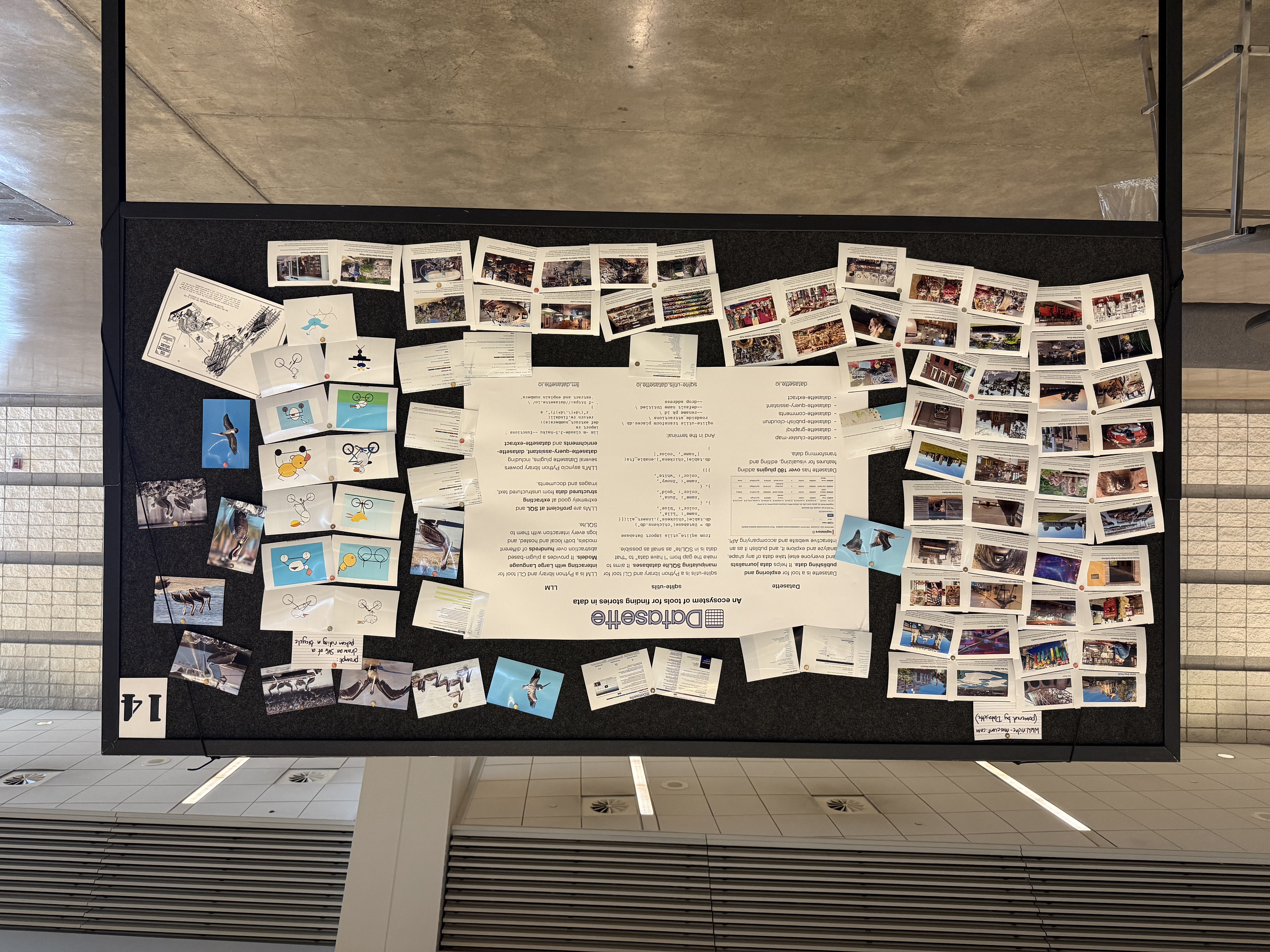
I'll confess: I didn't pay close enough attention to the poster information, so when I first put my poster up it looked a little small:
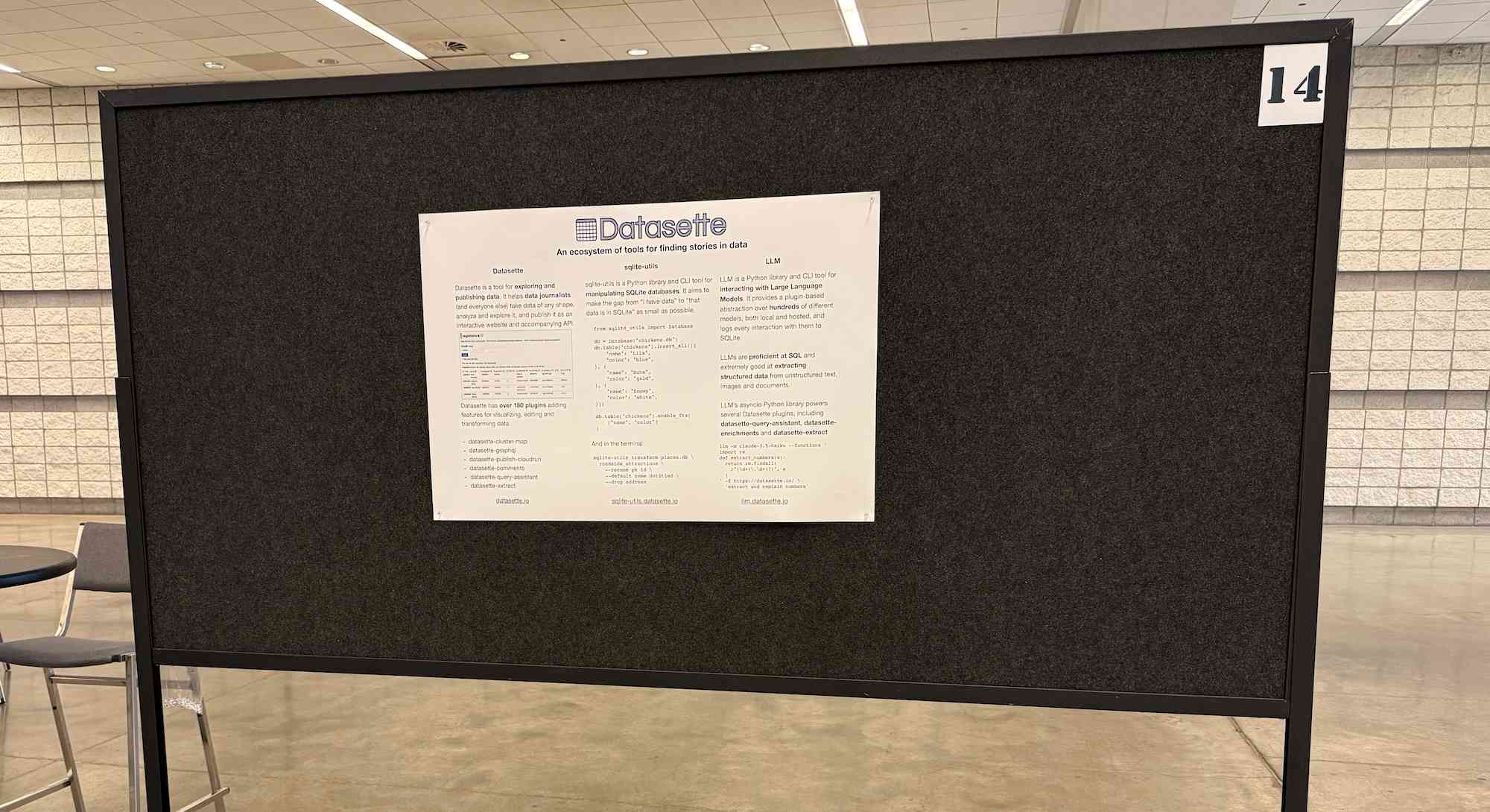
... so I headed to the nearest CVS and printed out some photos to better represent my interests and personality. I'm going for a "teenage bedroom" aesthetic here, I'm very happy with the result:
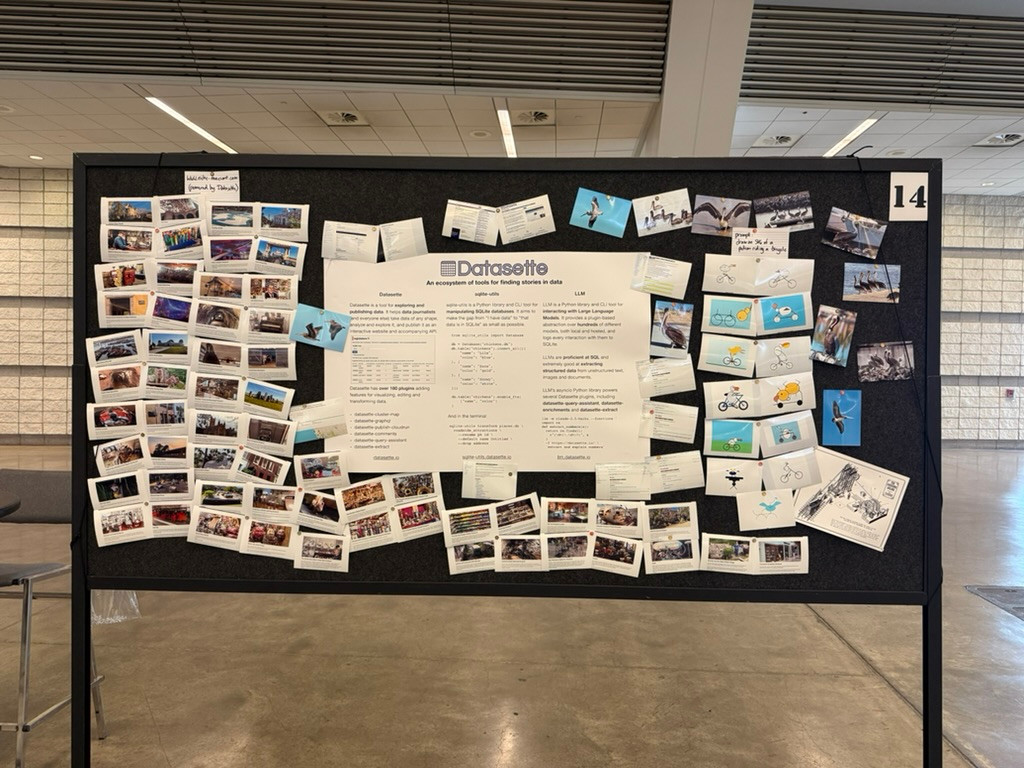
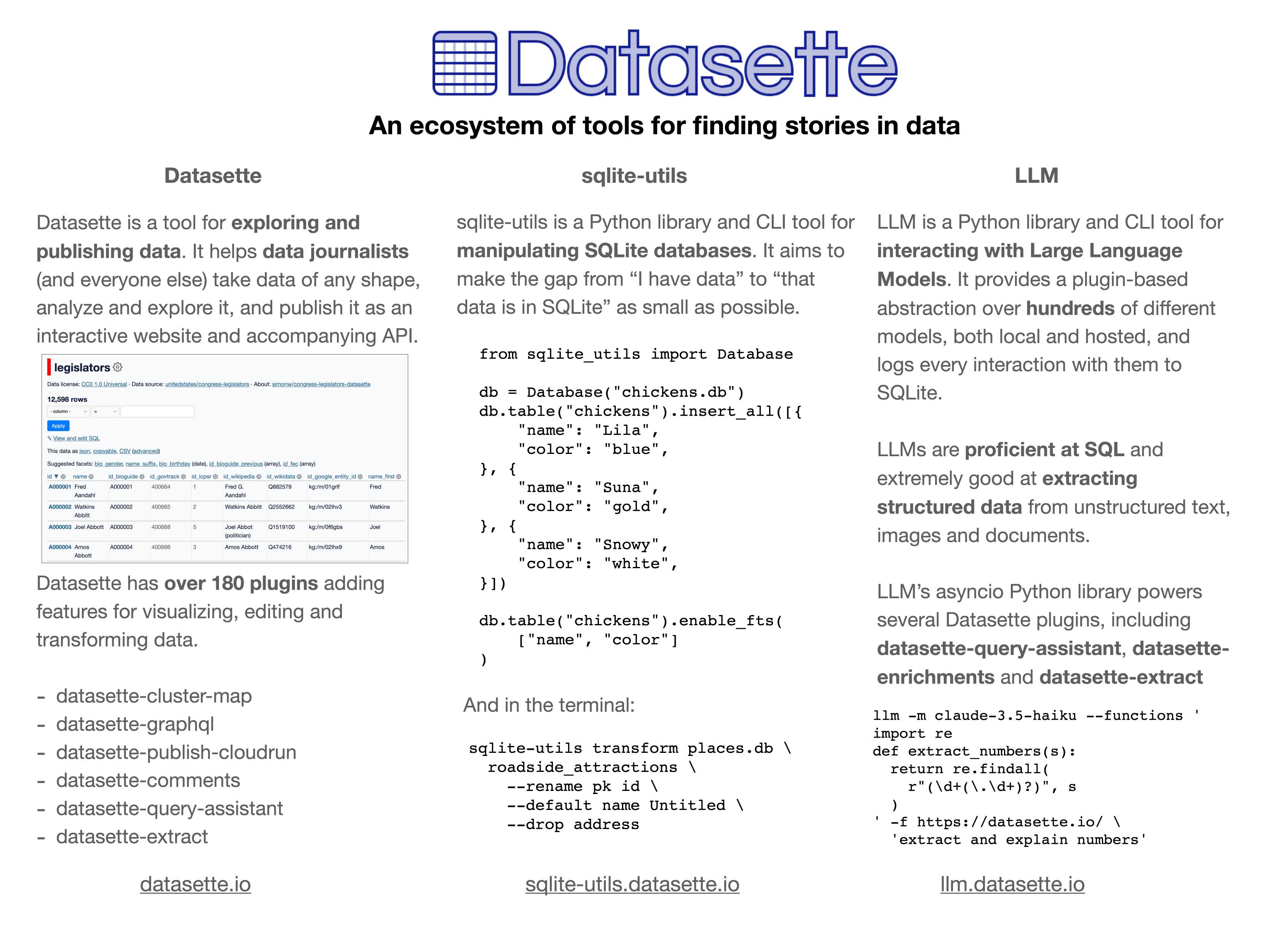
Here's the poster in the middle (also available as a PDF). It has columns for Datasette, sqlite-utils and LLM.
If you're at PyCon I'd love to talk to you about things I'm working on!
Update: Thanks to everyone who came along. Here's a 6MB photo of the poster setup. The museums were all from my www.niche-museums.com site and the pelicans riding a bicycle SVGs came from my pelican-riding-a-bicycle tag.
OpenAI Codex. Announced today, here's the documentation for OpenAI's "cloud-based software engineering agent". It's not yet available for us $20/month Plus customers ("coming soon") but if you're a $200/month Pro user you can try it out now.
At a high level, you specify a prompt, and the agent goes to work in its own environment. After about 8–10 minutes, the agent gives you back a diff.
You can execute prompts in either ask mode or code mode. When you select ask, Codex clones a read-only version of your repo, booting faster and giving you follow-up tasks. Code mode, however, creates a full-fledged environment that the agent can run and test against.
This 4 minute demo video is a useful overview. One note that caught my eye is that the setup phase for an environment can pull from the internet (to install necessary dependencies) but the agent loop itself still runs in a network disconnected sandbox.
It sounds similar to GitHub's own Copilot Workspace project, which can compose PRs against your code based on a prompt. The big difference is that Codex incorporates a full Code Interpeter style environment, allowing it to build and run the code it's creating and execute tests in a loop.
Copilot Workspaces has a level of integration with Codespaces but still requires manual intervention to help exercise the code.
Also similar to Copilot Workspaces is a confusing name. OpenAI now have four products called Codex:
- OpenAI Codex, announced today.
- Codex CLI, a completely different coding assistant tool they released a few weeks ago that is the same kind of shape as Claude Code. This one owns the openai/codex namespace on GitHub.
- codex-mini, a brand new model released today that is used by their Codex product. It's a fine-tuned o4-mini variant. I released llm-openai-plugin 0.4 adding support for that model.
- OpenAI Codex (2021) - Internet Archive link, OpenAI's first specialist coding model from the GPT-3 era. This was used by the original GitHub Copilot and is still the current topic of Wikipedia's OpenAI Codex page.
My favorite thing about this most recent Codex product is that OpenAI shared the full Dockerfile for the environment that the system uses to run code - in openai/codex-universal on GitHub because openai/codex was taken already.
This is extremely useful documentation for figuring out how to use this thing - I'm glad they're making this as transparent as possible.
And to be fair, If you ignore it previous history Codex Is a good name for this product. I'm just glad they didn't call it Ada.