26 posts tagged “datasette-agent”
An AI assistant for Datasette, see agent.datasette.io.
2026
Datasette Apps are sandboxed HTML and JavaScript applications that live inside Datasette - think Claude Artifacts, but these ones can run SQL queries against your data.
0.4a0 adds support for linking: you can link to an app with #fragments in the URL and the app can see and use those, plus supported URL schemes are reported back to Datasette Agent so it can help write apps that link to each other.
This means you can have e.g. an app that shows details about a specific record, and a completely separate app that searches those records and links to their representations in the first app.
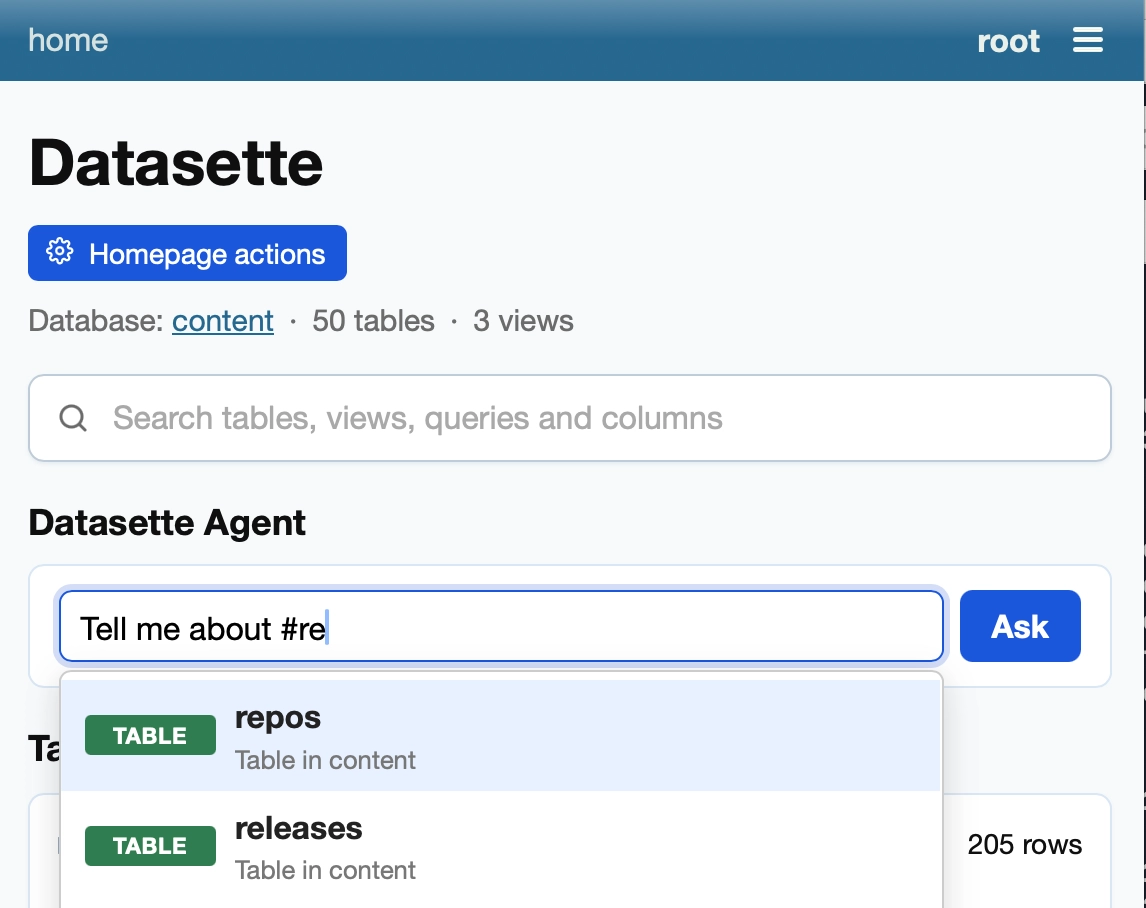
Accumulated small fixes for Datasette Agent, my agent plugin for Datasette that lets you ask questions about your data. Most notably, it now adds an agent prompt directly to the Datasette homepage, with support for hash-mentions of tables and queries:
datasette-llm is the intermediate plugin for Datasette that supports configuring LLMs for use with other Datasette plugins.
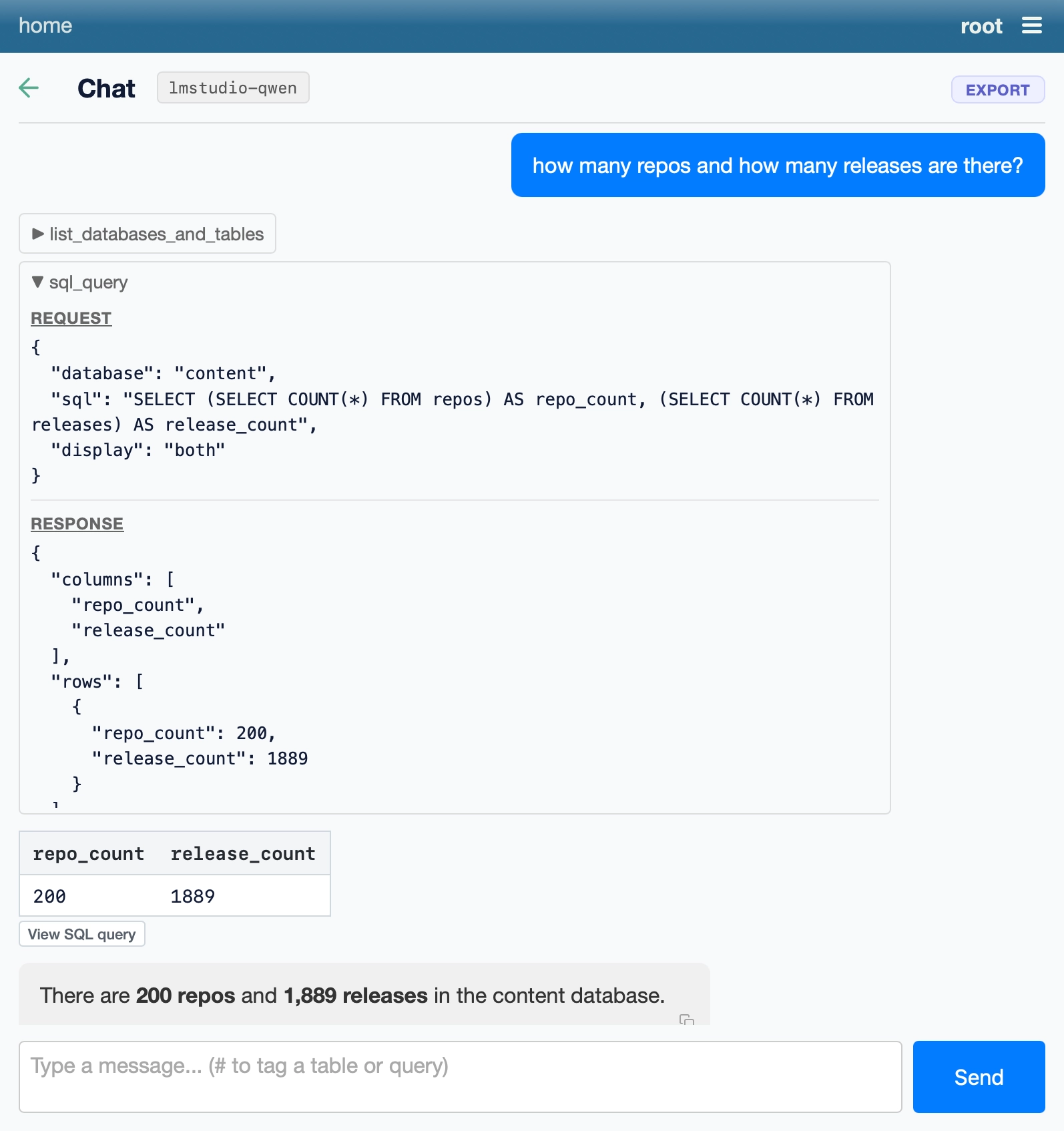
This release adds support for OpenAI-compatible endpoints, so you can configure Datasette to use an LLM hosted anywhere that talks the OpenAI pseudo-standard web protocol.
This means that if you're running local models with LM Studio or Ollama or llama.cpp (which just hit v1.0.0) you can run Datasette via uvx like this:
wget https://datasette.io/content.db

uvx --with datasette-agent datasette \
  --root --secret 1 \
  -s plugins.datasette-llm.default_model '{
    "model": "lmstudio-qwen",
    "model_name": "qwen/qwen3.8-27b",
    "api_base": "http://localhost:1234/v1"
  }' content.db
And you'll get a local server running a Datasette Agent instance powered by your local model!
Datasette Apps adds support for hosting and editing custom HTML applications inside of Datasette.
These can be created by hand, but it's easier to create them using LLMs via Datasette Agent. This release improves that integration:
- Apps can now be tagged in Datasette Agent chat messages by typing
#, which autocompletes from the apps the user has permission to view.- New
app_add_stored_queries()andapp_remove_stored_queries()tools let the agent manage which stored queries an app is allowed to call. Granting a write query requires approval from the user first.app_create()now checks that each requested stored query exists and that the user can view it, and asks the user to approve any write queries before the app is created.- The "View app" buttons shown by the agent tools, and the links on
#app references, now open the app full screen in the Datasette Agent panel.
This is a significant release of Datasette Agent. The most notable new feature is called the panel - it lets the agent chat open and then sit next to pages from Datasette, for example a table or query page.
When combined with datasette-apps this means you can prompt a database-backed app into existence and then modify it from the chat that sits next to that app.
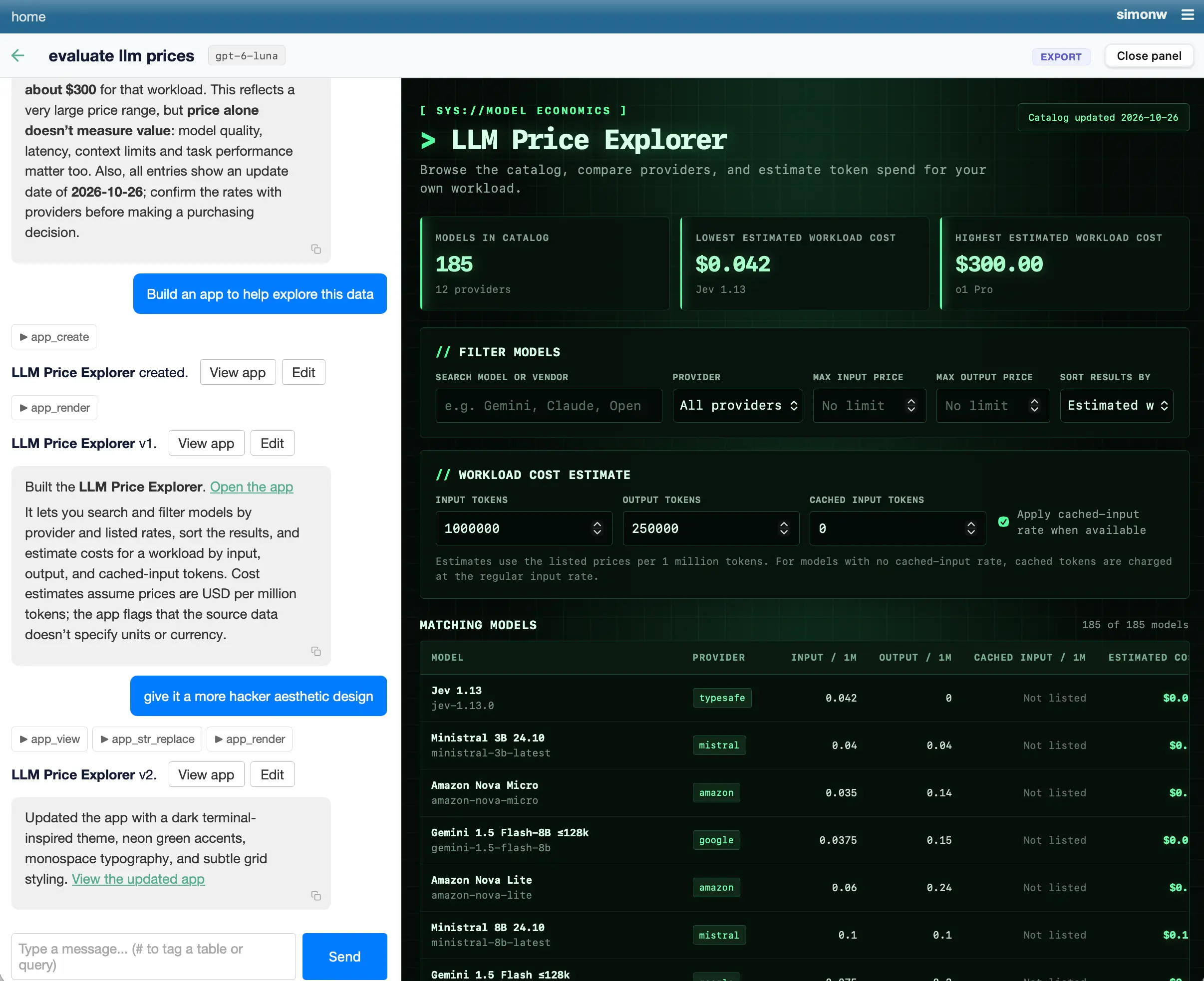
You can try it by signing in with your GitHub account to agent.datasette.io.
I have some big upgrades to Datasette Agent in the pipeline, but in the meantime here's a tiny user experience improvement to the underlying datasette-llm plugin.
It now picks up the default model used by LLM, which means you can start using Datasette Agent without needing to explicitly configure a default model:
uvx --with datasette-agent datasette content.db --internal internal.db
Previously you would also need to specify a model with -s plugins.datasette-agent.default_model gpt-6-astra.
- New
await context.browser_task()mechanism allowing agent tools to run code directly in the user's browser. #33
This is an exciting new capability: it makes it easy for Datasette Agent plugins to provide tools that execute custom JavaScript in the user's browser.
I used this to add a debug loop to Datasette Apps in datasette-apps 0.2a0.
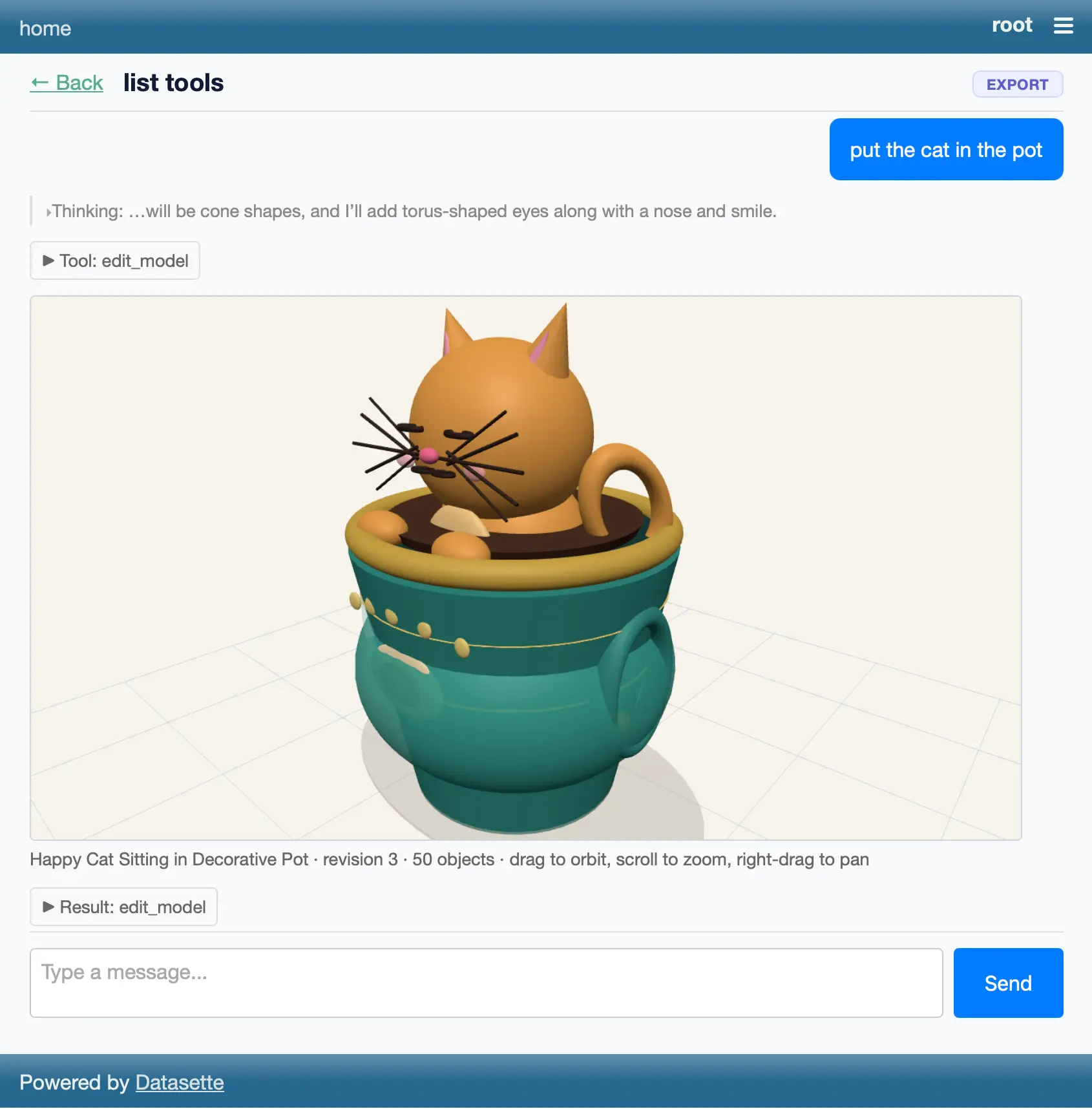
Bit of a wild vibe coding experiment with Claude Fable 5. I told it to "Build a plugin for datasette agent which adds a tool for creating a 3D model and then making edits to that model" (full prompt here) and... it did.
One of this morning's AIE keynotes covered dspy, which reminded me I've been meaning to see if it could help me improve the system prompt used by Datasette Agent - so I fired off an asynchronous research task in Claude Code for web using Claude Fable 5:
Pip install the latest Datasette alpha and datasette-agent and dspy - then figure out how to use dspy to evaluate and improve the main system prompts used by Datasette Agent for the feature where it can execute read only SQL queries to answer user questions about data.
Fable chose to test using GPT 4.1 mini and nano, and identified several promising looking directions for improvements. I particularly like this one:
The schema listing gives only table names; the "don't call describe_table if you already have the information" advice caused column-name guessing (page_count, o.order_id, first_name) and error-retry loops in baseline traces. Either include column names in the prompt's schema listing or soften that advice.
- New tool,
execute_write_sql, which requests user approval and then writes to a database - taking user permissions into account. #27
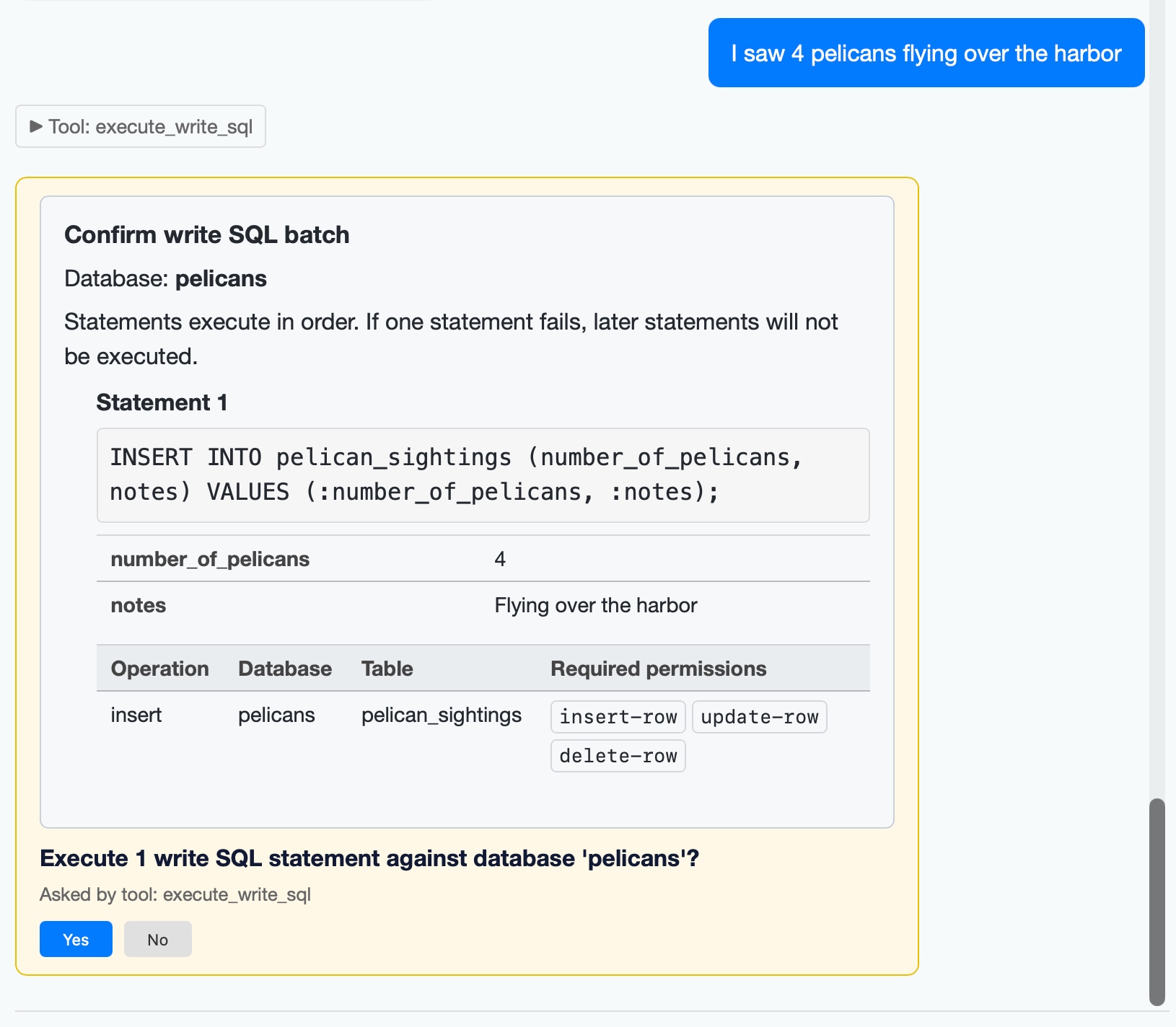
I added a mechanism for asking user approval in datasette agent 0.2a0. The new execute_write_sql tool can now prompt the user for all kinds of useful operations. Here's an example where I add some pelican sightings to my pelican_sightings table:
The new version also enhances the datasette agent chat terminal mode to support approvals, and adds several new options including --unsafe mode for auto-approving them:
datasette agent chatcan execute tools that require user approval. #30- Three new options for
datasette agent chat---rootto run as root,--yesto approve all ask user questions, and--unsafefor both.- Tools can now provide plain text alternatives to HTML, for display in the
datasette agent chatCLI. #31
The datasette agent chat content.db -m gpt-5.5 --unsafe command can now be used to chat directly with a specific database and directly modify it through prompts like "create a notes table", "add a note about X" etc.
Highlights from the release notes:
- Tools can now ask the user questions mid-execution. Tools that declare a
contextparameter receive aToolContextobject, andawait context.ask_user(...)can ask a yes/no, multiple-choice (options=[...]) or free-text (free_text=True) question. While a question is unanswered the agent turn suspends: the question renders as a form in the chat UI and persists to the internal database, so suspended conversations survive a server restart. Once answered, the tool re-executes from the top with stored answers replayed, so callask_user()before performing side effects. #20- New built-in
save_querytool: the agent can save SQL it has written as a Datasette stored query. Saving always requires human approval - the agent shows the full SQL plus the proposed name, database and visibility, and nothing is stored until you click Yes. #20
The ask_user() feature was enabled by the new LLM alpha I built yesterday with the help of Claude Fable 5.
I'm planning several plugins for Datasette Agent which can make edits to existing pieces of text - things like collaborative Markdown editing, updating large SQL queries, and editing SVG files.
Agentic editing of text is a little tricky to get right. My favorite published design for this is for the Claude text editor, which implements the following tools:
view- view sections of a file, with line numbers added to every line.str_replace- find an exactold_strand replace it withnew_str- fail if the original string is not uniqueinsert- insert the specified text after the specified line number
Rather than recreate these patterns for every plugin that needs them I decided to create this base plugin, datasette-agent-edit, which implements the core tools in a way that allows them to be adapted for other plugins.
Running Python code in a sandbox with MicroPython and WASM
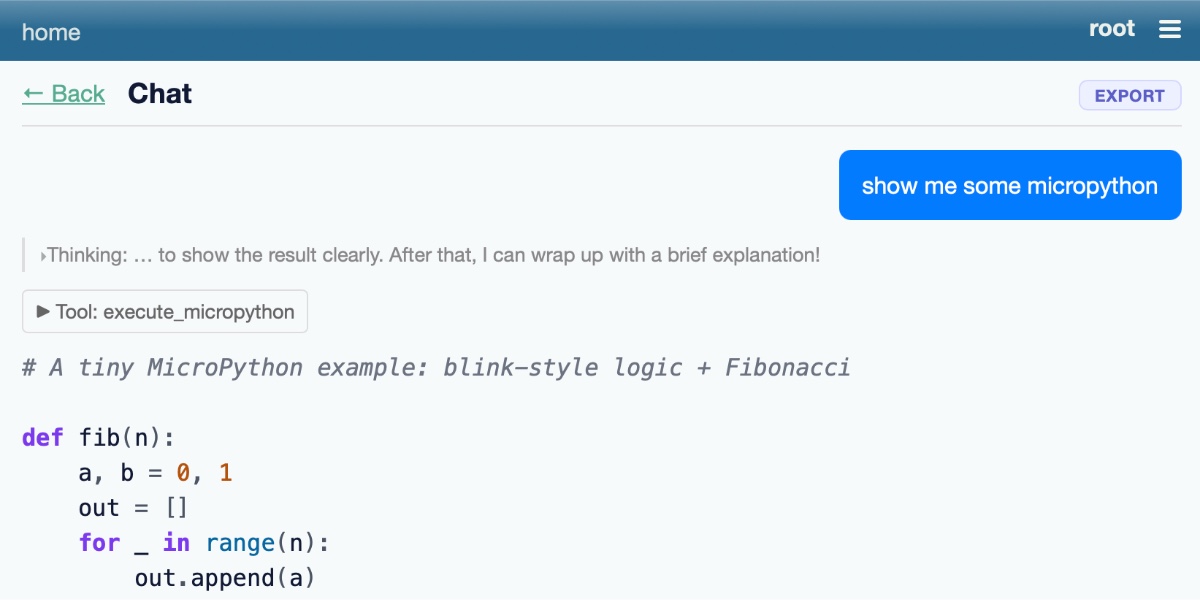
I’ve been experimenting with different approaches to running code in a sandbox for several years now, but my latest attempt feels like it might finally have all of the characteristics I’ve been looking for. I’ve released it as an alpha package called micropython-wasm, and I’m using it for a code execution sandbox plugin for Datasette Agent called datasette-agent-micropython.
[... 2,024 words]I want Datasette Agent to be able to generate and execute Python code safely. This alpha is looking promising so far. GPT-5.5 has so far failed to break out of the sandbox!
I think Anthropic and OpenAI have found product-market fit
Anthropic are strongly rumored to be about to have their first profitable quarter. Stories are circulating of companies surprised at how expensive their LLM bills are becoming from usage by their staff. I think this is because OpenAI and Anthropic have both found product-market fit.
[... 1,931 words]Taking advantage of the new makeJumpSections() JavaScript plugin hook added in Datasette 1.0a30, datasette-agent now presents this "Start a new agent chat" interface as part of the Jump to menu, any time you hit /:
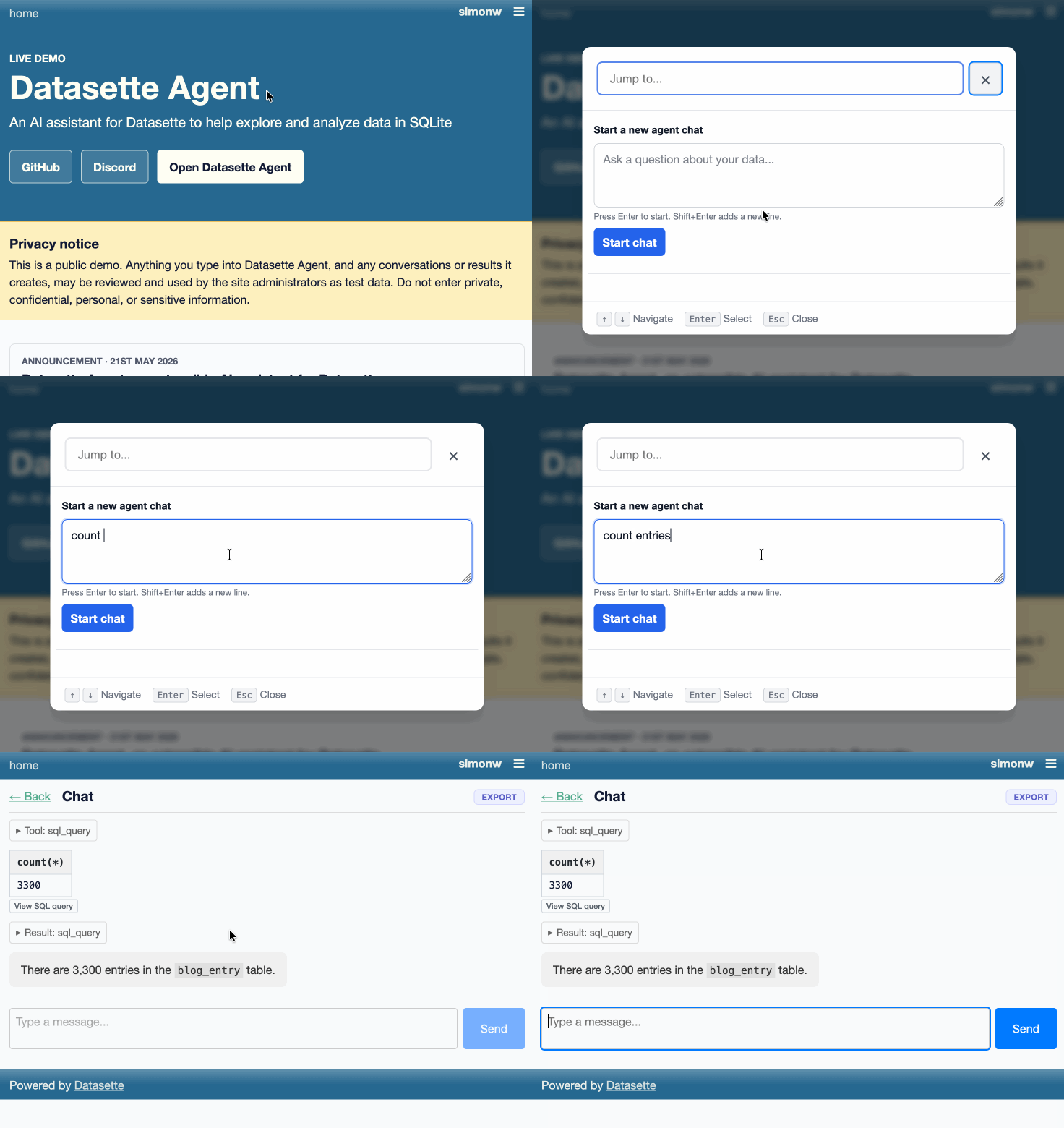
You can try this out by signing into agent.datasette.io using your GitHub account.
Datasette Agent
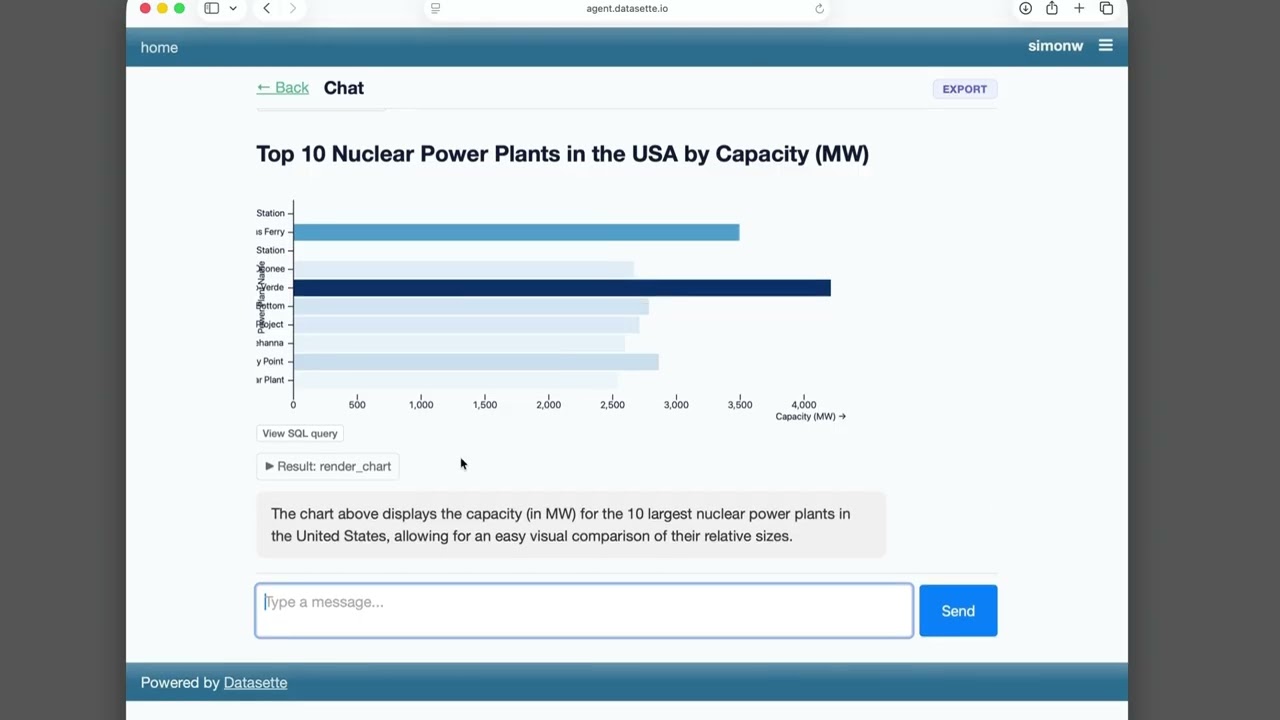
We just announced the first release of Datasette Agent, a new extensible AI assistant for Datasette. I’ve been working on my LLM Python library for just over three years now, and Datasette Agent represents the moment that LLM and Datasette finally come together. I’m really excited about it!
[... 659 words]A Datasette Agent plugin for running commands in a Fly Sprites sandbox.
- "View SQL query" buttons below rendered charts.
- "View SQL query" buttons for both visible tables and collapsed SQL result tool calls.
- Don't display empty reasoning chunks
- Improved handling of truncated responses - table still displays to the user even if the SQL results were truncated when showing the agent.
See Datasette Agent, an extensible AI assistant for Datasette.
- More color! Bar and waffle charts without a color column are shaded by magnitude with a sequential color scheme; color columns holding text values use the
observable10categorical scheme. #2- Now checks
execute-sqlpermission before running the query to find the column names.- Charts now display interactive tooltips.
- Fixed a bug where
waffleYcharts were not described to the agent.
- Tool availability can now be attached to a
required_permission. The default background agent tools now require the newdatasette-agent-backgroundpermission. #10
- Now uses the
execute-sqlpermission when deciding which tables to list to the user. #8
- Initial (silent) alpha release.