Elsewhere
Release TIL Research Tool Museum Sighting Comment
Filters: Sorted by date
3,580 results
«« first
« previous
page 36 / 120
next »
last »»
Tool
Clipboard Format Viewer
— Inspect and analyze clipboard data by pasting content into this viewer to see all available formats and their corresponding values. The tool displays text, HTML, images, and file information in an organized format, with special handling for image previews and multi-file pastes. This is useful for debugging clipboard operations and understanding what data formats are available when copying and pasting content across applications.
Tool
ARES Phonetic Alphabet Converter
— Convert text to NATO phonetic alphabet equivalents for clear communication in radio, military, and aviation contexts. Enter any combination of letters and numbers, then click the convert button to display the phonetic representation with each character separated by spaces. Spaces in the original text are marked as "(SPACE)" in the output.
Tool
Navigation Bar with Text-Wrap Balance
— Explore how the CSS `text-wrap: balance` property affects navigation layout and text distribution across multiple lines. This interactive demonstration allows you to toggle the text-wrap balance feature on and off while adjusting the number of visible navigation items to see how the browser distributes text more evenly across lines. Use the slider and checkbox controls to observe the differences in how links wrap and align within the constrained navigation container.
Tool
HTML Entity Escaper
— Convert between special characters and their HTML entity representations with this bidirectional encoding tool. Select between Escape mode to convert characters like `<`, `>`, `&`, and quotes into their corresponding HTML entities, or Unescape mode to decode HTML entities back into readable characters. The tool supports named entities, decimal numeric references, and hexadecimal numeric references, with real-time conversion displayed in the output field.
Tool
QR Code Decoder
— Decode QR codes from images or your device's camera with this interactive web application. Upload an image by dragging and dropping, clicking to select a file, or pasting from your clipboard, and the decoder will extract the encoded data instantly. Switch to webcam mode for real-time scanning with support for multiple cameras and pinch-to-zoom functionality on touch devices.
Tool
OpenAI Audio
— Record audio through your microphone and send it to OpenAI's GPT-4o audio model along with a text prompt to receive AI-generated responses. The tool converts your recorded audio to WAV format, calculates token usage and associated costs for both text and audio inputs, and displays the API response in both formatted and raw JSON views. Your API key is securely stored locally in your browser, and you can download the recorded audio file for later use.
Release
files-to-prompt 0.4
— Concatenate a directory full of files into a single prompt for use with LLMs
Tool
Extract URLs
— Extract URLs from copied web page content by pasting HTML into the input area, which automatically identifies and displays all hyperlinks found in the pasted material. The tool filters for valid HTTP links and provides a consolidated list in the output textarea, making it easy to copy all extracted URLs to your clipboard with a single button click.
Tool
Pelican Sightings Query Tool
— Query pelican sighting records from Half Moon Bay using SQL commands against an in-browser SQLite database. The tool loads sample data containing observations of various pelican species across local beaches with dates, locations, and counts. Enter any valid SQL query in the textarea and execute it to retrieve and view the results in a formatted table.
Tool
Jina Reader
— Convert web pages to structured content using the Jina Reader API, with support for multiple output formats including markdown, HTML, and text. The interface allows you to fetch and preview page content while optionally running AI-powered analysis through Claude to generate summaries, extract quotes, and identify key ideas from the retrieved material.
Tool
Improved Interactive CSS Grid Layout with Symmetric Animation
— Explore an interactive CSS grid layout that demonstrates dynamic element expansion with smooth animations. Click the green cell labeled "1x2" to trigger a symmetric animation that expands the element to fill the entire grid container, then click again to animate it back to its original position. The layout combines CSS Grid positioning with JavaScript event handling to create a polished visual effect that smoothly transitions between states.
Tool
Event Planner
— Plan events with timezone-aware scheduling and countdown tracking. This application allows you to input event details including title, description, location, date, and time across different US timezones, then automatically calculates the time remaining until the event and generates a shareable Google Calendar link. The tool displays all event information in a formatted summary and provides a convenient way to add the event directly to your Google Calendar account.
TIL
Livestreaming a community election event on YouTube
— I live in El Granada, California. Wikipedia calls us [a census designated place](https://en.wikipedia.org/wiki/El_Granada,_California) - we don't have a mayor or city council. But we do have a [Community Services District](https://granada.ca.gov/) - originally responsible for our sewers, and since 2014 also responsible for our parks. And we get to vote for the board members [in the upcoming November election](https://granada.ca.gov/2024-candidate-listing)!

TIL
Upgrading Homebrew and avoiding the failed to verify attestation error
— I managed to get my Homebrew installation back into shape today. The first problem I was having is that it complained that macOS Sequoia was unsupported:
TIL
Collecting replies to tweets using JavaScript
— I ran [a survey](https://twitter.com/simonw/status/1843290729260703801) on Twitter the other day to try and figure out what people mean when they use the term "agents" with respect to AI.
Tool
Image to SVG
— Convert raster images to scalable vector graphics using automated tracing technology. Upload a JPG or PNG image by dragging it onto the drop zone or clicking to browse, and the application will generate an SVG representation that can be viewed and copied. The conversion process uses imagetracerjs to intelligently trace image edges and create vector paths suitable for scaling to any size without quality loss.
Tool
SVG to JPEG/PNG
— Convert SVG images to JPEG or PNG format with customizable dimensions, padding, and background colors. The tool allows you to paste SVG code directly, upload SVG files via drag-and-drop, or load SVG images from URLs, then instantly previews the converted result and provides download and base64 embedding options. URL hashes preserve your work for easy sharing and recovery.

TIL
Compiling and running sqlite3-rsync
— Today I heard about the [sqlite3-rsync](https://sqlite.org/draft/rsync.html) command, currently available in a branch in the SQLite code repository. It provides a mechanism for efficiently creating or updating a copy of a SQLite database that is running in WAL mode, either locally or via SSH to another server.

TIL
Building an automatically updating live blog in Django
— OpenAI's DevDay event yesterday (October 1st 2024) didn’t invite press (as far as I can tell), didn’t livestream the event and didn’t allow audience livestreaming either. I made a last minute decision [to live blog the event](https://simonwillison.net/2024/Oct/1/openai-devday-2024-live-blog/) myself.
Tool
MapLibre GL + OpenFreeMap demo
— Explore an interactive map of San Francisco rendered with MapLibre GL and OpenFreeMap tiles, displaying 1000 randomly distributed markers across the city. The demo showcases three different approaches for rendering large numbers of points—scaled markers, custom HTML elements, and GeoJSON circle layers—with the map automatically adjusted to fit all markers in view. Users can interact with the tilted 3D map to navigate and explore the marker distribution across the San Francisco area.
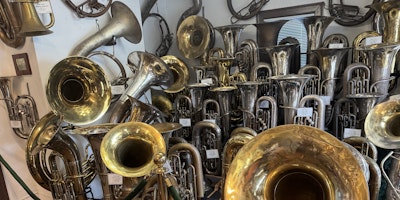
Vincent Simonetti collected his first historic tuba - a ~1910 Cerveny BB-flat Helicon - in Boston in 1965, while playing tuba on tour with the Moyseev Ballet Company. Today the collection has grown to more than 350 tubas, and is now the largest private collection in the world that is dedicated exclusively to members of the tuba family.
Tool
User Agent
— Display your browser's user agent string, which contains information about your web browser, operating system, and device. This identifier is sent with every HTTP request your browser makes and helps websites understand how to optimize their content for your specific platform and browser version.
«« first
« previous
page 36 / 120
next »
last »»