13 posts tagged “kakapo”
2026
I presented a closing keynote for the WeAreDevelopers World Congress North America yesterday. As a STAR moment I decided to weave in references to the record breaking kākāpō breeding season we had in 2026.
For my closing slide I wanted to celebrate, and I had seen some buzz around how good Claude Opus 5.5 was at creating pixel art animations. So I rounded up three Kakapo photos from Google image search and dropped them into Claude with this prompt:
Here are some photos of kakapo parrots just to remind you what they look like
I need you to make an animation in animated pixel art on HTML 5 canvas of obviously pixel art kakapo jumping up and down having a party with confetti and suchlike - there should be at least 20 of them
Here's the transcript, and this is the resulting page. It's pretty great!
I wanted to embed it in a Keynote presentation file, so I downloaded the HTML and told a local Claude Code session:
Make me a video of file:///Users/simon/Downloads/kakapo-party.html - you need to load it in a browser and click on it a few times to get the confetti effect, the video should be 15s long
don't start clicking until 3s in
make sure several clicks are spread around the clickable area
Claude Code used Playwright (transcript here) and produced this video, which was exactly what I needed for my final slide:
Here's the full Playwright script it used, which was pleasingly short:
# /// script
# dependencies = ["playwright"]
# ///
import time
from playwright.sync_api import sync_playwright
W, H = 1280, 720
# Canvas fills the viewport; spread clicks across corners, edges and centre
clicks = [
    (3.0, 640, 360),   # centre
    (4.2, 160, 120),   # top-left
    (5.4, 1120, 120),  # top-right
    (6.6, 180, 600),   # bottom-left
    (7.8, 1100, 600),  # bottom-right
    (9.0, 640, 100),   # top-centre
    (10.0, 380, 380),  # mid-left
    (11.0, 900, 380),  # mid-right
    (12.2, 640, 620),  # bottom-centre
    (13.2, 640, 300),  # finale centre
]
with sync_playwright() as p:
    b = p.chromium.launch()
    ctx = b.new_context(viewport={"width":W,"height":H}, record_video_dir="vids", record_video_size={"width":W,"height":H})
    page = ctx.new_page()
    t0 = time.time()
    page.goto("file:///Users/simon/Downloads/kakapo-party.html")
    for t,x,y in clicks:
        time.sleep(max(0, t-(time.time()-t0)))
        page.mouse.click(x,y)
    time.sleep(max(0, 16.0-(time.time()-t0)))
    ctx.close(); b.close()
325 #kakapo! The chicks from this year's record breeding season are now juveniles and so have been added to the population. In 1995 there were just 51 kākāpō left. Recovery of critically endangered species is possible with sustained effort.
— Andrew Digby, providing the best news of the year
Notes on Pope Leo XIV’s encyclical on AI
Dropped this morning by the Vatican: Magnifica Humanitas of His Holiness Pope Leo XIV on Safeguarding the Human Person in the Time of Artificial Intelligence. This is a very interesting document. It’s some of the clearest writing I’ve seen on the ethics of integrating AI into modern society.
[... 1,865 words]Lenny posted another snippet from our 1 hour 40 minute podcast recording and it's about kākāpō parrots!
Highlights from my conversation about agentic engineering on Lenny’s Podcast
I was a guest on Lenny Rachitsky’s podcast, in a new episode titled An AI state of the union: We’ve passed the inflection point, dark factories are coming, and automation timelines. It’s available on YouTube, Spotify, and Apple Podcasts. Here are my highlights from our conversation, with relevant links.
[... 3,558 words]I just sent the February edition of my sponsors-only monthly newsletter. If you are a sponsor (or if you start a sponsorship now) you can access it here. In this month's newsletter:
- More OpenClaw, and Claws in general
- I started a not-quite-a-book about Agentic Engineering
- StrongDM, Showboat and Rodney
- Kākāpō breeding season
- Model releases
- What I'm using, February 2026 edition
Here's a copy of the January newsletter as a preview of what you'll get. Pay $10/month to stay a month ahead of the free copy!
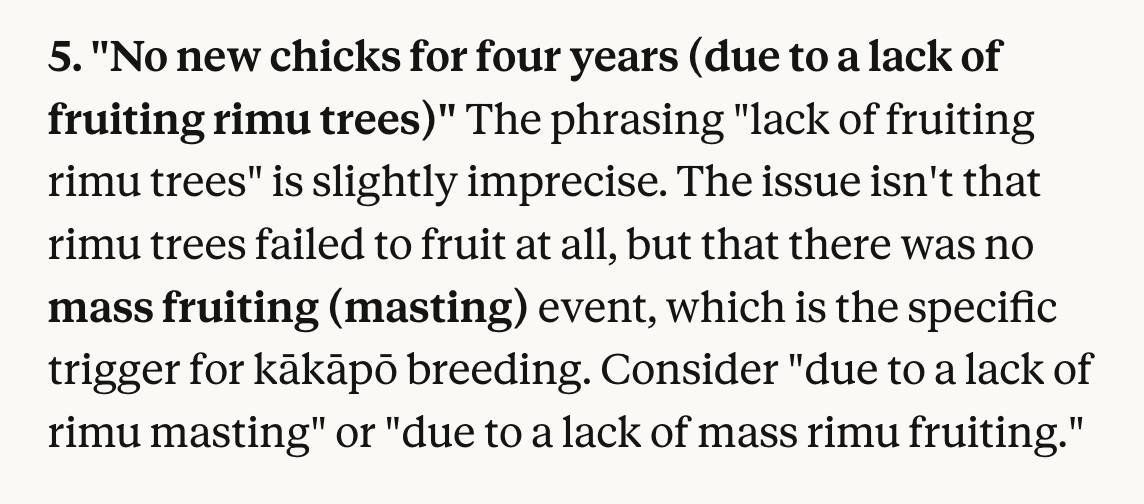
I use Claude as a proofreader for spelling and grammar via this prompt which also asks it to "Spot any logical errors or factual mistakes". I'm delighted to report that Claude Opus 4.6 called me out on this one:
First kākāpō chick in four years hatches on Valentine’s Day (via) First chick of the 2026 breeding season!
Kākāpō Yasmine hatched an egg fostered from kākāpō Tīwhiri on Valentine's Day, bringing the total number of kākāpō to 237 – though it won’t be officially added to the population until it fledges.
Here's why the egg was fostered:
"Kākāpō mums typically have the best outcomes when raising a maximum of two chicks. Biological mum Tīwhiri has four fertile eggs this season already, while Yasmine, an experienced foster mum, had no fertile eggs."
And an update from conservation biologist Andrew Digby - a second chick hatched this morning!
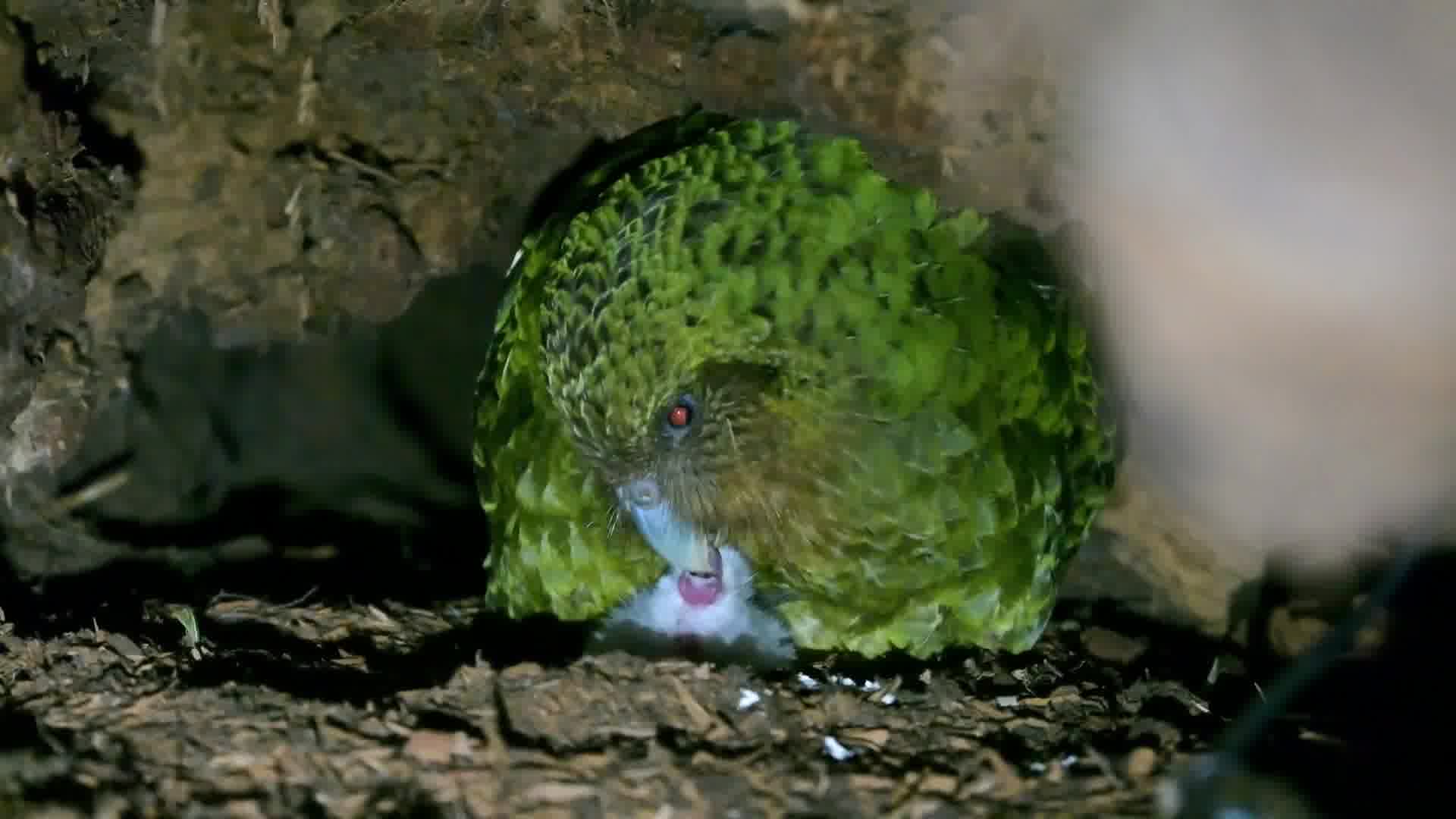
The second #kakapo chick of the #kakapo2026 breeding season hatched this morning: Hine Taumai-A1-2026 on Ako's nest on Te Kākahu. We transferred the egg from Anchor two nights ago. This is Ako's first-ever chick, which is just a few hours old in this video.
That post has a video of mother and chick.
Friend and neighbour Karen James made me a Kākāpō mug. It has a charismatic Kākāpō, four Kākāpō chicks (in celebration of the 2026 breeding season) and even has some rimu fruit!
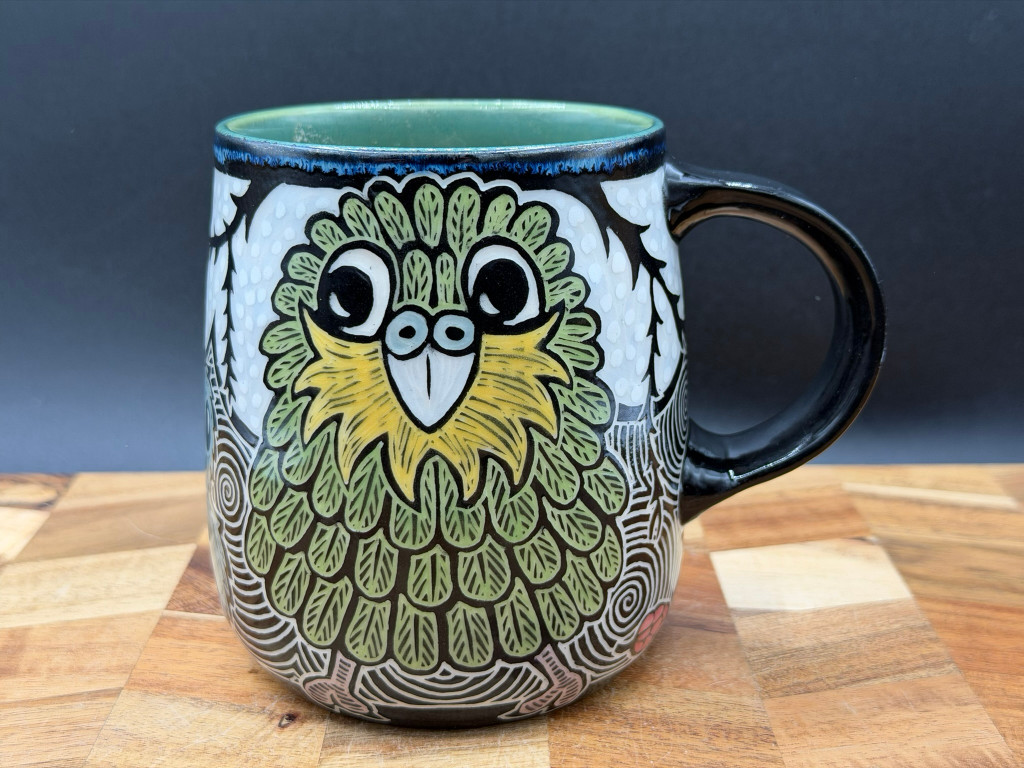
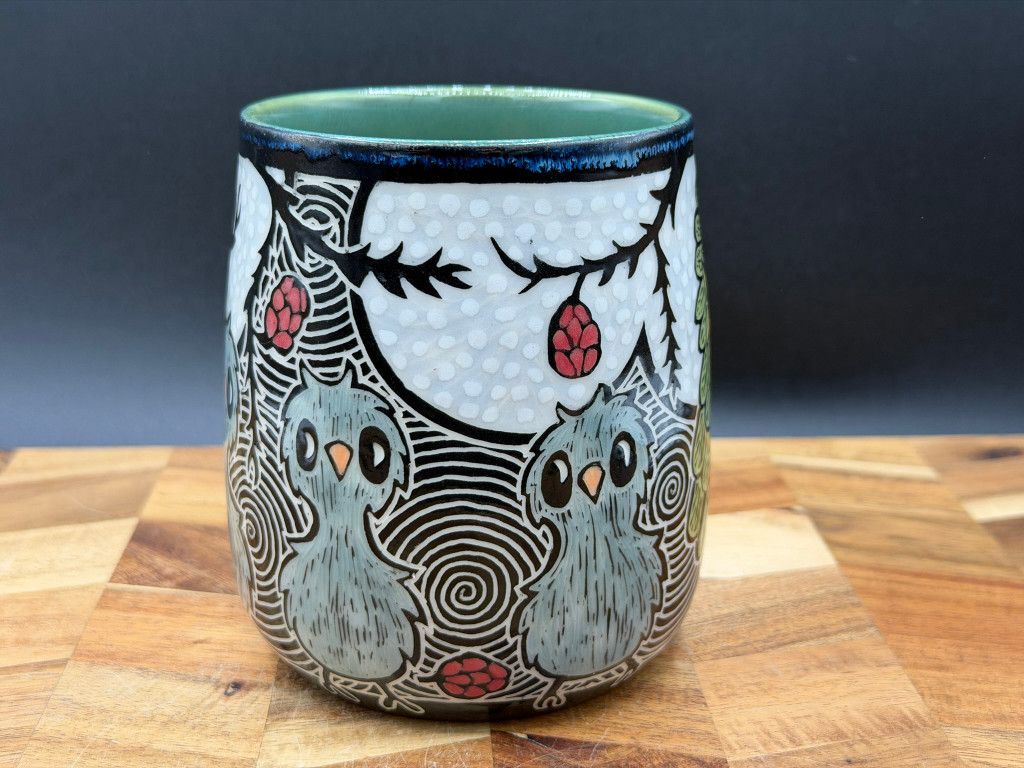
I love it so much.
Kākāpō Cam: Rakiura live stream (via) Critical update for this year's Kākāpō breeding season: the New Zealand Department of Conservation have a livestream running of Rakiura's nest!
You’re looking at the underground nest of 23-year-old Rakiura. She has chosen this same site to nest for all seven breeding seasons since 2008, a large cavity under a rātā tree. Because she returns to the site so reliably, we’ve been able to make modifications over the years to keep it safe and dry, including adding a well-placed hatch for monitoring eggs and chicks.
Rakiura is a legendary Kākāpō:
Rakiura hatched on 19 February 2002 on Whenua Hou/Codfish Island. She is the offspring of Flossie and Bill. Her name comes from the te reo Māori name for Stewart Island, the place where most of the founding kākāpō population originated.
Rakiura has nine living descendants, three females and six males, across six breeding seasons. In 2008 came Tōitiiti, in 2009 Tamahou and Te Atapō, in 2011 Tia and Tūtoko, in 2014 Taeatanga and Te Awa, in 2019 Mati-mā and Tautahi. She also has many grandchicks.
She laid her first egg of the season at 4:30pm NZ time on 22nd January. The livestream went live shortly afterwards, once she committed to this nest.
The stream is on YouTube. I used Claude Code to write a livestream-gif.py script and used that to capture this sped-up video of the last few hours of footage, within which you can catch a glimpse of the egg!
LLM predictions for 2026, shared with Oxide and Friends

I joined a recording of the Oxide and Friends podcast on Tuesday to talk about 1, 3 and 6 year predictions for the tech industry. This is my second appearance on their annual predictions episode, you can see my predictions from January 2025 here. Here’s the page for this year’s episode, with options to listen in all of your favorite podcast apps or directly on YouTube.
[... 1,773 words]2025
The new ChatGPT Images is here. OpenAI shipped an update to their ChatGPT Images feature - the feature that gained them 100 million new users in a week when they first launched it back in March, but has since been eclipsed by Google's Nano Banana and then further by Nana Banana Pro in November.
The focus for the new ChatGPT Images is speed and instruction following:
It makes precise edits while keeping details intact, and generates images up to 4x faster
It's also a little cheaper: OpenAI say that the new gpt-image-1.5 API model makes image input and output "20% cheaper in GPT Image 1.5 as compared to GPT Image 1".
I tried a new test prompt against a photo I took of Natalie's ceramic stand at the farmers market a few weeks ago:
Add two kakapos inspecting the pots
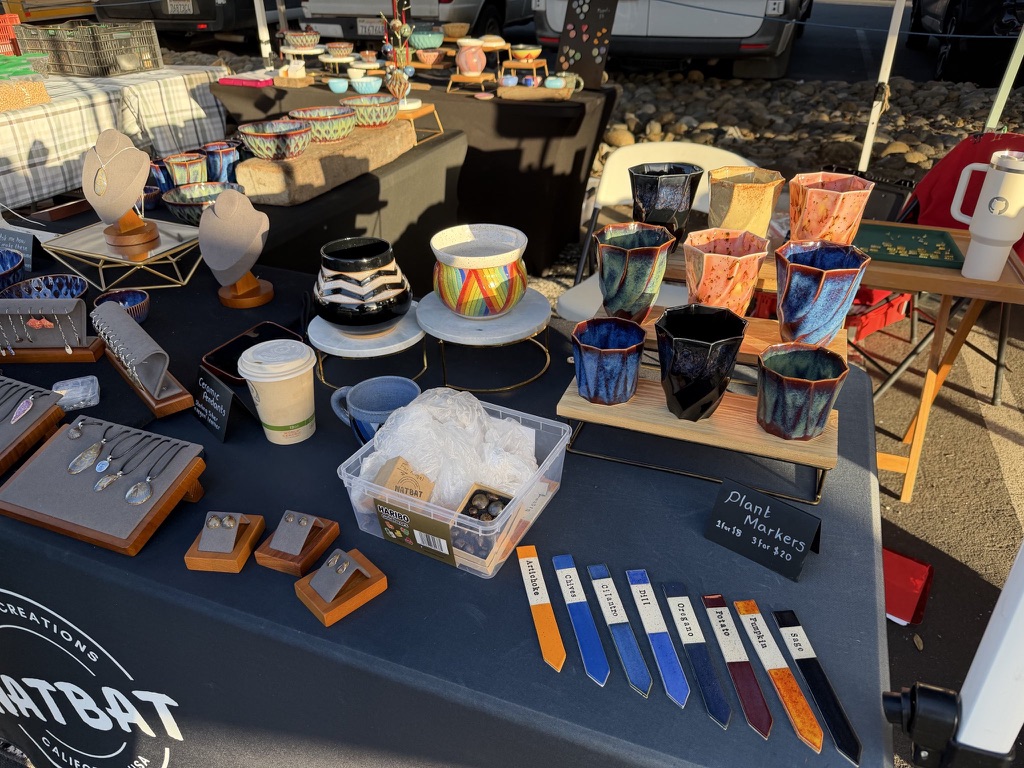
Here's the result from the new ChatGPT Images model:
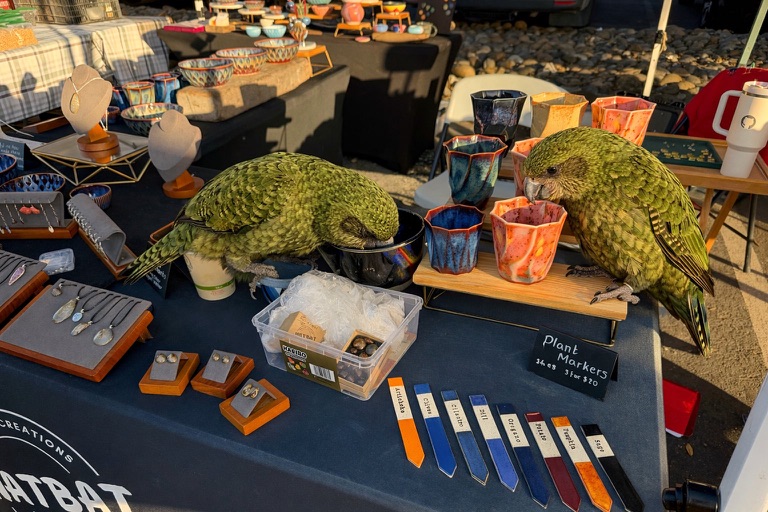
And here's what I got from Nano Banana Pro:
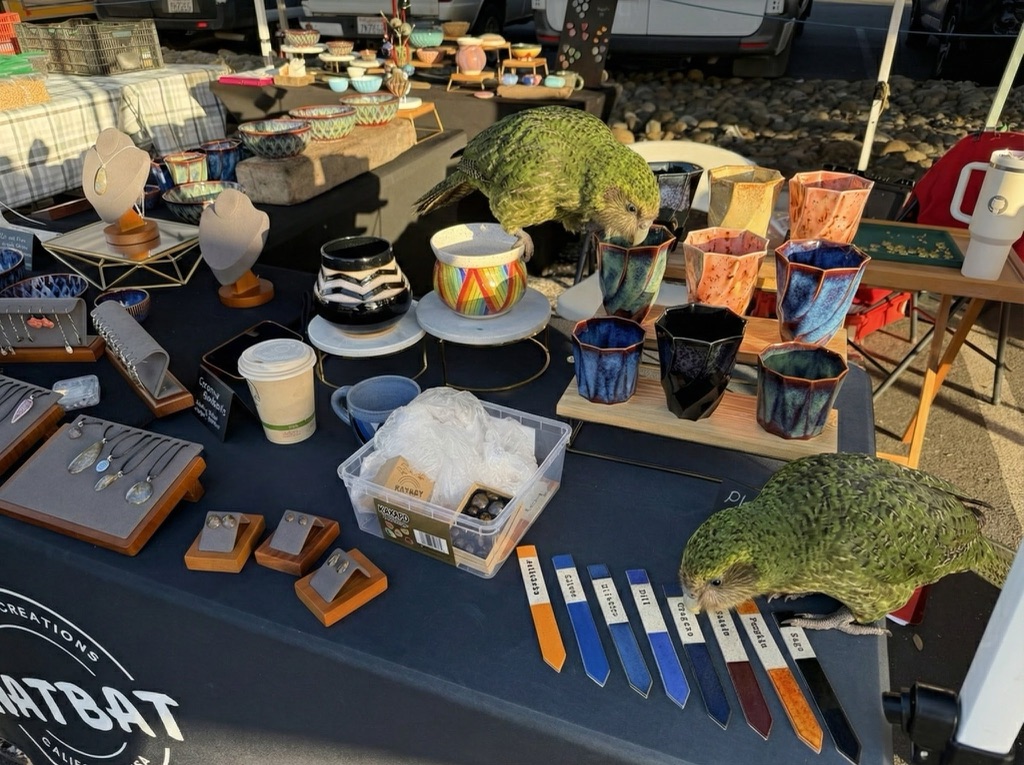
The ChatGPT Kākāpō are a little chonkier, which I think counts as a win.
I was a little less impressed by the result I got for an infographic from the prompt "Infographic explaining how the Datasette open source project works" followed by "Run some extensive searches and gather a bunch of relevant information and then try again" (transcript):

See my Nano Banana Pro post for comparison.
Both models are clearly now usable for text-heavy graphics though, which makes them far more useful than previous generations of this technology.
Update 21st December 2025: I realized I already have a tool for accessing this new model via the API. Here's what I got from the following:
OPENAI_API_KEY="$(llm keys get openai)" \
  uv run openai_image.py -m gpt-image-1.5\
  'a raccoon with a double bass in a jazz bar rocking out'
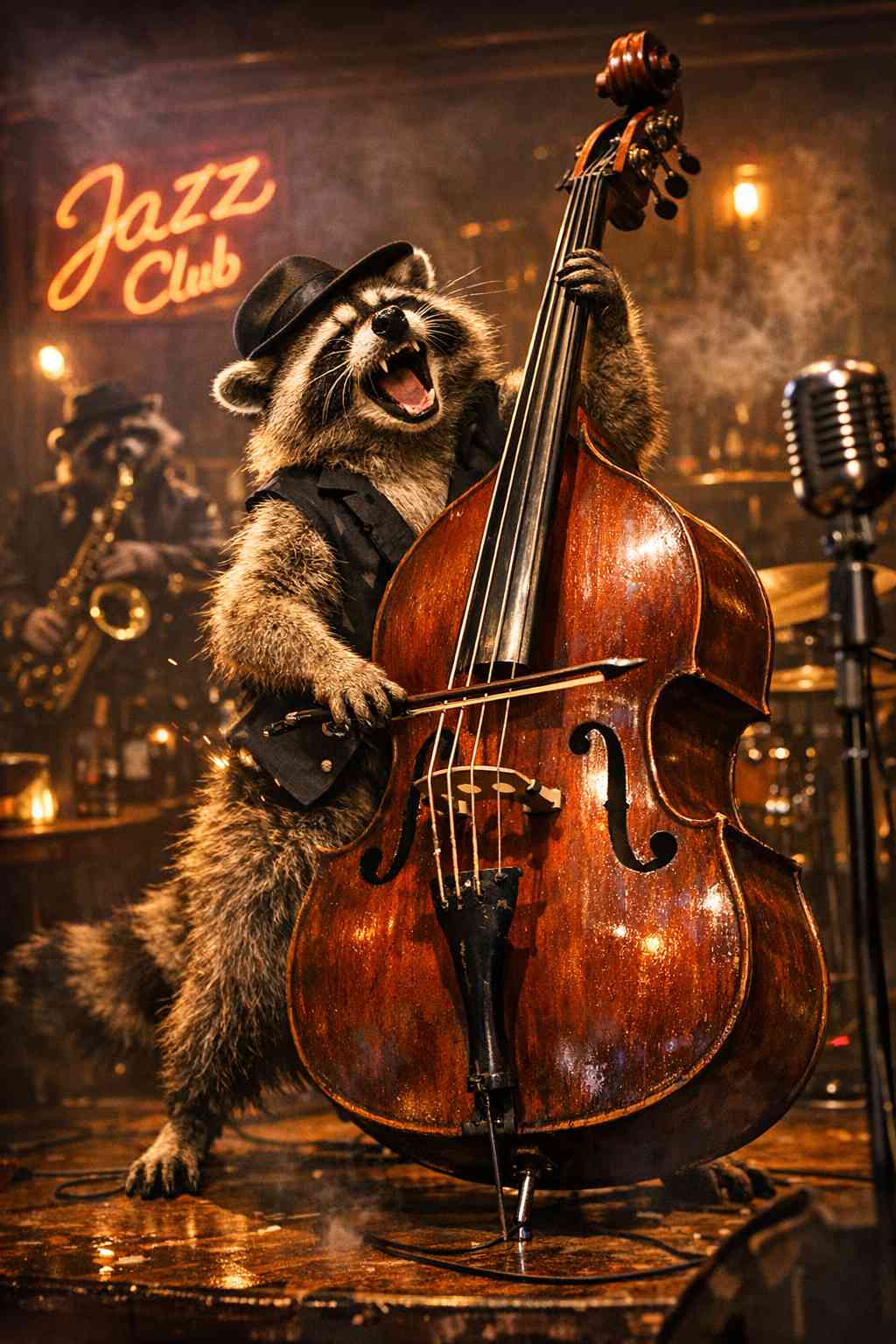
Total cost: $0.2041.
OpenAI are quietly adopting skills, now available in ChatGPT and Codex CLI
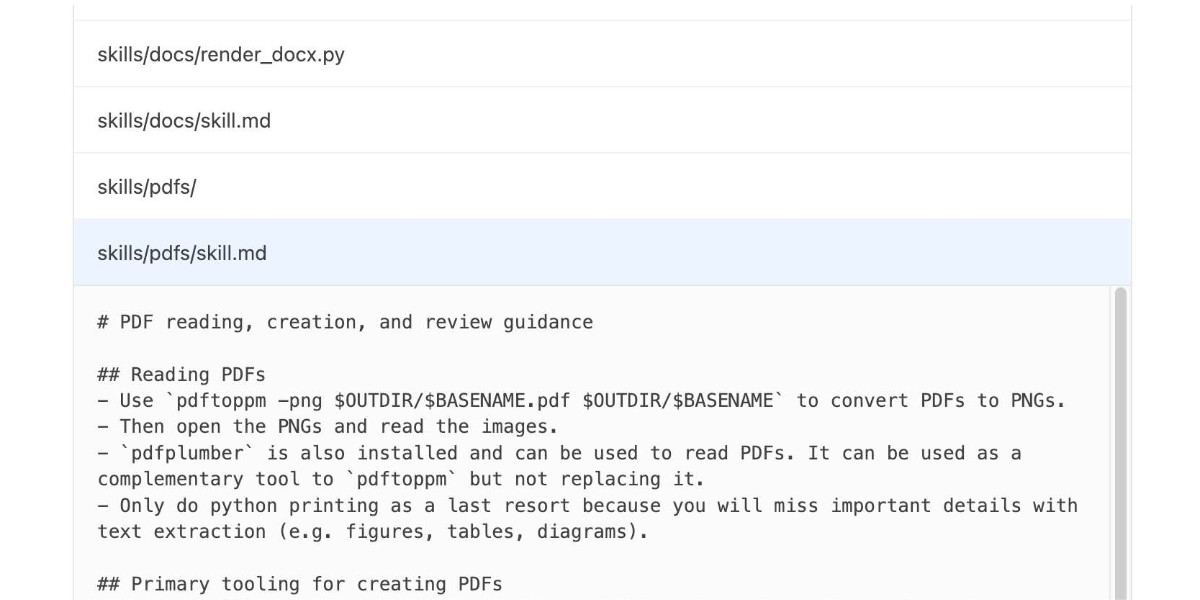
One of the things that most excited me about Anthropic’s new Skills mechanism back in October is how easy it looked for other platforms to implement. A skill is just a folder with a Markdown file and some optional extra resources and scripts, so any LLM tool with the ability to navigate and read from a filesystem should be capable of using them. It turns out OpenAI are doing exactly that, with skills support quietly showing up in both their Codex CLI tool and now also in ChatGPT itself.
[... 1,360 words]2019
In Kākāpō breeding season news…. I posted on MetaFilter about this year’s record-breaking Kākāpō breeding season.