10th December 2025
I've never been particularly invested dark v.s. light mode but I get enough people complaining that this site is "blinding" that I decided to see if Claude Code for web could produce a useful dark mode from my existing CSS. It did a decent job, using CSS properties, @media (prefers-color-scheme: dark) and a data-theme="dark" attribute based on this prompt:
Add a dark theme which is triggered by user media preferences but can also be switched on using localStorage - then put a little icon in the footer for toggling it between default auto, forced regular and forced dark mode
The site defaults to picking up the user's preferences, but there's also a toggle in the footer which switches between auto, forced-light and forced-dark. Here's an animated demo:
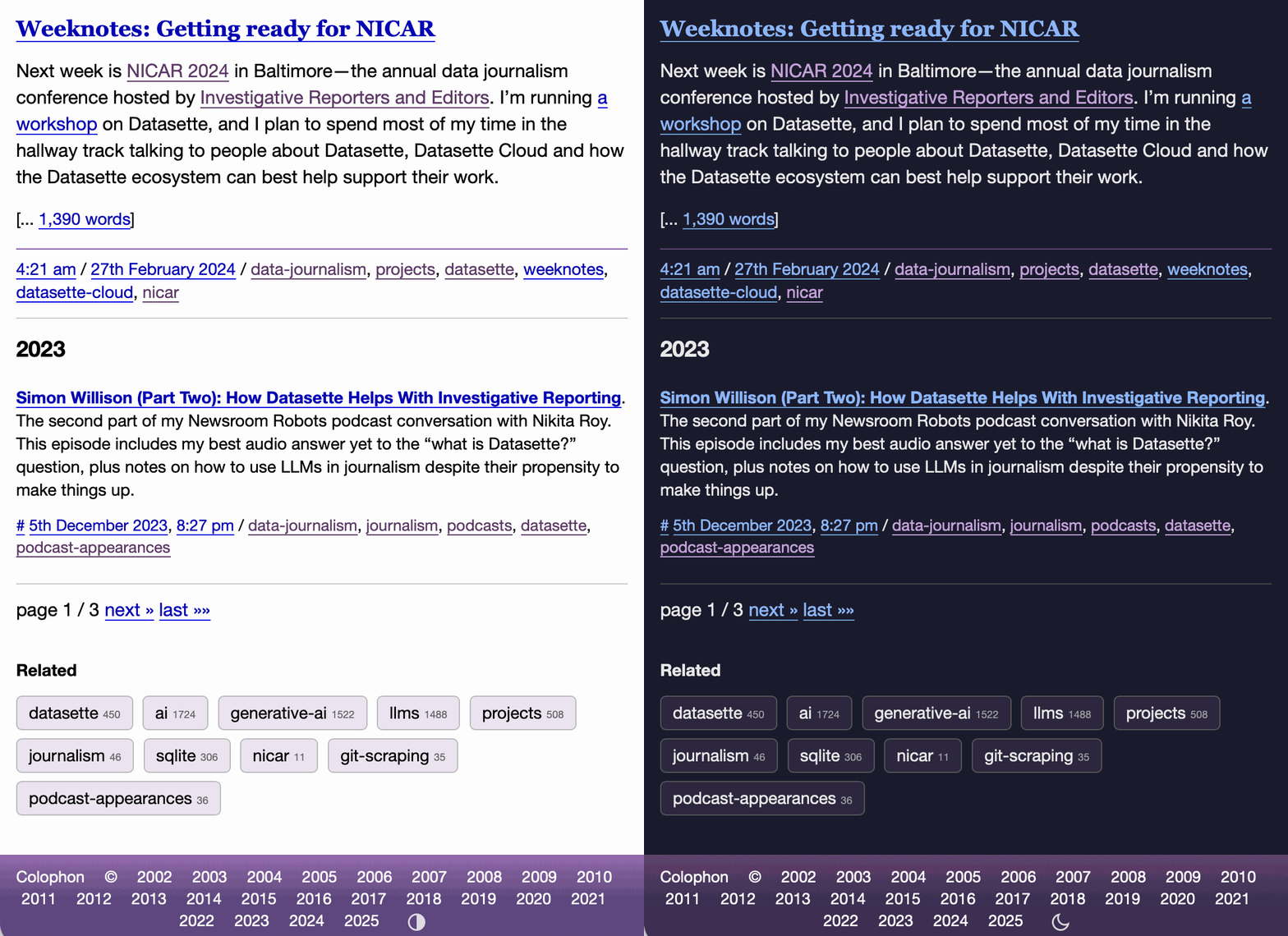
I had Claude Code make me that GIF from two static screenshots - it used this ImageMagick recipe:
magick -delay 300 -loop 0 one.png two.png \
    -colors 128 -layers Optimize dark-mode.gif
The CSS ended up with some duplication due to the need to handle both the media preference and the explicit user selection. We fixed that with Cog.
Recent articles
- Meta's new model is Muse Spark, and meta.ai chat has some interesting tools - 8th April 2026
- Anthropic's Project Glasswing - restricting Claude Mythos to security researchers - sounds necessary to me - 7th April 2026
- The Axios supply chain attack used individually targeted social engineering - 3rd April 2026