Simon Willison’s Weblog

Subscribe

Wednesday, 11th March 2026

It is hard for less experienced developers to appreciate how rarely architecting for future requirements / applications turns out net-positive.

John Carmack, a tweet in June 2021

# 2:47 pm / software-engineering, yagni, john-carmack

Tool SQLite Bytecode Explorer — Explore SQLite's Virtual Database Engine (VDBE) by analyzing the bytecode that SQLite generates when compiling SQL queries. This tool runs the `EXPLAIN` command on your SQL statements and annotates each instruction with detailed explanations of what it does, from cursor management and table scans to index lookups and aggregate functions.
Tool Sorting algorithms — Explore and compare different sorting algorithms through interactive animated visualizations that display how each algorithm organizes data in real-time. The tool allows you to adjust dataset size and animation speed, run individual algorithms step-by-step or continuously, and race multiple algorithms simultaneously to see which performs best. Each algorithm includes detailed complexity analysis and visual indicators for comparisons, swaps, and sorted elements.

Sorting algorithms. Today in animated explanations built using Claude: I've always been a fan of animated demonstrations of sorting algorithms so I decided to spin some up on my phone using Claude Artifacts, then added Python's timsort algorithm, then a feature to run them all at once. Here's the full sequence of prompts:

Interactive animated demos of the most common sorting algorithms

This gave me bubble sort, selection sort, insertion sort, merge sort, quick sort, and heap sort.

Add timsort, look up details in a clone of python/cpython from GitHub

Let's add Python's Timsort! Regular Claude chat can clone repos from GitHub these days. In the transcript you can see it clone the repo and then consult Objects/listsort.txt and Objects/listobject.c. (I should note that when I asked GPT-5.4 Thinking to review Claude's implementation it picked holes in it and said the code "is a simplified, Timsort-inspired adaptive mergesort".)

I don't like the dark color scheme on the buttons, do better

Also add a "run all" button which shows smaller animated charts for every algorithm at once in a grid and runs them all at the same time

It came up with a color scheme I liked better, "do better" is a fun prompt, and now the "Run all" button produces this effect:
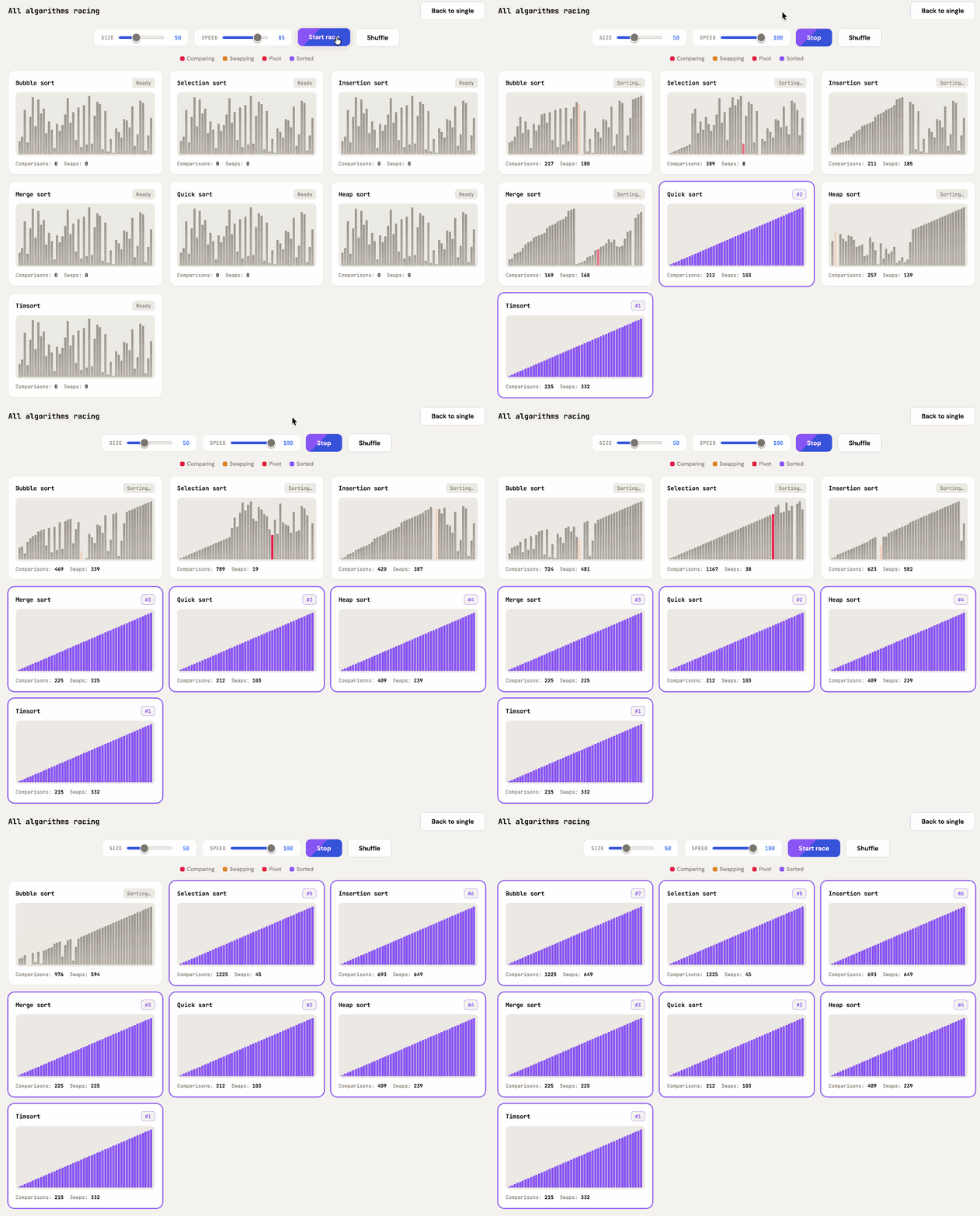
Animated sorting algorithm race visualization titled "All algorithms racing" with controls for SIZE (50) and SPEED (100), Stop and Shuffle buttons, and a "Back to single" button. A legend shows Comparing (pink), Swapping (orange), Pivot (red), and Sorted (purple) indicators. Seven algorithms race simultaneously in card panels: Bubble sort (Sorting… — Comparisons: 312, Swaps: 250), Selection sort (Sorting… — Comparisons: 550, Swaps: 12), Insertion sort (Sorting… — Comparisons: 295, Swaps: 266), Merge sort (#3 — Comparisons: 225, Swaps: 225), Quick sort (#2 — Comparisons: 212, Swaps: 103), Heap sort (Sorting… — Comparisons: 358, Swaps: 203), and Timsort (#1 — Comparisons: 215, Swaps: 332). Finished algorithms (Timsort, Quick sort, Merge sort) display fully sorted purple bar charts and are highlighted with purple borders.

# 10:58 pm / algorithms, computer-science, javascript, sorting, ai, explorables, generative-ai, llms, claude, vibe-coding

Tuesday, 10th March 2026
Thursday, 12th March 2026