Tools
Filters: Sorted by date
An experiment that shows that you can load an app in a CSP-protected sandboxed iframe (see previous note) and have a custom fetch() that intercepts CSP errors and passes them up to the parent window... which can then prompt the user to add that domain to an allow-list and then refresh the page.
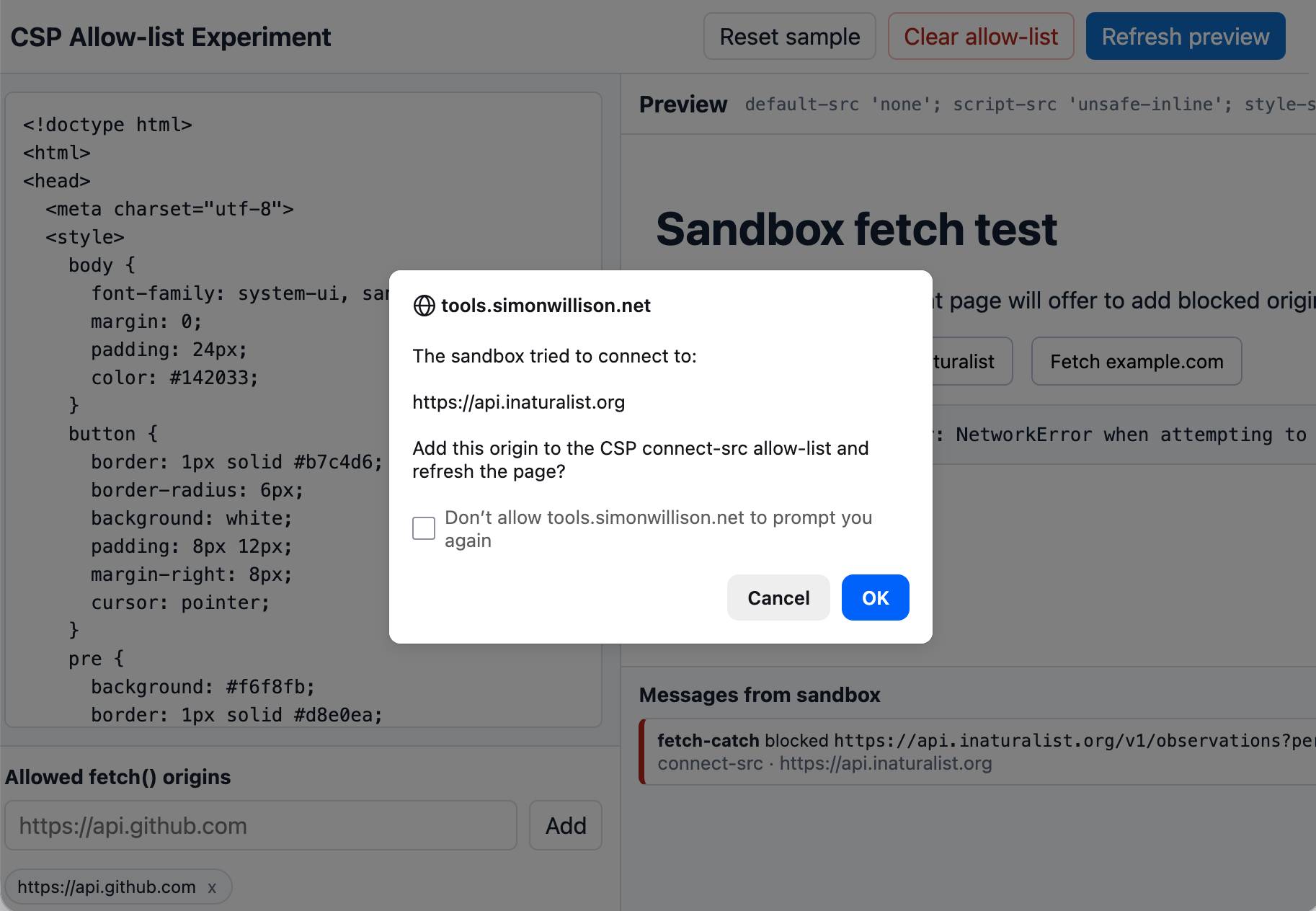
I built this one with GPT-5.5 xhigh running in the Codex desktop app.
I'm using my vibe coded macOS presentations tool to put together a talk, and I wanted to add a slide with some text on it. The tool only accepts URLs, so I put together a quick page that accepts query string arguments and turns them into a simple slide.
Here's an example: https://tools.simonwillison.net/big-words?text=simonwillison.net&gradient=1&size=9.5
Double click or double tap the page to access a form for modifying the different options.

One of the things I always look for when evaluating a new GitHub repository is the number of commits it has... but that number isn't visible on GitHub's mobile site layout. I built this tool to fix that, using this prompt:
Given a GitHub repo URL or foo/bar repo ID show information about that repo absorbed via wither REST or graphql CORS fetch() including the number of commits in the repo and other useful stats
Example output for simonw/datasette and simonw/llm.
Salvatore Sanfilippo submitted a PR adding a new data type - arrays - to Redis.
The new commands are ARCOUNT, ARDEL, ARDELRANGE, ARGET, ARGETRANGE, ARGREP, ARINFO, ARINSERT, ARLASTITEMS, ARLEN, ARMGET, ARMSET, ARNEXT, AROP, ARRING, ARSCAN, ARSEEK, ARSET.
The implementation is currently available in a branch, so I had Claude Code for web build this interactive playground for trying out the new commands in a WASM-compiled build of a subset of Redis running in the browser.
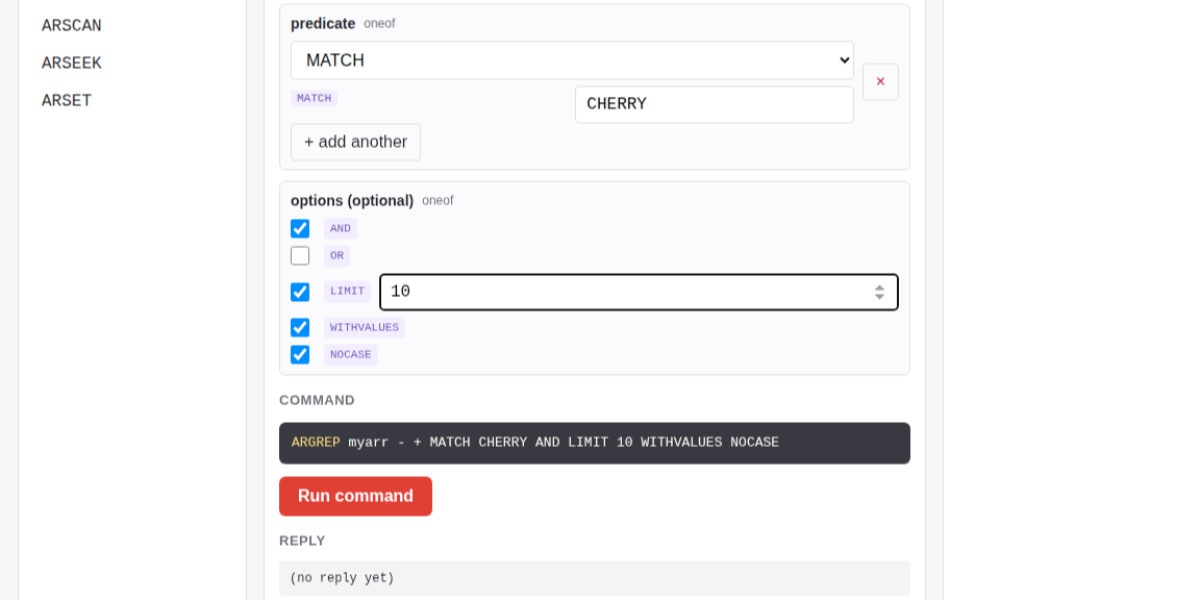
The most interesting new command is ARGREP which can run a server-side grep against a range of values in the array using the newly vendored TRE regex library.
Salvatore wrote more about the AI-assisted development process for the array type in Redis array type: short story of a long development.

I wanted to see my iNaturalist observations - across two separate accounts - grouped by when they occurred. I'm camping this weekend so I built this entirely on my phone using Claude Code for web.
I started by building an inaturalist-clumper Python CLI for fetching and "clumping" observations - by default clumps use observations within 2 hours and 5km of each other.
Then I setup simonw/inaturalist-clumps as a Git scraping repository to run that tool and record the result to clumps.json.
That JSON file is hosted on GitHub, which means it can be fetched by JavaScript using CORS.
Finally I ran this prompt against my simonw/tools repo:
Build inat-sightings.html - an app that does a fetch() against https://raw.githubusercontent.com/simonw/inaturalist-clumps/refs/heads/main/clumps.json and then displays all of the observations on one page using the https://static.inaturalist.org/photos/538073008/small.jpg small.jpg URLs for the thumbnails - with loading=lazy - but when a thumbnail is clicked showing the large.jpg in an HTML modal. Both small and large should include the common species names if available
LLM reports prompt durations in milliseconds and I got fed up of having to think about how to convert those to seconds and minutes.
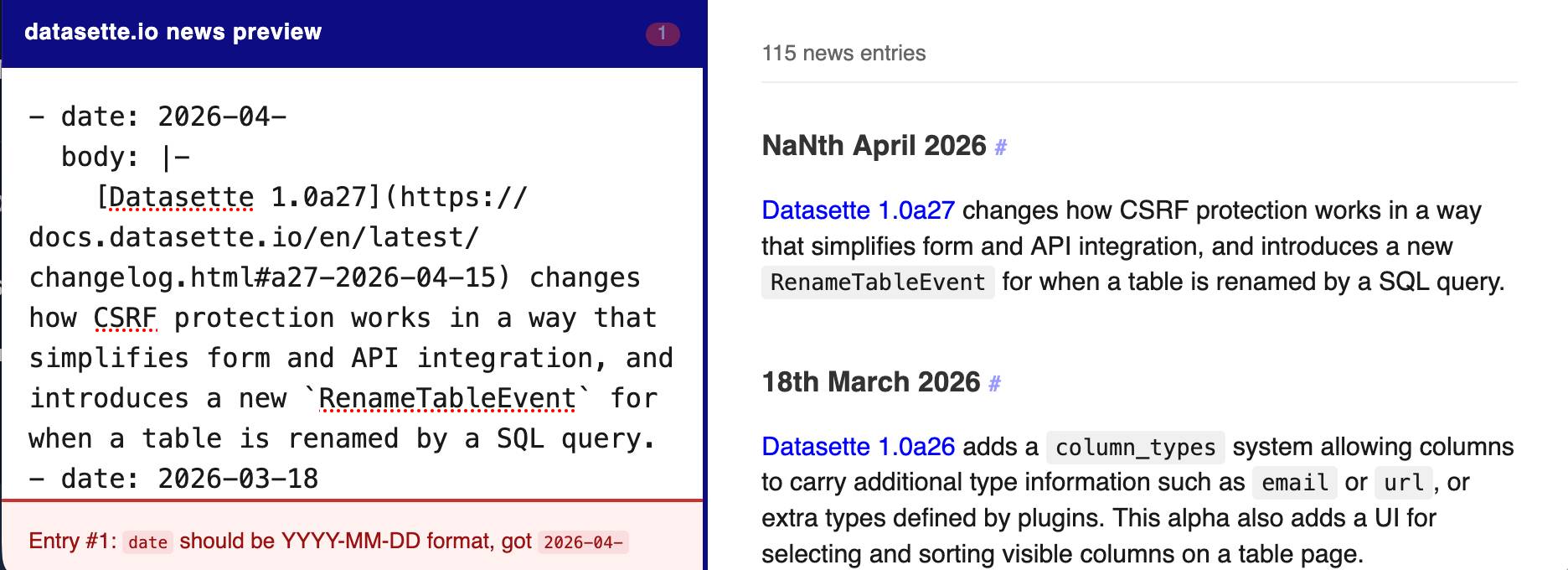
The datasette.io website has a news section built from this news.yaml file in the underlying GitHub repository. The YAML format looks like this:
- date: 2026-04-15
  body: |-
    [Datasette 1.0a27](https://docs.datasette.io/en/latest/changelog.html#a27-2026-04-15) changes how CSRF protection works in a way that simplifies form and API integration, and introduces a new `RenameTableEvent` for when a table is renamed by a SQL query.
- date: 2026-03-18
  body: |-
    ...
This format is a little hard to edit, so I finally had Claude build a custom preview UI to make checking for errors have slightly less friction.
I built it using standard claude.ai and Claude Artifacts, taking advantage of Claude's ability to clone GitHub repos and look at their content as part of a regular chat:
Clone https://github.com/simonw/datasette.io and look at the news.yaml file and how it is rendered on the homepage. Build an artifact I can paste that YAML into which previews what it will look like, and highlights any markdown errors or YAML errors
See my notes on Google's new Gemini 3.1 Flash TTS text-to-speech model.
See my notes on SQLite 3.53.0. This playground provides a UI for trying out the various rendering options for SQL result tables from the new Query Result Formatter library, compiled to WebAssembly.
GitHub doesn't tell you the repo size in the UI, but it's available in the CORS-friendly API. Paste a repo into this tool to see the size, for example for simonw/datasette (8.1MB).
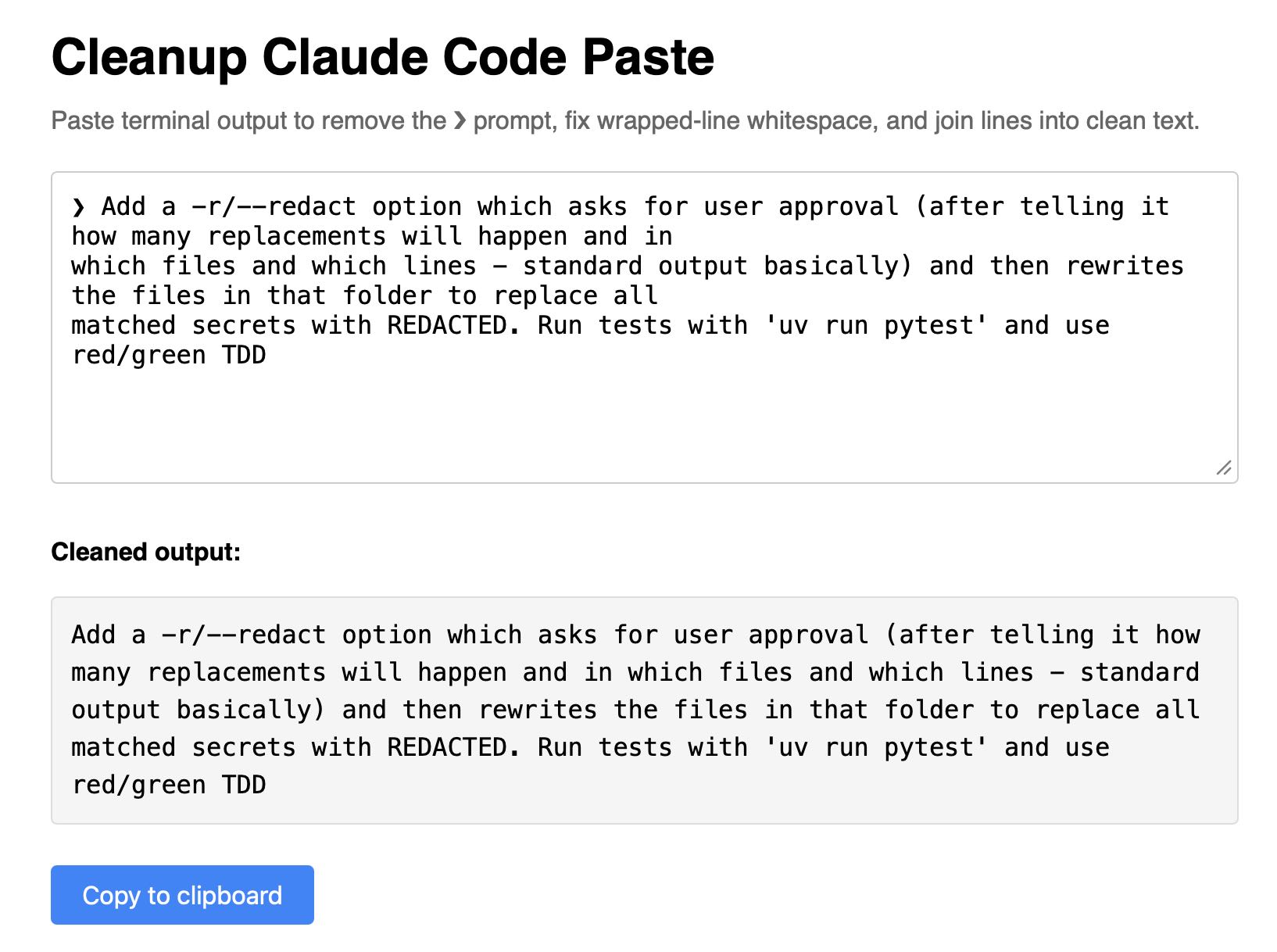
Super-niche tool this. I sometimes copy prompts out of the Claude Code terminal app and they come out with a bunch of weird additional whitespace. This tool cleans that up.
Lalit Maganti's syntaqlite is currently being discussed on Hacker News thanks to Eight years of wanting, three months of building with AI, a deep dive into how it was built.
This inspired me to revisit a research project I ran when Lalit first released it a couple of weeks ago, where I tried it out and then compiled it to a WebAssembly wheel so it could run in Pyodide in a browser (the library itself uses C and Rust).
This new playground loads up the Python library and provides a UI for trying out its different features: formating, parsing into an AST, validating, and tokenizing SQLite SQL queries.
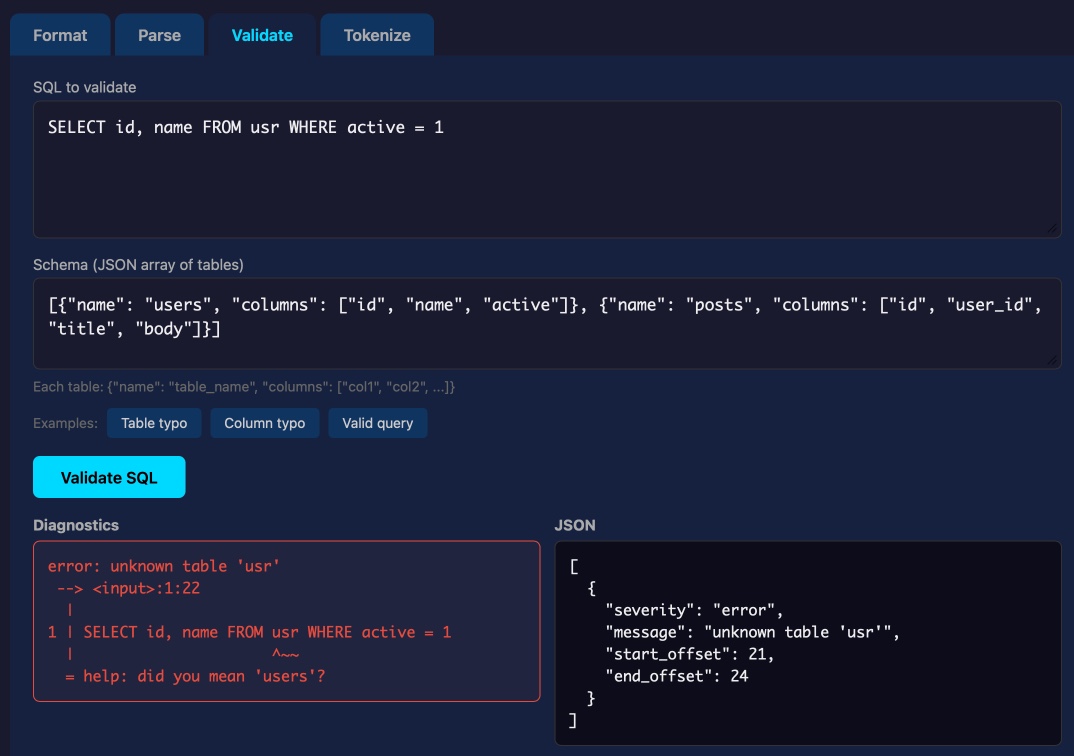
Update: not sure how I missed this but syntaqlite has its own WebAssembly playground linked to from the README.
TIL that Cloudflare's 1.1.1.1 DNS service (and 1.1.1.2 and 1.1.1.3, which block malware and malware + adult content respectively) has a CORS-enabled JSON API, so I had Claude Code build me a UI for running DNS queries against all three of those resolvers.
Bram Cohen wrote about his coherent vision for the future of version control using CRDTs, illustrated by 470 lines of Python.
I fed that Python (minus comments) into Claude and asked for an explanation, then had it use Pyodide to build me an interactive UI for seeing how the algorithms work.
The NICAR data journalism conference provides a copy of the schedule as CORS-enabled JSON, so I vibe coded my own mobile-friendly schedule app to help me keep track of the sessions I want to attend.