Simon Willison’s Weblog

Newsletter

15th October 2026

Tool LaTeX renderer — LaTeX renderer turns LaTeX source into a rendered view, either a single display equation typeset by MathJax or a full document or prose fragment typeset by faster-latex, with a live preview beside the editor and a toolbar switch between Edit and Rendered views. Source can be typed, loaded from a URL or GitHub Gist, or picked from built-in examples, and the page keeps the LaTeX in the URL fragment so it can be shared as a readable or compressed link.

Inspired by Paul Ford and Aboard Foundary's new web app Tiny Little Office, which provides a suite of web app content editors (a Word Processor, Outliner, Presentation Builder, Spreadsheet, Calculator, Drawing Tool, Diagram Maker, Animator, Calendar, and Trip Planner).

Tiny Little Office's signature trick is to store all of the document data in the #fragment section of the URL, so every document created using it becomes a bookmarkable and shareable link.

It also has an llms.txt file telling agents how to construct URLs that will render as documents. Claude used that file to generate this link to a deck that explains how the URL format works:
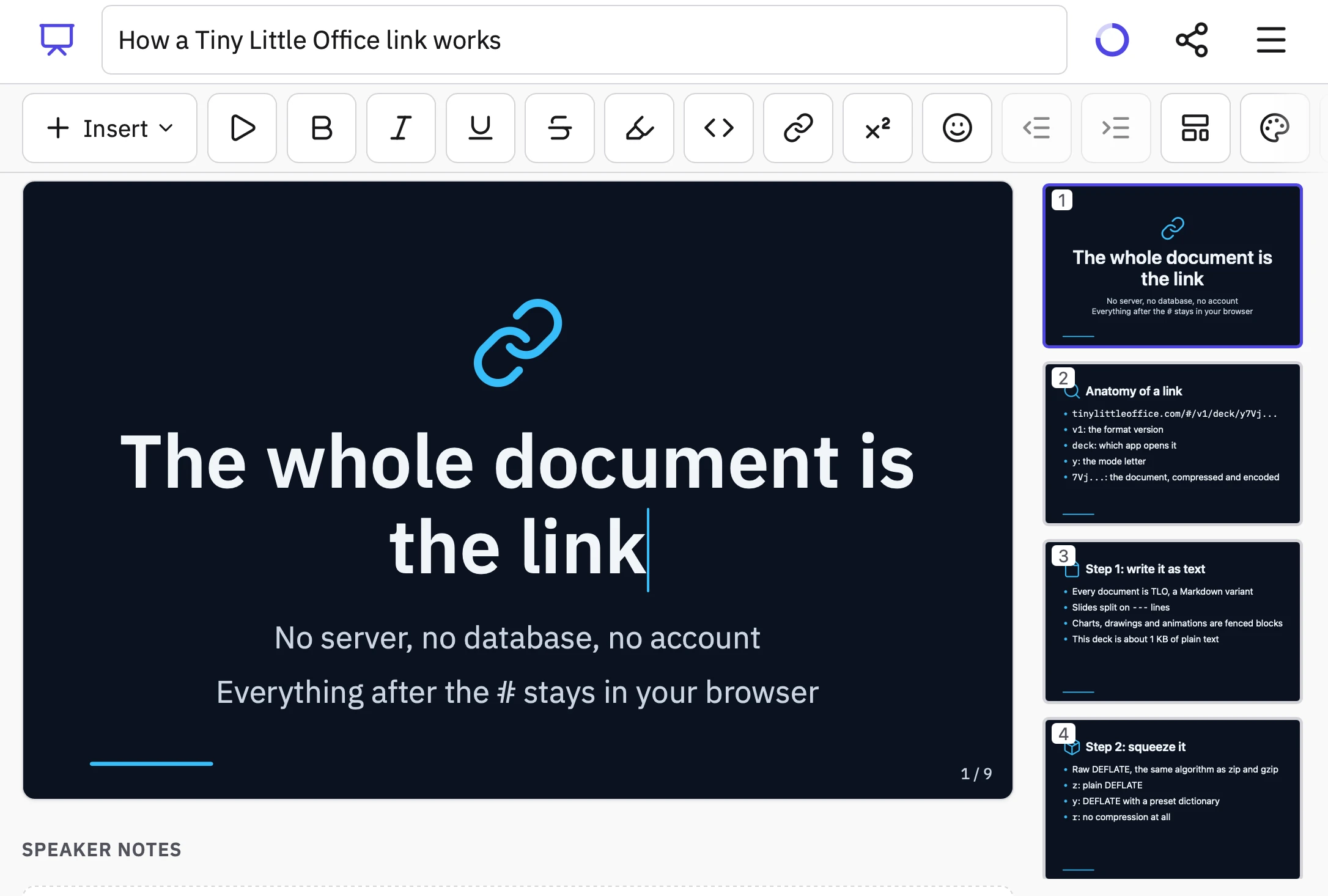
Screenshot of a slide deck editor in a web app with a dark-themed presentation open. The document title field reads "How a Tiny Little Office link works", with a progress ring, share icon and menu icon at top right. Below is a formatting toolbar with an "Insert" dropdown followed by icon buttons for play, bold, italic, underline, strikethrough, highlight, code, link, superscript, emoji, outdent, indent, layout and color palette. The main canvas shows slide 1 with a blue chain-link icon and the text: "The whole document is the link" "No server, no database, no account" "Everything after the # stays in your browser" and a slide counter "1 / 9". Below the canvas is a "SPEAKER NOTES" heading. A sidebar on the right shows slide thumbnails. Slide 1 (selected): "The whole document is the link" "No server, no database, no account" "Everything after the # stays in your browser". Slide 2: "Anatomy of a link" with bullets "tinylittleoffice.com/#/v1/deck/y7Vj..." "v1: the format version" "deck: which app opens it" "y: the mode letter" "7Vj...: the document, compressed and encoded". Slide 3: "Step 1: write it as text" with bullets "Every document is TLO, a Markdown variant" "Slides split on --- lines" "Charts, drawings and animations are fenced blocks" "This deck is about 1 KB of plain text". Slide 4: "Step 2: squeeze it" with bullets "Raw DEFLATE, the same algorithm as zip and gzip" "z: plain DEFLATE" "y: DEFLATE with a preset dictionary" "r: no compression at all".

Tiny Little Office inspired me to have Claude Code (Opus 5.5 Extra) build a similar tool that works with LaTeX. Here's the sequence of prompts I used:

I want a tool where you can link to it with a fragment hash #code-here and it treats that code as LaTeX and renders it really effectively. It should also support a prefix which means the latex is compressed with a custom compression dictionary optimized for latex. Use the best available latex render library from a CDN (consider WebAssembly too). If loaded without a fragment hash show an editor you can paste latex into and then toggle to a "rendered" view. That rendered view should be bookmarkable. The #fragment view should let you switch to edit source too.

Since it was working in my tools repo I told it to take inspiration from the <iframe sandbox="..."> mechanism used by my existing SVG in Markdown tool as protection against XSS risks:

Safe from XSS? We could run in an iframe sandbox like we do on the SVG markdown render project

I had it copy the Gist/URL loading feature from that tool as well:

We should have an option to load latex from a URL (or gist) similar to the markdown SVG tool

Here's an example link. The tool uses Pako 2.1.0, MathJax 4.1.3, faster-latex 0.3.1, and DOMPurify 3.4.16.
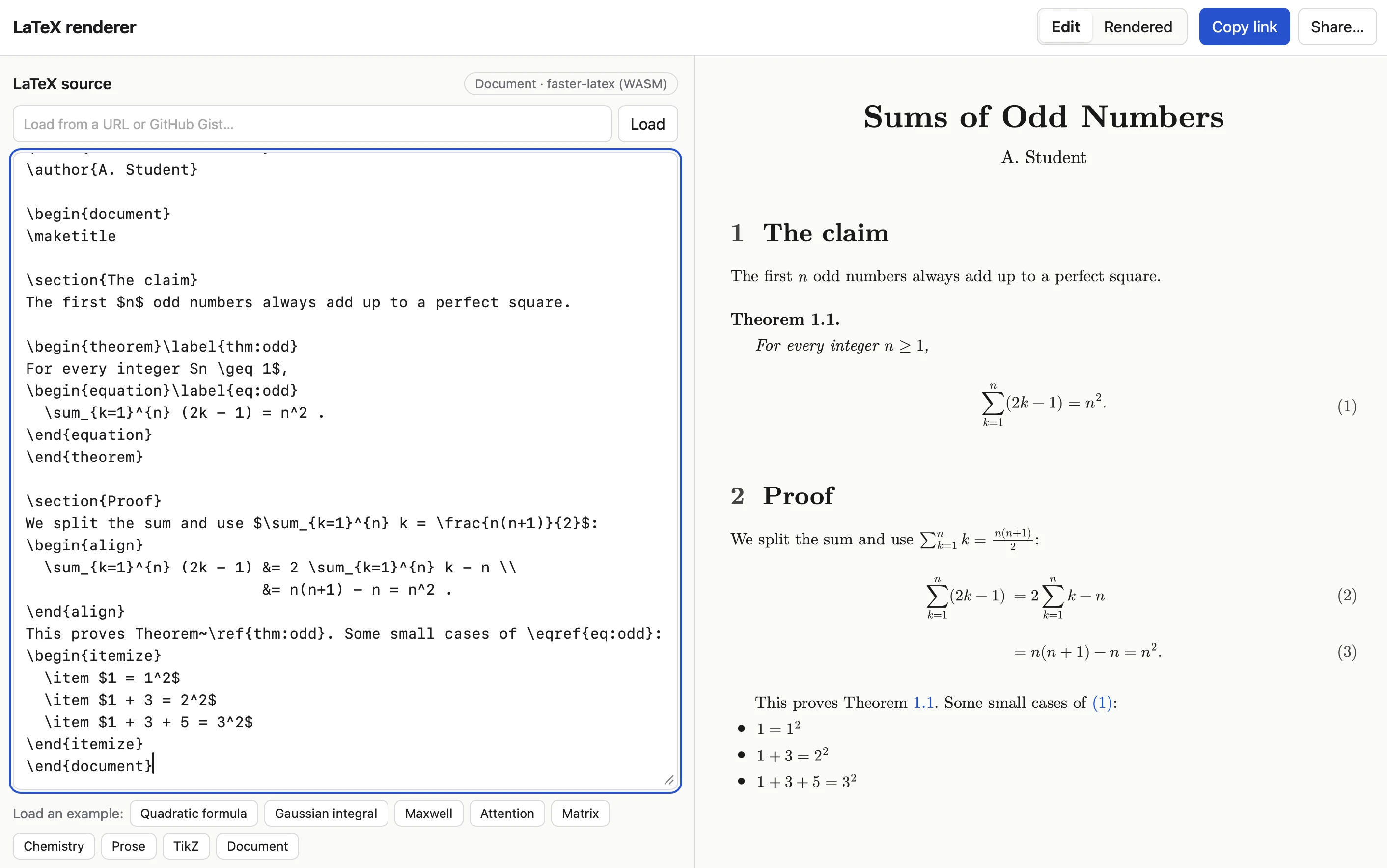
Screenshot of a web app titled "LaTeX renderer" with a split-pane layout. The top bar has an Edit/Rendered toggle, a blue Copy link button, and a Share button. The left pane, labeled LaTeX source with a "Document · faster-latex (WASM)" badge, has a URL/GitHub Gist input with a Load button, a code editor containing a LaTeX document, and rows of example buttons (Quadratic formula, Gaussian integral, Maxwell, Attention, Matrix, Chemistry, Prose, TikZ, Document). The right pane shows the typeset output: a paper titled "Sums of Odd Numbers" by A. Student, with a section stating a theorem that the first n odd numbers sum to n squared, a Proof section with numbered equations, and a bulleted list of small cases.

This is a beat by Simon Willison, posted on 15th October 2026.

Monthly briefing

Sponsor me for $10/month and get a curated email digest of the month's most important LLM developments.

Pay me to send you less!

Sponsor & subscribe