15th February 2026 - Link Blog
Gwtar: a static efficient single-file HTML format (via) Fascinating new project from Gwern Branwen and Said Achmiz that targets the challenge of combining large numbers of assets into a single archived HTML file without that file being inconvenient to view in a browser.
The key trick it uses is to fire window.stop() early in the page to prevent the browser from downloading the whole thing, then following that call with inline tar uncompressed content.
It can then make HTTP range requests to fetch content from that tar data on-demand when it is needed by the page.
The JavaScript that has already loaded rewrites asset URLs to point to https://localhost/ purely so that they will fail to load. Then it uses a PerformanceObserver to catch those attempted loads:
let perfObserver = new PerformanceObserver((entryList, observer) => {
    resourceURLStringsHandler(entryList.getEntries().map(entry => entry.name));
});
perfObserver.observe({ entryTypes: [ "resource" ] });
That resourceURLStringsHandler callback finds the resource if it is already loaded or fetches it with an HTTP range request otherwise and then inserts the resource in the right place using a blob: URL.
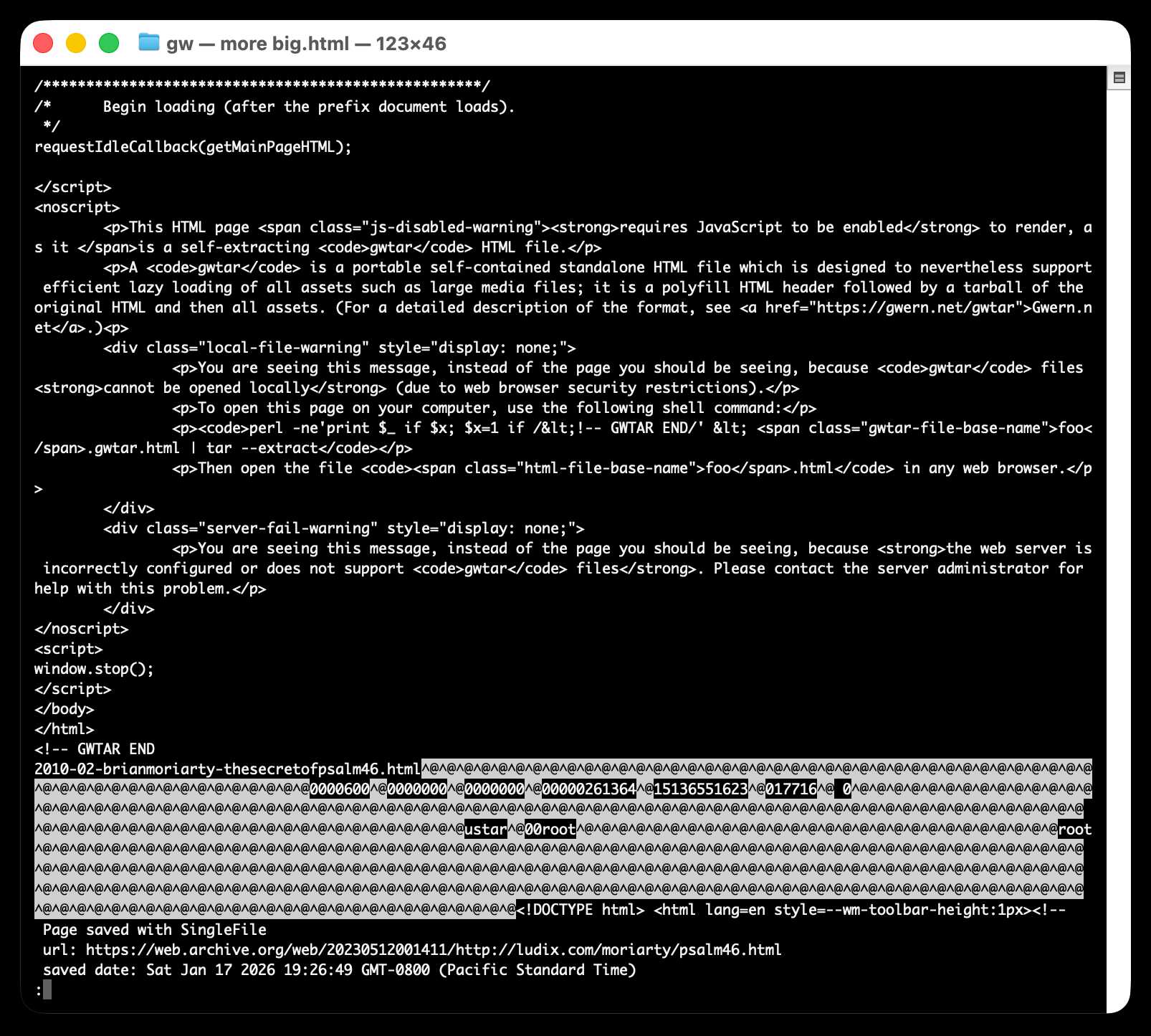
Here's what the window.stop() portion of the document looks like if you view the source:
Amusingly for an archive format it doesn't actually work if you open the file directly on your own computer. Here's what you see if you try to do that:
You are seeing this message, instead of the page you should be seeing, because
gwtarfiles cannot be opened locally (due to web browser security restrictions).To open this page on your computer, use the following shell command:
perl -ne'print $_ if $x; $x=1 if /<!-- GWTAR END/' < foo.gwtar.html | tar --extractThen open the file
foo.htmlin any web browser.